How to Automate Candidate Screening in Your ATS (Workday, SAP, ADP, Greenhouse & More)
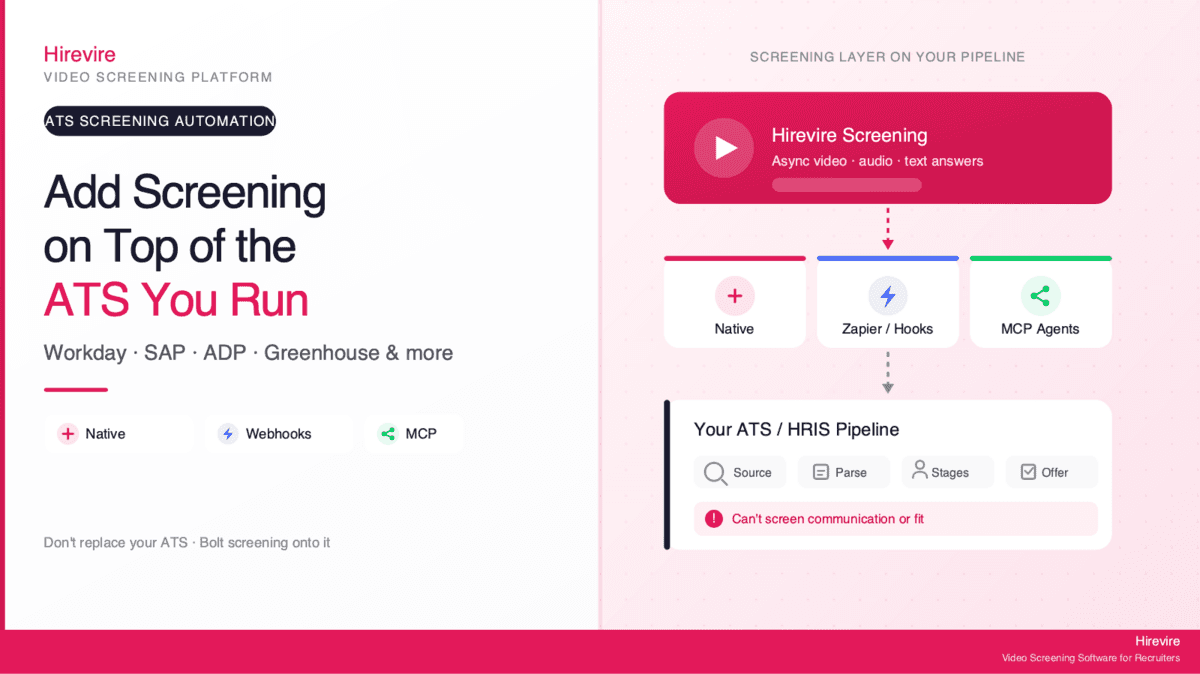
Most ATS and HRIS platforms automate the pipeline beautifully. They post the job, collect applications, parse resumes, move candidates between stages, and keep compliance records tidy. What almost none of them do well is the one thing that actually predicts whether someone can do the job: screen how a candidate communicates, reasons, and presents under real questions.
That gap is where teams quietly lose time. Your system of record can tell you a candidate has five years of experience and the right keywords on their resume. It cannot tell you whether they can explain a tricky situation clearly, handle a customer who is upset, or string together a coherent answer to "walk me through how you'd approach this." So recruiters end up doing what the ATS was supposed to eliminate: scheduling dozens of early phone screens to find that out manually.
TL;DR (answer-first): Most ATS and HRIS platforms (Workday, SAP, ADP, Greenhouse, Gusto, UKG) automate sourcing and pipeline but can’t screen communication or fit. You add that capability by connecting an async screening tool like Hirevire via native integration, Zapier/webhooks, or MCP: qualified candidates auto-trigger a screening invite, candidates record video/audio/text answers on their own time, and structured responses flow back into your ATS for review. You don’t replace your ATS. You bolt a screening layer onto it.
This guide covers what your ATS automates well and where the gap is, which platforms have which holes, the three ways to connect a screening tool, how the automated handoff works end to end, and a setup walkthrough with per-platform notes. The shift toward this kind of automation is already mainstream: 43% of organizations now use AI in HR tasks, up from 26% in 2024, according to SHRM's 2025 Talent Trends, with screening one of the most common applications.
Key Takeaways
| Platform type | What it automates well | What you add with a screening layer |
|---|---|---|
| Enterprise HRIS/ATS (Workday, SAP SuccessFactors, ADP) | Requisitions, pipeline stages, compliance records, offer workflow | Async communication screening before the first human touch |
| HRIS-with-recruiting (Gusto, UKG) | Job posting, applicant tracking, onboarding handoff | Structured video/audio answers to evaluate fit |
| Recruiting-first ATS (Greenhouse, iCIMS) | Structured interview kits, scorecards, sourcing | Automated front-of-funnel screening at volume |
| Modern ATS (Ashby, Recruitee, Manatal) | Analytics, sourcing, native automations | One-click async screening with answers synced back |
What Your ATS Automates Well (and the Communication Gap It Leaves)
To understand where to bolt on screening, it helps to be precise about what an applicant tracking system actually does. An ATS is your system of record for hiring. It manages the requisition, captures applications from job boards and your careers page, parses and stores resumes, moves candidates through defined stages, routes approvals, and keeps the audit trail that compliance and legal teams depend on.
An HRIS like Workday, ADP, Gusto, or UKG does all of that and connects hiring to the rest of the employee lifecycle: payroll, benefits, onboarding, and performance. These are powerful, deeply integrated systems. They are not the problem.
The Gap: Pipeline Automation Is Not Screening Automation
Here is the distinction that matters. Pipeline automation moves a candidate from stage to stage. Screening automation evaluates whether the candidate should advance at all. Your ATS is excellent at the former and largely blind to the latter when the signal is communication or fit rather than a keyword on a resume.
Resume parsing checks qualifications: degree, years of experience, listed skills, location. That filtering is useful, but it is the easy part. According to SHRM's 2025 Talent Trends, screening resumes is the second most common recruiting use of AI (44% of organizations), after writing job descriptions. Resume screening narrows the pile. It does not tell you who can actually communicate.
The communication and fit signals that predict on-the-job success, clarity of explanation, problem-solving approach, customer empathy, language proficiency for a phone role, simply are not present in a resume or an application form. They show up only when a candidate answers questions. Traditionally that meant a phone screen, which is exactly the manual, repetitive work automation is supposed to remove.
Why This Gap Costs You
Recruiters spend an outsized share of their time on early-stage administration and screening logistics rather than judgment. The cost compounds at volume. When 200 applications arrive for one opening, manual phone screening of even the top 40 is hours of calendar coordination and repeated conversations, most of which end in "not a fit" within the first three minutes.
A bad hire that slips through because screening was rushed is far more expensive than the screening itself. SHRM benchmarking puts the cost of a bad hire as high as 213% of annual salary for senior positions. The fix is not to replace your ATS. It is to automate the screening step your ATS cannot do, and feed the result back in.
What Your ATS Sees vs. What a Screen Reveals
A concrete example makes the gap obvious. Two candidates apply for a customer support role. Both have three years of support experience, both list the right tools, both clear the ATS keyword filter, and both land in the "qualified" stage automatically. On paper they are identical, and your ATS has nothing more to add.
Ask each one a 90-second async question, "Tell me about a time you handled a frustrated customer," and the difference is immediate. One walks through the situation, the action they took, and the outcome in a clear, calm structure. The other rambles, never resolves the example, and is hard to follow. That signal, the thing that actually predicts on-the-job performance, lives entirely outside the resume and the application form. No amount of pipeline automation surfaces it. Only a screening step does, which is exactly the layer this guide shows you how to add.
The Screening Gap, Platform by Platform
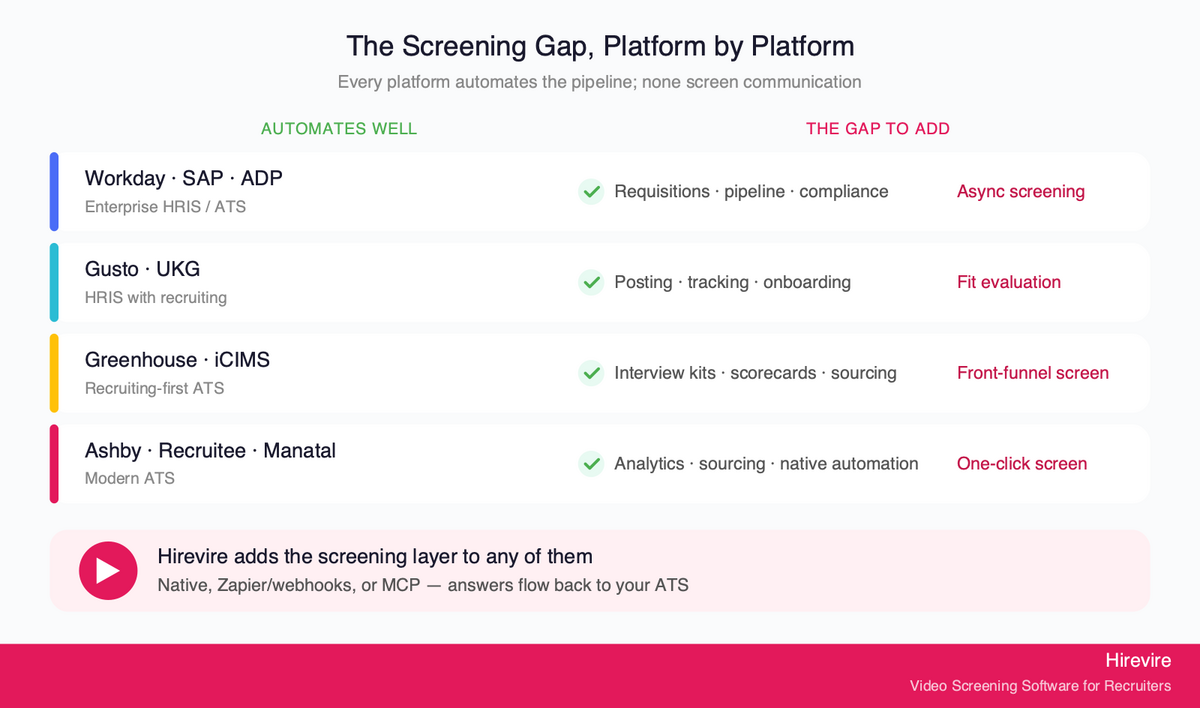
Different platforms leave the gap in slightly different places. Knowing where yours sits tells you which connection method to reach for.
Workday Recruiting
Workday is an enterprise system of record built around the worker lifecycle. Workday recruiting automation handles requisitions, candidate pipelines, interview scheduling, and offer workflows at scale, tightly coupled to HR, payroll, and finance. What it does not natively provide is structured async communication screening before the first recruiter touch. Teams running Workday typically add a screening layer through integration or webhook-driven automation so qualified applicants are invited to record answers automatically.
SAP SuccessFactors (and SmartRecruiters)
SAP recruiting automation centers on SuccessFactors Recruiting, an enterprise suite covering sourcing, applicant management, and onboarding. In September 2025, SAP completed its acquisition of SmartRecruiters, broadening its talent acquisition footprint. Both are strong at pipeline orchestration and weak at front-of-funnel communication assessment. A screening tool connected via API or automation platform fills that hole without disrupting the SAP system of record.
ADP
ADP is payroll-and-HR first, with recruiting modules layered on. ADP recruiting automation software features cover job posting, applicant tracking, and the handoff into onboarding and payroll. Communication screening is not its strength, which is expected given its core purpose. ADP customers commonly bolt screening on through Zapier or webhooks so candidate answers land back in the ADP record.
Gusto and UKG
Gusto and UKG recruiting automation lives inside broader HR and workforce-management platforms. Gusto serves smaller teams with applicant tracking attached to payroll and onboarding; UKG serves larger, often hourly-heavy workforces. Neither is designed to evaluate how a candidate communicates. For hourly and frontline roles especially, where most candidates apply from their phones, an async screening step that works on any device is the missing piece.
Greenhouse and iCIMS
Greenhouse hiring process automation is genuinely strong on structured interviewing: interview kits, scorecards, and a deliberate, fair process. iCIMS recruiting automation platform capabilities are built for enterprise volume and complex compliance. Both still sit upstream of the moment a candidate actually speaks. Adding async screening lets you evaluate communication before scheduling any live time, then push structured results into the Greenhouse or iCIMS record. iCIMS carries custom enterprise pricing; Greenhouse pricing is quote-based, both reasons to add a lightweight screening layer rather than buy another heavy module.
Modern ATS: Ashby, Recruitee, Manatal
Newer platforms make this easiest. Ashby, Recruitee, and Manatal are built with open automation and clean APIs in mind, and Hirevire offers native integration subpages for each. Here the screening layer connects in minutes, and the data flow back is close to one-click.
| Platform | Connection that fits best | Where the gap sits |
|---|---|---|
| Workday | Webhook / API automation | No async communication screening |
| SAP SuccessFactors | API / automation platform | Pipeline-strong, screening-light |
| ADP | Zapier / webhooks | Payroll-first, thin on screening |
| Gusto / UKG | Zapier / webhooks | No fit evaluation for hourly roles |
| Greenhouse / iCIMS | Native or webhook | Structured but upstream of speech |
| Ashby / Recruitee / Manatal | Native integration | Minimal; near one-click |
Three Ways to Connect a Screening Tool to Your ATS
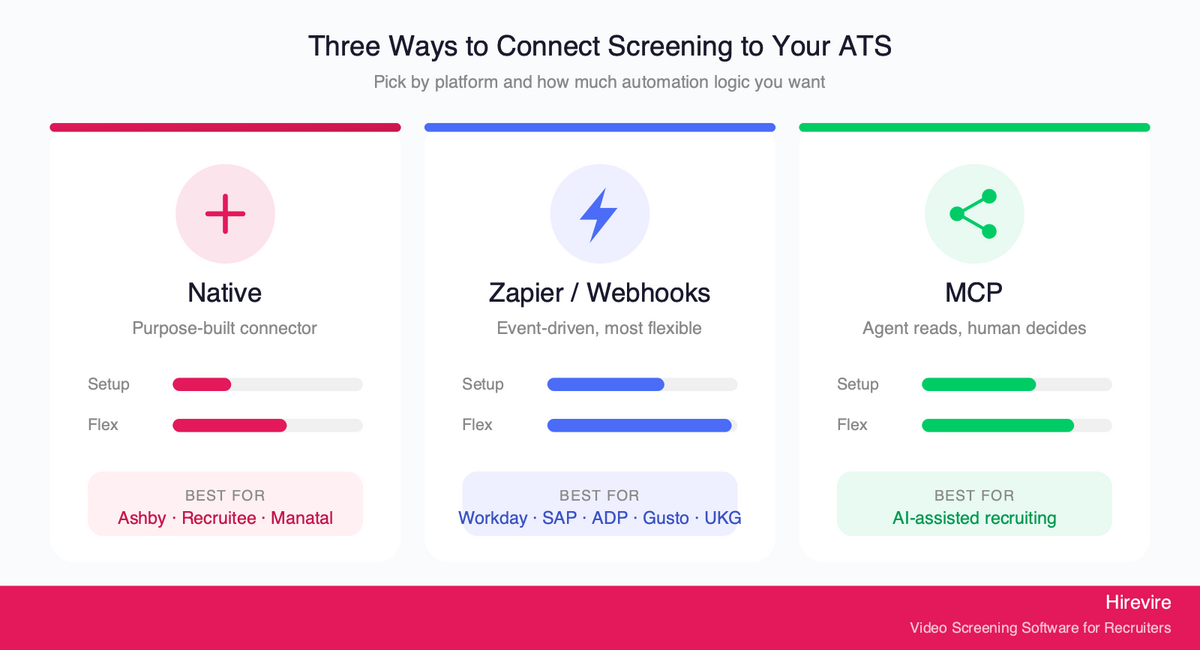
There are exactly three connection paths, and choosing the right one is mostly about how your ATS exposes its events and how much engineering you want to involve. Be precise here, because native, Zapier/webhooks, and MCP are genuinely different.
1. Native Integrations
A native integration is a purpose-built connection between two products. Hirevire's integrations include native connections to modern ATS platforms like Ashby, Recruitee, and Manatal, plus Gmail for email workflows.
Best for: Teams on a platform with a native option who want the cleanest setup and the tightest data sync. Native integrations require the least configuration and break the least often, because the field mapping is maintained for you.
2. Zapier, Make, and Webhooks
When there is no native option, automation platforms bridge the gap. Hirevire connects to Zapier (5,000+ apps), Make (1,000+ apps), and Pabbly Connect. This is the path most enterprise platforms use in practice, because Workday, SAP, ADP, Gusto, and UKG almost all have Zapier or webhook hooks.
Webhooks are the lowest-level, most flexible option. A webhook fires the moment a candidate submits an application, and you choose which events trigger it, pushing data to Slack, your ATS, a spreadsheet, or any tool that accepts a webhook. With answer data integration, the payload includes the individual candidate answers, not just metadata, so screening responses can populate the candidate record in your ATS automatically.
Best for: Enterprise ATS/HRIS platforms without a native screening integration, and any team that wants custom routing logic. Slightly more setup than native, far more flexible.
3. MCP for Agent-Driven Workflows
The newest path is MCP, the Model Context Protocol, which lets AI agents work with your hiring data directly. Hirevire's MCP integration lets an AI agent (such as Claude) read and summarize candidate lists and transcripts, while a human keeps decision-making authority. Write actions, like updating a status, stay within your existing permissions and are revocable. MCP for recruiting explains the protocol, lists which ATS platforms run their own server, and walks through a screening run.
This matters as recruiting moves toward agent-driven workflows. Instead of clicking through screens, a recruiter can ask an agent to "summarize the top five screening responses for the support role" and get an answer grounded in real candidate data. The agent reads and proposes; the human decides.
Best for: Forward-looking teams building AI-assisted recruiting workflows who want an agent to query and summarize screening data without handing over the final call.
| Connection | Setup effort | Flexibility | Best for |
|---|---|---|---|
| Native integration | Lowest | Medium | Ashby, Recruitee, Manatal users |
| Zapier / Make / webhooks | Medium | Highest | Workday, SAP, ADP, Gusto, UKG |
| MCP | Medium | Agent-driven | AI-assisted recruiting workflows |
The Automated Handoff: From ATS to Screening Invite to Responses Back
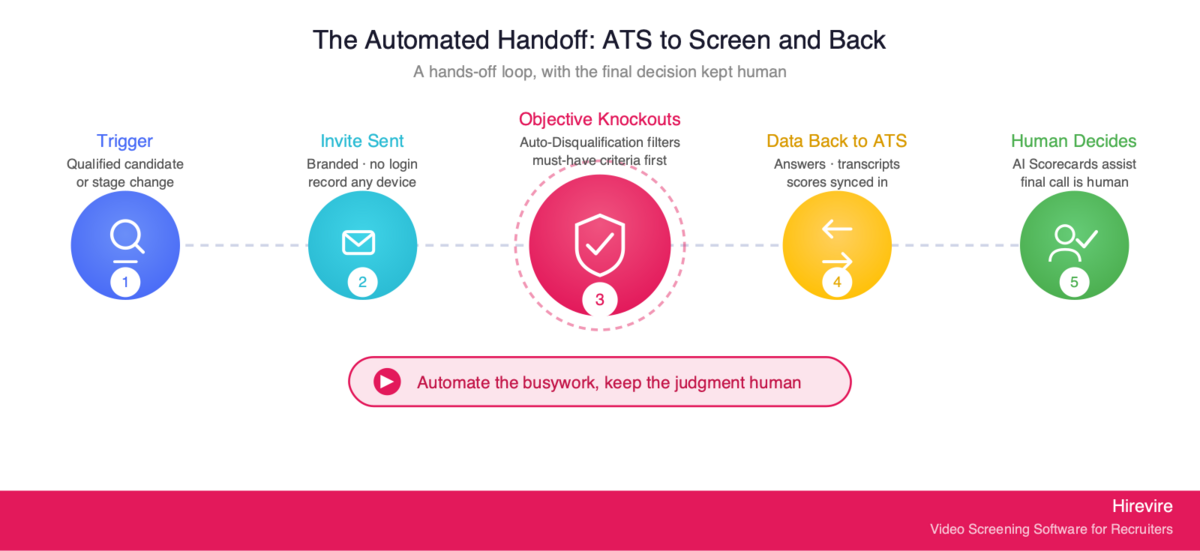
The point of connecting these systems is a clean, hands-off loop. Here is what it looks like once configured.
Step 1: A qualified candidate triggers the screen. When an applicant clears your ATS's basic filters (or reaches a defined stage), that event fires an automation. You decide the trigger: a new application, a stage change, or a tag.
Step 2: The screening invite goes out automatically. Hirevire sends the candidate a branded invite to record answers to your screening questions. There is no login required for the candidate, which keeps completion rates high, and answers can be video, audio, text, or file uploads. Candidates respond on their own time, on any device.
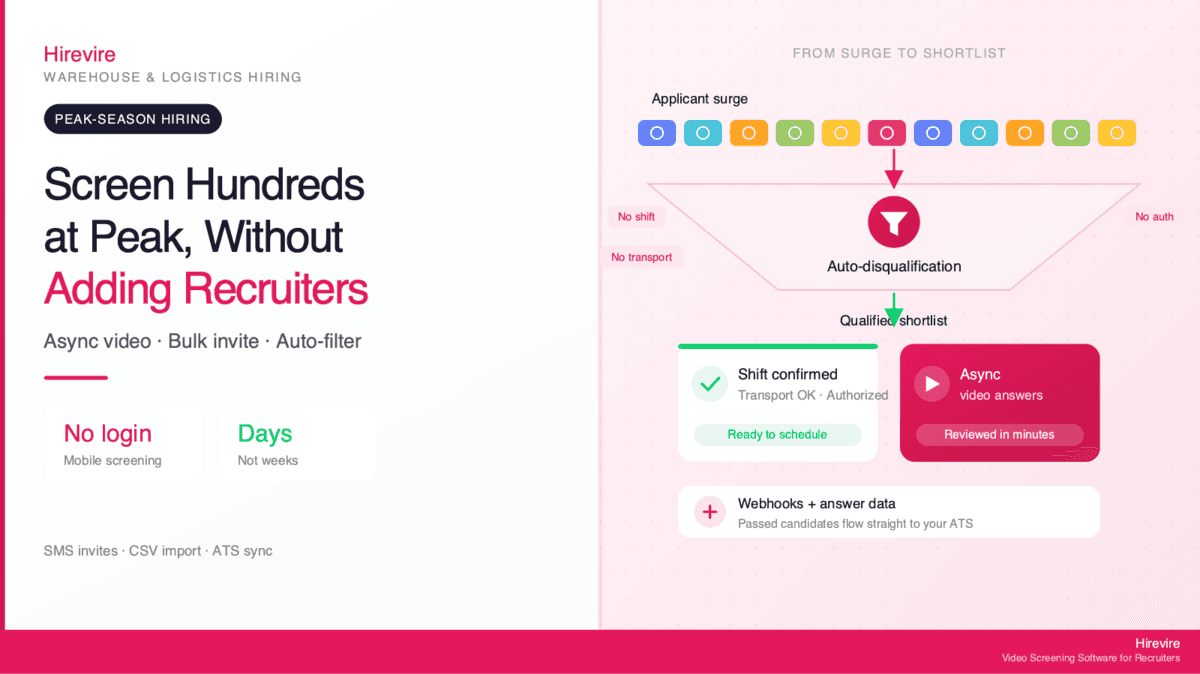
Step 3: Objective knockouts filter first. Before responses even reach review, Auto-Disqualification applies your must-have criteria (minimum experience, certifications, location, work authorization) so applicants who fail objective requirements are filtered to a separate tab. This saves review time and screening capacity for candidates who actually qualify.
Step 4: Responses and structured data flow back to the ATS. As candidates submit, the webhook or native integration pushes their answers, transcripts, and evaluation data back into your ATS record. Recruiters see everything in the system they already live in.
Step 5: A human reviews and decides. AI assists the judgment without owning it. AI Scorecards apply a rubric your hiring team defines, with weighted factors and 1-to-5 scoring levels, to every candidate, producing consistent scores plus feedback. Shared Review Links let any teammate rate candidates collaboratively, no login needed. The final call stays human.
This is the core design principle worth keeping: automate the busywork, keep the judgment human. That is also where compliance lives, which the next section covers.
A Note on Compliance When You Automate Screening
Automating screening responsibly means keeping a human in the decision loop, not handing hiring decisions to a black box. The legal exposure is real. EEOC technical assistance on AI in employment selection makes clear that Title VII applies to an employer's use of software and AI in selection, and a tool that screens out candidates on a protected basis can create unlawful disparate impact even when the employer relied on a vendor's tool. Some jurisdictions go further: New York City's Local Law 144 requires an independent annual bias audit before using an automated employment decision tool to screen candidates.
The safe pattern is transparent, rubric-based scoring that a human controls and objective knockouts only, which is exactly how Hirevire's Auto-Disqualification and AI Scorecards are built. The AI proposes; a person decides and can audit the reasoning.
Setup Walkthrough: Adding Screening to Any ATS
The generic flow is the same across platforms; only the connection method changes. Here is the step-by-step, followed by per-platform notes.
The Generic Five-Step Setup
Step 1: Build your screening questions in Hirevire. Create a job with 3 to 6 questions that target the communication and fit signals your ATS can't see. Mix formats: a video "walk me through..." question, an audio scenario, a short text answer. Add your branding so the experience matches your careers page.
Step 2: Set your objective knockouts. Configure Auto-Disqualification for must-have criteria so unqualified applicants never consume review time. Keep these strictly objective (certifications, work authorization, minimum experience), never subjective.
Step 3: Choose your connection. Native integration if your ATS has one (Ashby, Recruitee, Manatal). Zapier, Make, or a webhook for everything else (Workday, SAP, ADP, Gusto, UKG, Greenhouse, iCIMS). MCP if you want agent-driven querying on top.
Step 4: Define the trigger and the return path. Set which ATS event launches the invite (new application or a specific stage), and enable answer data integration so responses post back to the candidate record. Map the fields once.
Step 5: Test with one live candidate, then turn it on. Run a single application through end to end. Confirm the invite fires, the candidate can record without friction, and the answers land back in your ATS. Then enable it for the requisition.
Per-Platform Notes
Workday and SAP SuccessFactors: Use API or an automation platform (Zapier/Make) to trigger invites on a stage change and post structured answers back. Loop in your HRIS admin for field mapping, since enterprise instances are heavily customized.
ADP, Gusto, and UKG: Zapier or webhooks are the practical path. Trigger on new application; return transcripts and scores to the applicant record. For hourly roles, keep questions short and mobile-friendly to protect completion rates.
Greenhouse and iCIMS: Connect via webhook (or native where available) and trigger screening at your "review" stage so async screening replaces the first phone screen. Push scorecards back so they sit alongside your structured interview kits.
Ashby, Recruitee, Manatal: Use the native integration. Setup is the fastest of any platform, and answer sync is close to one-click.
Hirevire starts at $39/month billed yearly on Essentials, with no per-interview fees, so adding the screening layer is a fixed, predictable cost rather than a per-candidate charge that punishes you at volume.
How Teams Use It Alongside Their ATS
Real users run Hirevire as exactly this kind of layer. As one director of operations put it about running it next to an existing system:
"Easy to use, and easy to deploy. I love the ability to upload a video intro to the page too, nice touch. This is an amazing product, running alongside our ATS."
—Adam G., Director of Operations at Hygea Care Group, G2
And on the implementation and ATS connection itself:
"The software always works, it's really easy for our candidates to use and their support is really 10/10. If you need an integration or anything, they are there for you. The implementation was also really easy and Hirevire helped us connect it to the right ATS system."
—Roy Lammers, CEO Remote Talents, G2
Hirevire holds strong ratings across review platforms: G2 4.6/5 (30 reviews, View Reviews), Capterra 5/5 (26 reviews, View Reviews), and AppSumo 4.9/5 (70+ reviews, View on AppSumo).
Advanced: Getting More From a Connected Screening Layer
Once the basic loop works, a few strategies compound the value.
Stage-Triggered Screening for Different Roles
Not every role needs the same screen at the same point. Trigger a short communication screen at application for high-volume hourly roles, and a deeper, scenario-based screen at a later stage for skilled roles. Because the trigger is just an ATS event, you can run different screening flows off different requisitions or tags without new tooling.
Let Agents Query Your Screening Data
With MCP connected, recruiters can use an AI agent to summarize and compare responses across a pipeline ("which three candidates gave the clearest answer on conflict resolution?") without manually opening each one. The agent reads from real data; the recruiter still makes the call. This is where recruiting automation is heading, and connecting it now keeps your screening data agent-ready.
Keep the Audit Trail Clean
Because structured answers, transcripts, and scorecards post back into your ATS, your system of record stays the single source of truth, important for compliance and for the bias-audit requirements noted earlier. Avoid running screening data in a silo your legal team can't see.
Common Setup Mistakes to Avoid
A few predictable errors undercut a connected screening layer, and all of them are easy to sidestep once you know to look.
Triggering the screen too early. Firing the invite on every new application, before any objective filter, sends screening requests to people who were never going to qualify. Trigger after the ATS's basic filters or at a defined stage so you screen only candidates worth the time.
Asking too many questions. A screen with ten questions tanks completion rates, especially for hourly and frontline roles where candidates respond on a phone. Three to six focused questions get far higher completion and still surface the communication signal you need.
Putting subjective criteria in Auto-Disqualification. Knockouts must be strictly objective: certification, work authorization, minimum years. Subjective judgments belong in the human review step with a transparent rubric, never in an automated filter, both for fairness and for the compliance reasons above.
Skipping the field mapping test. Enabling the flow on a full requisition before running one live candidate end to end is how teams discover, too late, that answers aren't posting back. Always test the return path with a single application first.
Avoiding these four keeps the loop clean: the right candidates get screened, completion stays high, and structured data lands reliably back in your ATS.
Frequently Asked Questions
Does adding a screening tool replace my ATS?
No. A screening tool sits on top of your ATS as a layer, not a replacement. Your ATS remains the system of record for requisitions, pipeline, compliance, and offers. The screening tool handles the one thing the ATS can't: evaluating how candidates communicate. Hirevire is designed to run alongside platforms like Workday, SAP, ADP, Greenhouse, and others, with answers flowing back into them.
What is the difference between native, Zapier/webhook, and MCP connections?
A native integration is a purpose-built connection maintained by the vendor (Hirevire offers these for Ashby, Recruitee, and Manatal), with the least setup. Zapier, Make, and webhooks bridge platforms without a native option by firing on events like a new application and pushing data wherever you route it, the most flexible path and the one most enterprise platforms use. MCP lets an AI agent read and summarize your screening data while a human keeps decision authority, built for agent-driven workflows. They serve different needs; you pick based on your platform and how much automation logic you want.
Can I add screening automation to Workday, SAP, or ADP specifically?
Yes. Workday recruiting automation, SAP recruiting automation (including SmartRecruiters), and ADP recruiting automation all expose events you can trigger on through APIs, Zapier, or webhooks. The pattern is the same: a qualified candidate or a stage change triggers a Hirevire screening invite, and structured answers post back into the platform's candidate record. Because these are large, customized instances, involve your HRIS admin for field mapping.
How do candidates experience the screening step?
Candidates receive a branded invite and record answers (video, audio, text, or file) on their own time, on any device, with no login required. That low-friction design keeps completion rates high, which matters most for hourly and frontline roles where applicants typically apply from their phones. They can re-record as needed, and the experience reflects your brand rather than feeling like a generic third-party form.
Will this help with high-volume hiring?
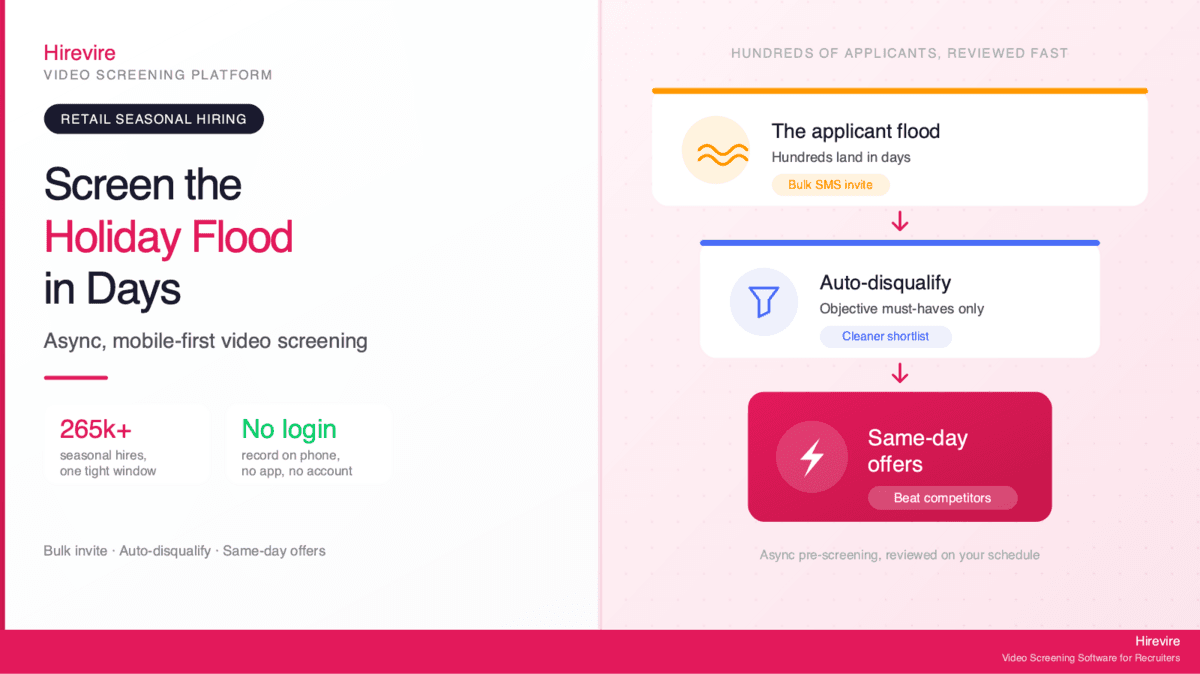
Yes, this is where it pays off most. Manual phone screening doesn't scale to hundreds of applicants, but async screening does: every qualified candidate gets the same structured screen automatically, Auto-Disqualification removes objective non-matches first, and AI Scorecards apply a consistent rubric so reviewers focus only on real contenders. See Hirevire's high-volume hiring approach for how the pieces fit together.
Is automated screening legally compliant?
It can be, when designed correctly. The EEOC's guidance on AI in employment selection holds employers responsible for disparate impact even from vendor tools, and NYC's Local Law 144 requires a bias audit for automated employment decision tools. The compliant pattern is objective knockouts plus transparent, rubric-based scoring that a human reviews and controls, never a black box making the final decision. Hirevire's Auto-Disqualification (objective criteria only) and AI Scorecards (a human-defined rubric) are built for this, with the human keeping the decision.
How much does it cost to add a screening layer?
Hirevire starts at $39/month on the Essentials plan (billed yearly), $99/month for Professional (billed yearly, adds AI Match and Scorecards), and $199/month for Agency (billed yearly). There are no per-interview fees, so your cost stays predictable regardless of applicant volume, a meaningful contrast to enterprise modules priced per seat or per candidate.
How long does setup take?
For a native integration (Ashby, Recruitee, Manatal), setup is minutes. For a Zapier or webhook connection to an enterprise platform like Workday or SAP, plan for an hour or two plus coordination with your HRIS admin for field mapping. In all cases, test with one live candidate before enabling the flow on a full requisition.
What data flows back into my ATS?
With answer data integration enabled, the webhook payload includes the candidate's individual answers, not just basic metadata. That means transcripts, scores, and structured responses can populate the candidate's record in your ATS automatically, so recruiters review everything inside the system they already use, with no copy-paste between tools.
Conclusion: Bolt Screening onto the ATS You Already Run
Your ATS was built to automate the pipeline, and it does that well. It was never built to screen communication and fit, which is precisely the signal that predicts whether a candidate can do the job. That is not a flaw to fix by ripping out your system of record. It is a gap to fill with a focused screening layer.
Adding screening automation to your ATS comes down to three choices: a native integration where one exists, Zapier/Make/webhooks for enterprise platforms like Workday, SAP, ADP, Gusto, and UKG, and MCP when you want agent-driven workflows on top. In every case the loop is the same: a qualified candidate triggers an automatic screening invite, responses come back as structured data, and a human makes the final call with AI assisting rather than deciding.
Key Takeaways
- Pipeline automation and screening automation are different jobs; your ATS handles the first, not the second.
- The communication and fit signals that predict success appear only when candidates answer questions, which is exactly what an async screening layer captures.
- Three connection paths cover every platform: native (Ashby, Recruitee, Manatal), Zapier/webhooks (Workday, SAP, ADP, Gusto, UKG), and MCP for agent-driven workflows.
- Keep the human in the decision loop and use objective knockouts plus transparent scoring to stay compliant.
The Bottom Line: You don't need to replace the ATS you already run. You need to bolt screening onto it. For teams that want async communication screening on top of any ATS or HRIS, **Hirevire provides native integrations, Zapier/Make/webhook connections, and MCP** at predictable pricing starting at $39/month with no per-interview fees.
Your Next Steps
- Identify where your platform's screening gap sits using the platform-by-platform section above.
- Pick your connection method: native, Zapier/webhook, or MCP.
- Try Hirevire free and connect it to the ATS you already use.
Ready to add screening automation to your ATS?