Hiring CNAs, Medical Assistants & Front-Desk Staff at Volume: Screen Communication Before the Schedule Fills
Long-term care and clinic teams hiring CNAs, medical assistants, and front-desk staff at volume use async video pre-screening to evaluate communication, compassion, and patient-facing demeanor before live interviews. Hirevire captures responses with no candidate login, scores them against a custom rubric with AI Scorecards, filters must-haves with auto-disqualification, and pairs with separate credential verification, starting at $39/month.
The support tier of healthcare is where the schedule gets filled and where it falls apart. Certified nursing assistants, medical assistants, and front-desk staff are the people patients actually spend their day with, and they leave faster than almost any other role in the building. The hiring never stops, the applications arrive in waves, and almost every resume reads the same: a certification line, "compassionate caregiver," "great with patients," open availability. The document tells you who can list the right words. It tells you nothing about whether a candidate can stay calm with a frightened patient, speak clearly to an anxious family member, or hold a warm tone at the end of a double shift.
That gap is expensive in this corner of healthcare, because the turnover is staggering and most of the hiring is replacement hiring. A peer-reviewed 2025 study in Innovation in Aging found that annual nurse-aide turnover in long-term and acute care settings exceeds 100%, meaning a facility can replace its entire aide workforce in under a year. The U.S. Bureau of Labor Statistics projects about 211,800 nursing assistant openings every year through 2034, the overwhelming majority of them to backfill people who left. When you are hiring that constantly, a screening process that lets the wrong people through is not a one-time miss. It is a recurring drain on a team that is already short-staffed.
Quick Summary: This guide explains why communication, compassion, and reliability (not credentials alone) predict whether a support-staff hire stays, why asynchronous video is the only practical way to evaluate those traits at volume, and how to build a screening workflow that scores them consistently and fairly. It covers the honest boundary of what async screening does and does not do (it screens patient-facing fit, not clinical competency or licensure), and how Hirevire supports the process with no candidate login, AI Scorecards, and transcripts in 90+ languages.
The Support-Staff Turnover Crisis Resumes Can't Solve
Healthcare support hiring is a volume problem with a quality problem hiding inside it. Long-term care facilities, clinics, and physician offices hire CNAs, medical assistants, and front-desk staff in a near-continuous cycle, and the trait that decides whether a new hire lasts (how they show up for patients) is invisible on the resume you screen them on first.
The numbers make the stakes concrete. With nurse-aide turnover exceeding 100% annually in long-term and acute care, and the BLS projecting roughly 211,800 nursing assistant openings a year mostly as replacements, the support tier is effectively a permanent hiring operation. Medical assistants and front-desk staff face the same churn as patient volumes rise and clinics struggle to keep schedules covered.
Why Replacement Hiring at Volume Punishes Bad Screening
When most of your hiring is replacement hiring, every screening shortcut compounds. A resume confirms that someone holds a CNA certification and worked at another facility for a year. It cannot tell you whether they speak clearly to a confused patient, whether their warmth survives a hard shift, or whether they will show up reliably for the schedule you need covered. Hiring on the resume alone means you discover the answer during orientation at best, or at the bedside at worst.
A meaningful share of early support-staff attrition is the "wrong fit from day one" kind: candidates who looked fine on paper, passed a rushed phone screen, and washed out within weeks because the patient-facing fit was never there. That is the slice screening can actually move. According to SHRM's 2025 Benchmarking Reports, the average cost-per-hire for non-executive roles is $5,475, and the cost of re-recruiting, re-onboarding, and covering an open shift dwarfs the cost of screening better the first time.
The Volume Trap of Live Phone Screening
The traditional response to "we need to talk to them first" is the live phone screen. It works for a handful of candidates and collapses at healthcare-support volume. A recruiter or office manager screening dozens of applicants by phone faces scheduling tag, no-shows, and a calendar that becomes the pipeline's bottleneck while shifts go uncovered. Each call runs 15 to 20 minutes, and standards drift across a long day, so applicant number 5 and applicant number 50 are not evaluated the same way.
The result is slow and inconsistent, the two failure modes a chronically short-staffed team cannot afford. The fix is not to screen communication and compassion less. It is to capture them in a format that scales.
What Actually Predicts Retention: Communication, Compassion, Reliability
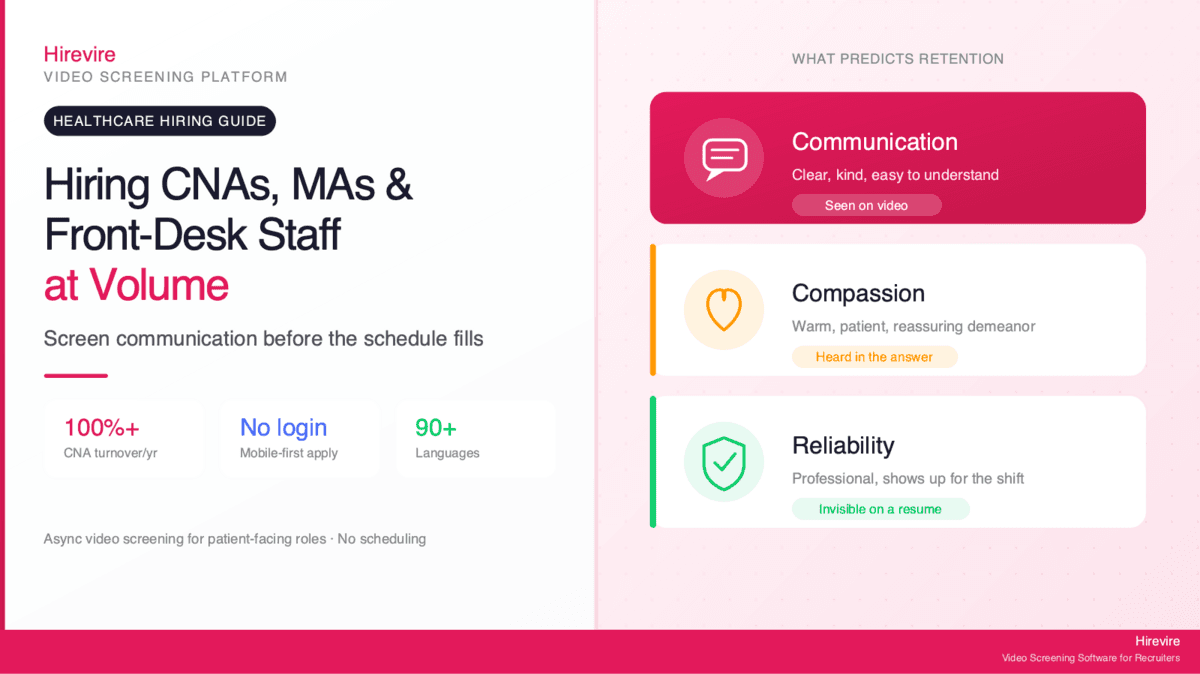
For a patient-facing support role, the traits that predict whether someone stays and succeeds are not on the resume. Clinical tasks and facility-specific procedures can be trained and verified. What is far harder to coach, and far more predictive of retention, is how a person communicates, whether they bring genuine compassion to patient interactions, and whether they are reliable enough to hold the schedule together.
This is why seeing a candidate early is so valuable, and why text-based screening misses the point. A typed answer to "how would you calm an anxious patient?" tells you whether someone can write a thoughtful answer. It says nothing about their tone, warmth, patience, or how they present to a person who is scared or in pain. For patient-facing work, you have to see and hear the candidate.
The Three Traits Worth Screening For
A short async video or audio response to two or three role-relevant prompts surfaces the signals that matter most for support staff:
- Communication - whether the candidate speaks clearly and kindly, explains things simply, and listens before responding
- Compassion and patient-facing demeanor - whether they sound and look genuinely warm, patient, and reassuring, the qualities a frightened patient or stressed family member feels first
- Reliability and professionalism - how they present themselves, whether they follow simple instructions, and the conscientiousness that predicts showing up for the shift
None of these are visible on a resume, and all of them are visible in a 60-to-90-second video clip. That is the core argument for async screening in healthcare support: it captures the most predictive traits in the format where they live, for every applicant, not just the few who survive phone scheduling.
Why Patient-Facing Roles Are an Honest Fit for Async Video
Some hiring problems make async video a nice-to-have. Hiring CNAs, medical assistants, and front-desk staff is not one of them. It is one of the most honest fits for the format in all of healthcare hiring, because the traits that decide success (communication and compassion in front of patients) are exactly what video is built to capture, and the volumes involved are exactly where live screening breaks. Tools like Hirevire exist to close that gap: candidates record short answers with no login or app to download, and the hiring team reviews and scores at its own pace.
The Async Pre-Screening Workflow for Support Staff
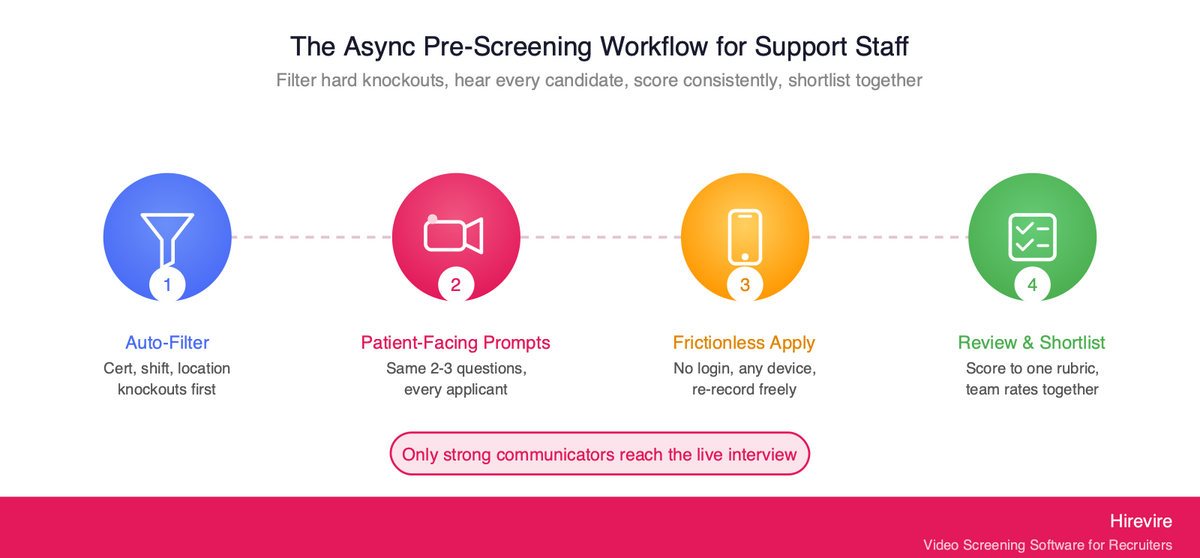
A high-volume async screening workflow has a simple shape: filter the hard knockouts automatically, ask every remaining candidate the same short set of patient-facing prompts, score the responses consistently, and send only the strong communicators to a live interview. Here is how that runs in practice for a healthcare support team.
Step 1: Auto-Filter Hard Requirements First
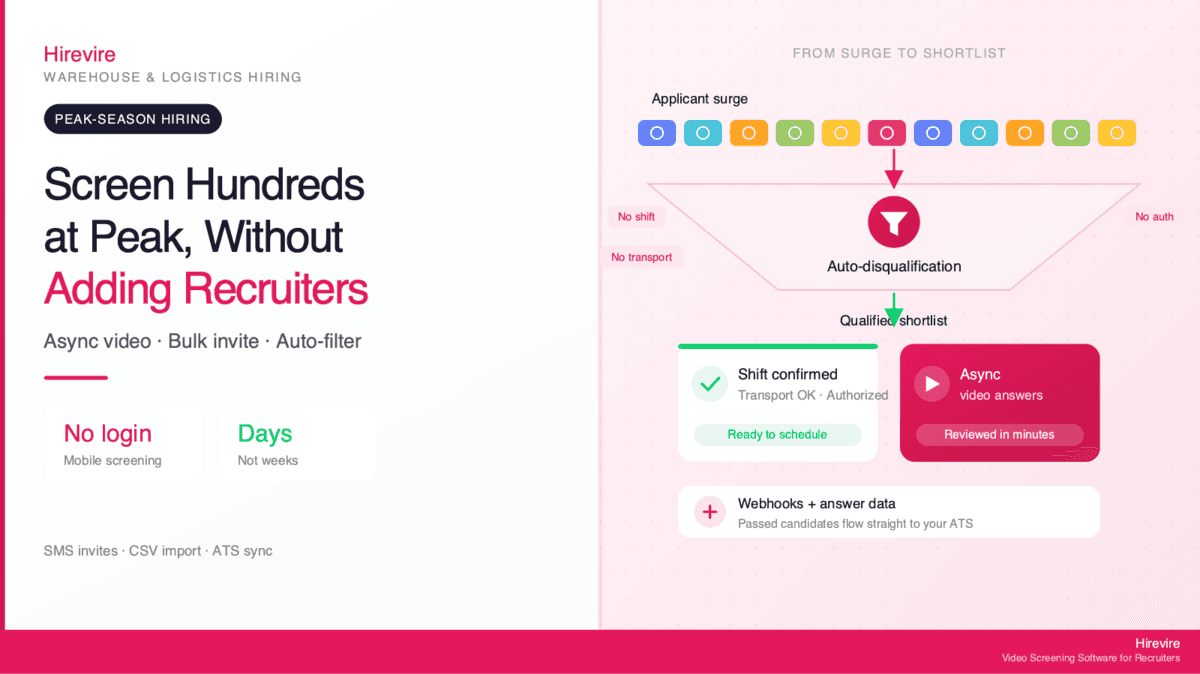
Before anyone records, screen out candidates who cannot meet the must-haves: required certification on file, shift availability, location, work authorization, or language. Hirevire's Auto-Disqualification lets you set those objective criteria up front so applicants who fail are moved to a separate tab before they record. This keeps the hard knockouts objective and saves your review time and response credits for the candidates who actually qualify. (Note the boundary: this confirms a candidate's self-reported answers to your must-have questions; it is not a substitute for formal credential verification, which is covered below.)
Step 2: Send a Short, Consistent Set of Patient-Facing Prompts
Keep it to two or three questions totaling five to seven minutes: one communication prompt, one compassion or scenario prompt, and optionally one short situational check. Example prompts for support staff:
- "Tell us about a time you helped a patient or customer who was upset or scared. What did you say, and how did it end?"
- "A patient at the front desk is frustrated about a long wait. Walk us through how you would handle it."
- "Why do you enjoy working directly with patients?" (a warmth and motivation check)
Because the questions are identical for every applicant, you get a clean apples-to-apples comparison, which is exactly what a live phone screen cannot guarantee. Follow-up questions can probe a strong-but-incomplete answer without scheduling a second call.
Step 3: Make It Frictionless So Candidates Actually Finish
High-volume support candidates apply and respond from their phones, often between shifts. According to Indeed Hiring Lab research, most hourly and frontline candidates apply from mobile devices, and anything that adds friction (creating an account, downloading an app, scheduling a slot) drops completion rates and shrinks your pool. Hirevire requires no candidate login, works on any device, and lets candidates re-record until they are satisfied. A frictionless, mobile-first flow keeps more qualified candidates in the funnel instead of losing them at the door, which matters when the pool is already tight.
Step 4: Review and Shortlist Collaboratively
Review responses on your own schedule. A facility's hiring manager, a charge nurse, and an office manager can all weigh in on the same shortlist without coordinating calendars. Reviewing recorded answers asynchronously means the people who know what "good" looks like for the role can rate candidates whenever they have a few minutes between rounds, instead of being pulled into live screening calls.
Here is how the async workflow compares to a traditional live-screen pipeline at volume:
| Stage | Traditional Live Phone Screening | Async Video/Audio Screening |
|---|---|---|
| Knockout filtering | Manual resume review | Auto-disqualification before recording |
| Seeing the candidate | One scheduled call per person | Every applicant records the same prompts |
| Scheduling overhead | High (calls, no-shows, shift conflicts) | None (candidate records on own time) |
| Consistency | Varies by recruiter and time of day | Identical questions, scored to one rubric |
| Throughput | Tens of candidates per recruiter-week | Hundreds, reviewed in parallel |
| Team input | Notes shared after the fact | Multiple reviewers rate the same recordings |
Scoring Patient-Facing Communication With AI Scorecards
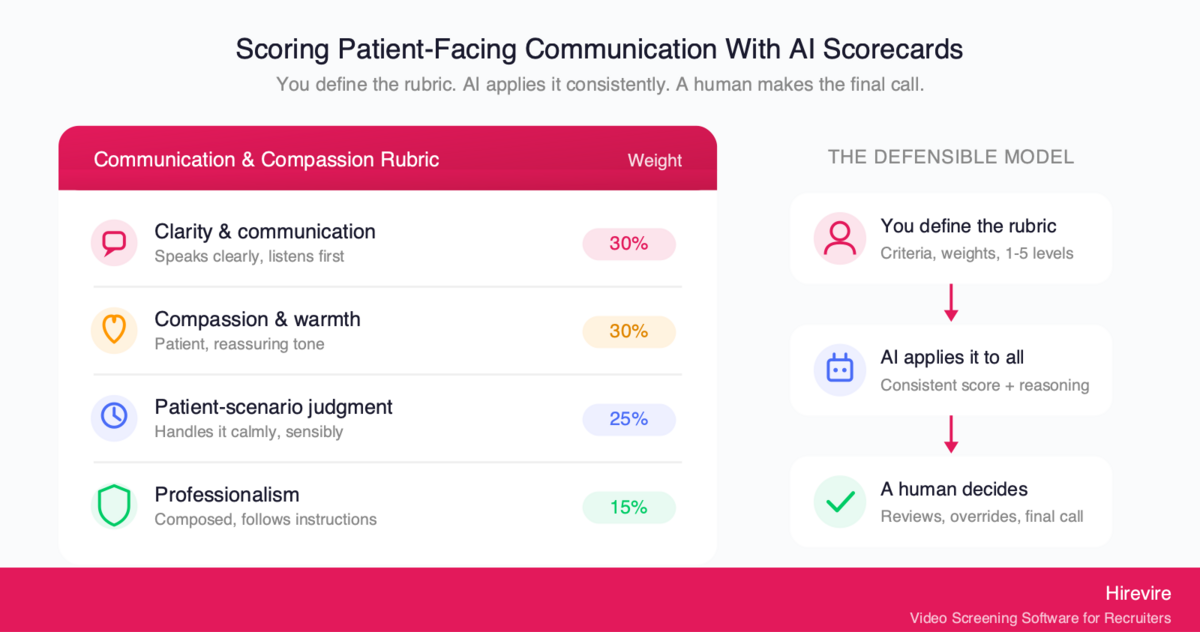
Capturing video answers solves the "we need to see and hear them" problem and introduces a second one: with dozens or hundreds of recordings across multiple reviewers, how do you score communication and compassion the same way every time without the standard drifting? This is where a structured rubric matters, and where it is worth being precise about what AI does and does not do.
Define the Rubric, Then Let AI Apply It Consistently
Hirevire's AI Scorecards work from a rubric the hiring team creates. You define the evaluation criteria that matter for the role, assign weights, and set 1-to-5 levels with clear definitions. The AI applies that human-created rubric to every candidate, returning a consistent score plus detailed reasoning. The point is consistency at scale: the same standard applied to candidate 5 and candidate 95, with the reasoning written down so a human can check it.
A communication-and-compassion scorecard for a CNA or medical assistant role might look like this:
| Criterion | Weight | What a 5 looks like | What a 2 looks like |
|---|---|---|---|
| Clarity and communication | 30% | Speaks clearly and simply, listens before answering | Hard to follow, talks over the question |
| Compassion and warmth | 30% | Genuinely warm, patient, reassuring in tone | Flat, impatient, or transactional |
| Patient-scenario judgment | 25% | Handles the scenario calmly and sensibly | Defensive, dismissive, or escalates |
| Professionalism and presentation | 15% | Composed, prepared, follows instructions | Distracted, unprepared, careless |
The Important Caveat: The Rubric Is Yours, Not a Black Box
A real risk deserves a direct mention. Some tools market "AI that scores soft skills" in a way that implies an opaque algorithm is judging accents, appearance, or personality behind the scenes. That is both a fairness problem and a legal one. The EEOC's technical assistance on AI in employment selection makes clear that Title VII applies to an employer's use of software, algorithms, and AI in selection procedures, and a tool that screens people out on a protected basis can create unlawful disparate impact even when the employer relied on a vendor's tool. In jurisdictions like New York City, Local Law 144 requires an independent annual bias audit of automated employment decision tools before they screen candidates.
The defensible model is the one Hirevire uses: the AI does not invent its own opinion. It applies the rubric you wrote, scores against the criteria you chose, and shows its reasoning so a human can review and override it. Accent, appearance, and personality are not the scoring target; communication, compassion, and patient-scenario judgment are, and a human always makes the final call. That is the difference between automating the busywork and outsourcing the judgment, and only the first one is safe.
Filtering Must-Haves: Availability, Certification Status, Work Authorization
Patient-facing screening answers "is this person right for patients?" It does not answer "does this person meet our hard requirements?" Both questions need answering, and the smart sequence handles the objective one first so reviewers only spend time on candidates who already clear the bar.
Encode the Knockouts as Auto-Disqualification Questions
Healthcare support roles carry firm, non-negotiable requirements: a current certification on file, availability for specific shifts (nights, weekends, on-call), the right to work, a commutable location, and sometimes a required language for the patient population. Hirevire's Auto-Disqualification lets you turn each of those into a must-have question. Applicants who answer outside your criteria are filtered to a separate tab before they record, so your review queue contains only candidates who say they meet the basics.
This is where most of your volume reduction happens, at no review-time cost. It also keeps the objective knockouts objective: a "no" on shift availability is a clean, defensible filter, not a judgment call.
Multilingual Pools and Global Language Support
Healthcare support hiring is frequently multilingual, both because the workforce is diverse and because patient populations are. Hirevire generates transcripts in 90+ languages for every recorded response, which lets a reviewer read along with the audio to assess clarity objectively, and lets reviewers who do not speak a candidate's first language still evaluate responses given in your target patient-facing language. If a role requires bilingual ability, make that a named, weighted line on the scorecard rather than a gut call, which keeps the focus on job-relevant communication and is easier to defend.
The Honest Boundary: What Async Screening Does Not Verify
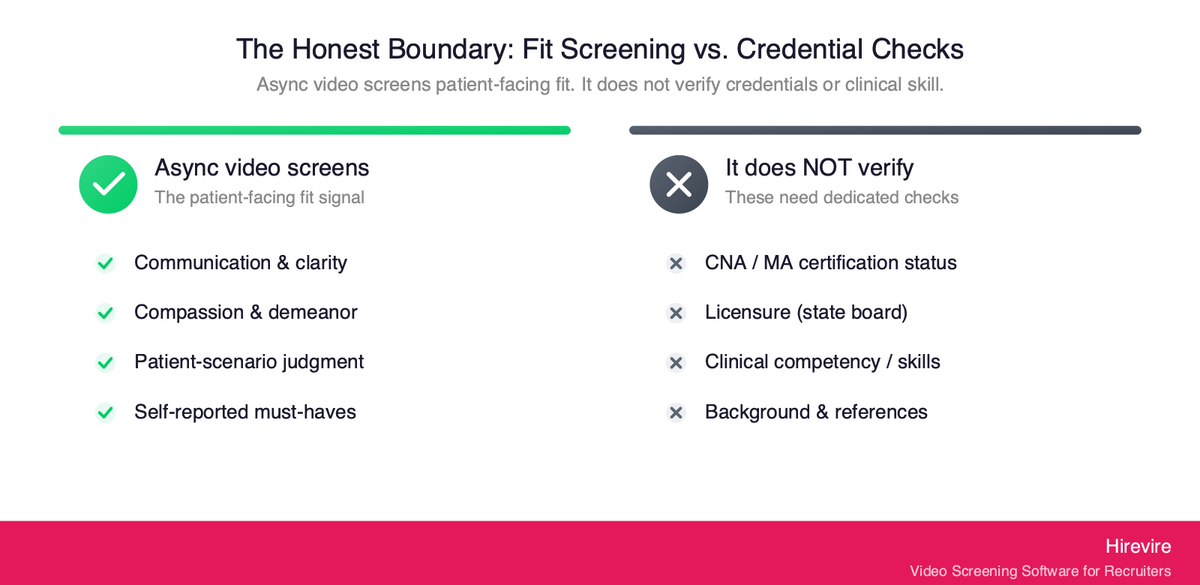
This is the most important section to get right, and the easiest one for a vendor to fudge. Async video screening evaluates how a candidate communicates and presents with patients. It does not, and should not claim to, verify that they are clinically competent, properly credentialed, or licensed. Saying so plainly is part of building a process that is both effective and trustworthy.
To be explicit: Hirevire does not verify certifications, licensure, or clinical competency. A recorded answer can show that a candidate communicates warmly and handles a patient scenario sensibly. It cannot confirm that their CNA certification is current and in good standing, that their medical-assistant credential is valid, or that they can perform a clinical skill correctly. Those checks belong to dedicated processes: primary-source credential verification, license lookups with the relevant state board or registry, background checks, and hands-on skills validation during onboarding or a clinical check-off.
The effective stack uses each tool for what it is good at:
| Hire requirement | Best screening method |
|---|---|
| Communication, compassion, patient-facing demeanor | Async video/audio screening |
| Hard must-haves (shift, location, work authorization) | Auto-disqualification questions |
| Certification and licensure status | Primary-source verification with the issuing board or registry |
| Clinical competency and skills | Hands-on skills check-off during onboarding |
| Background and references | Dedicated background-check and reference process |
A practical sequence: auto-disqualification first, then async communication-and-compassion screening, then credential verification and a clinical skills check on the shortlist, then a final live interview. Each stage cuts the volume the next has to handle, so the most consequential stages (credential verification and a human's live time) only see candidates who already cleared the patient-facing bar. Positioning async screening as the communication-and-fit filter, paired with separate credential verification, is both more honest and more useful than implying one tool does everything.
Case Study: Screening Medical-Secretary Communication Before the Interview
The clearest demonstration is a customer who hires for a role built almost entirely on patient-facing communication: training people to work as medical secretaries, where English and the ability to present well to patients are the heart of the job.
"I have a business employing people to train them to work as medical secretaries. Hirevire is an amazing tool to get job applicants to record themselves answering some interview questions before I interview them in person. This saves me a lot of time interviewing people who are not suitable for the role. In video you can see their English and communication skills and how they present on video."
— Dr. Barton Jennings, CEO, Air Secretary
The pattern is exactly the one this guide describes. The recordings surface communication and patient-facing fit before any live time is spent, so in-person interviews are reserved for candidates who have already shown they can do the core of the job. The same logic scales directly to a long-term care facility or a busy clinic hiring CNAs, medical assistants, and front-desk staff: see and hear every applicant's communication and compassion first, then put your team's live hours only against the people who passed that bar.
A reviewer at a healthcare group made the same point about running it alongside an existing system:
"This is an amazing product, running alongside our ATS. It helps cut the fluff from applications. Easy to use, and easy to deploy. I love the ability to upload a video intro to the page too, nice touch."
—Adam G., Director of Operations at Hygea Care Group, G2
Async Video vs. Phone Screen vs. Staffing Agency
Three approaches dominate high-volume healthcare support hiring. They are not interchangeable, because they capture different things and carry different costs. The table below lays out the trade-offs.
| Factor | Async Video/Audio | Live Phone Screen | Staffing Agency |
|---|---|---|---|
| Sees and hears the candidate | Yes, directly | Audio only | Indirectly (agency screens) |
| Captures compassion and demeanor | Yes (video) | Partially (voice only) | Not by you |
| Scales to hundreds of candidates | Yes | No | Yes, but at a markup |
| Scheduling overhead | None | High | Low for you |
| Consistency across candidates | High (same prompts, one rubric) | Low (varies by call) | Varies by agency |
| Cost structure | Fixed monthly/yearly fee | Recruiter time per call | Per-placement or markup fees |
| You control the screening criteria | Yes | Yes | No (agency's standards) |
The honest read: a live phone screen hears the candidate but cannot scale and never sees them, so it misses demeanor entirely. A staffing agency scales and offloads the work, but you give up control of the screening criteria and pay a markup on every placement, which is hard to justify for high-turnover roles you backfill all year. Async video both sees and hears every candidate and scales, while keeping the screening standard in your hands. The strongest pipelines use async video for the communication-and-compassion screen, reserve live interviews for finalists, and use agencies only for genuinely hard-to-fill specialties.
Implementing Async Screening for a Healthcare Support Team
Rolling this out does not require a long project. A realistic first deployment takes a day or two to set up and starts paying back on the first batch of applicants.
Step 1: Write Two or Three Patient-Facing Prompts
Keep total candidate time under seven minutes: one communication prompt, one compassion or scenario prompt, and optionally one short motivation check. Use the same prompts for every candidate so responses are comparable.
Step 2: Set Your Auto-Disqualification Questions
Encode the hard requirements (certification on file, shift availability, location, work authorization, required language) as knockout questions so unqualified applicants are filtered before they record. This is where most of your volume reduction happens, at no review-time cost.
Step 3: Build the Communication-and-Compassion Scorecard
Define three to five weighted criteria (clarity, compassion, scenario judgment, professionalism) with clear 1-to-5 definitions. This is the rubric AI Scorecards applies and the standard your human reviewers hold. Calibrate it with your team on a few sample responses before going live.
Step 4: Add the Verification Layer
Decide where credential verification, background checks, and clinical skills checks belong in the pipeline. For most teams these run on the shortlist, after the patient-facing screen has cut the pool down, and they remain separate, dedicated processes (not something the video screen pretends to cover).
Step 5: Set the Review Cadence and Roles
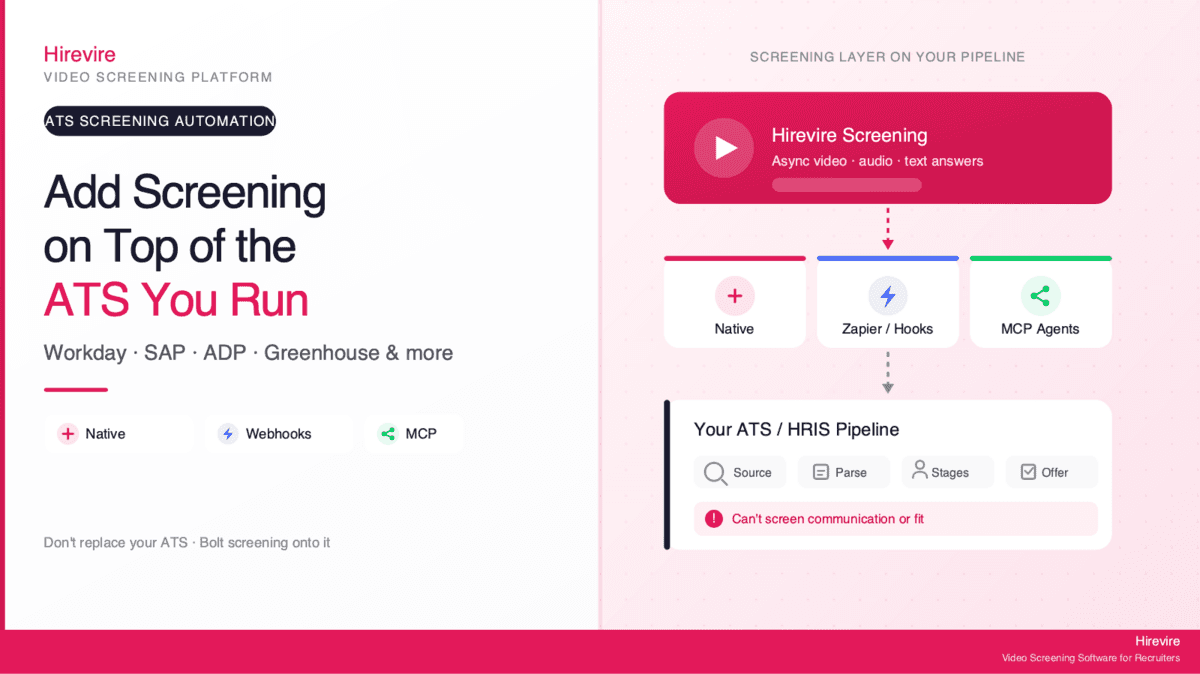
Decide who reviews and on what schedule. For ongoing high-volume hiring, connect Hirevire to your ATS or high-volume hiring workflow so qualified candidates flow into your existing process automatically.
Common Pitfalls to Avoid
- Asking too many questions. Long screens hurt completion rates. Two or three prompts is the sweet spot for hourly, high-volume support roles.
- Confusing fit screening with credential verification. The video screens communication and compassion; certification, licensure, and clinical competency need separate, dedicated checks.
- Scoring appearance or accent instead of communication. Keep the rubric on job-relevant communication and compassion, not on how someone looks or sounds "by default."
- Letting AI make the decision. The rubric scores and suggests; a human reviews the reasoning and decides.
Pricing and Plans
Hirevire uses fixed monthly or yearly pricing with no per-interview charges, which matters for high-volume healthcare hiring where per-candidate fees can spiral during a backfill push.
| Plan | Monthly | Yearly | Best for |
|---|---|---|---|
| Essentials | $49/month | $39/month (billed yearly) | A single open role |
| Professional | $149/month | $99/month (billed yearly) | Regular multi-role hiring with AI Scorecards |
| Agency | $249/month | $199/month (billed yearly) | High-volume and white-label needs |
Within your plan's allocation there are no per-candidate fees, and AI features and candidate re-recording are not metered, which keeps costs predictable when applicant volume spikes.
Customer Reviews
G2: 4.7/5 stars (25+ reviews) - View Reviews
"It cuts down my hiring process by at least 75% and made it sooo much easier to see/feel who the candidates were before having to hop on a call with them."
— ElevateClients, AppSumo
Capterra: 5/5 stars (20+ reviews) - View Reviews
"HireVire's user-friendly interface and ability to capture a candidate's personality and communication skills through video made it a standout tool. It helped our client quickly identify the best-fit candidates, saving time and improving the overall hiring experience."
— HiredInMichigan.org, AppSumo
Frequently Asked Questions
What is the best way to hire CNAs and medical assistants at volume?
The most effective approach is async video pre-screening: every applicant records short answers to the same two or three patient-facing prompts on their own device, and you review and score them against a consistent rubric. This captures communication, compassion, and demeanor (the traits that predict whether a support hire stays) for the entire pool, without the scheduling bottleneck of live phone screens. Pair it with Auto-Disqualification for hard must-haves and separate credential verification for certifications. Hirevire supports this with no candidate login and AI-assisted scoring.
Why are resumes not enough for healthcare support hiring?
A resume confirms certifications and past job titles, but the top predictors of success for a patient-facing support role are communication and compassion, which are invisible on paper. You cannot tell from a resume whether someone speaks kindly to a scared patient, stays warm at the end of a hard shift, or presents calmly under pressure. A short recorded answer reveals all three before you spend live interview time.
Does Hirevire verify CNA certifications or licenses?
No, and this is an important boundary. Hirevire screens communication, compassion, and patient-facing fit through recorded responses, and filters self-reported must-haves with auto-disqualification. It does not verify certifications, licensure, or clinical competency. Those checks belong to dedicated processes: primary-source verification with the issuing board or registry, background checks, and hands-on skills validation during onboarding. The right model pairs async fit-screening with separate, formal credential verification.
How do you screen for compassion and patient-facing demeanor?
Make compassion a named, weighted criterion on your scorecard with a clear definition for each score level, then evaluate it from the candidate's recorded video (for tone, warmth, and presentation) and the scenario prompt (for judgment). Asking a candidate to describe how they helped an upset patient, or why they enjoy patient work, surfaces genuine warmth far better than a typed answer. Keep the focus on job-relevant demeanor, not on appearance or accent.
Is AI scoring of soft skills legal and fair?
It can be, if the tool applies a human-defined rubric transparently rather than making opaque judgments. The EEOC's guidance on AI in employment selection confirms anti-discrimination law applies to AI screening tools, and some jurisdictions like New York City require an annual bias audit under Local Law 144. Hirevire's AI Scorecards apply the criteria and weights you define, show their reasoning, and leave the final decision to a human, which is the defensible model.
How does async screening reduce CNA and support-staff turnover?
Much of early support-staff attrition comes from fit mismatches: people who looked fine on paper but were never suited to patient-facing work and wash out within weeks. Seeing communication and compassion before hiring catches that mismatch at the cheapest point in the funnel, targeting the slice of attrition screening can actually move. With nurse-aide turnover exceeding 100% annually and about 211,800 nursing assistant openings projected each year, even a modest improvement in fit has a large cumulative payoff.
Does async screening replace the in-person interview?
No. It replaces the high-volume early phone screen, not the final conversation. The async stage identifies strong communicators efficiently, so a hiring manager's live hours go only to candidates who have already cleared the communication-and-compassion bar. The final in-person interview is still where deeper conversation, culture fit, credential confirmation, and the offer happen.
Can front-desk and reception roles use the same workflow?
Yes. Front-desk and medical-reception roles are heavily patient-facing, so the same communication-and-compassion screen applies directly: a calm, clear, friendly demeanor at the desk is exactly what async video captures well. Adjust the prompts toward reception scenarios (a frustrated patient at check-in, a phone-and-in-person juggling situation) and keep the same rubric structure.
How do you handle multilingual candidate pools?
Hirevire generates transcripts in 90+ languages for every recorded response, so reviewers can read along with the audio to assess clarity objectively and evaluate responses given in your target patient-facing language even if they do not speak the candidate's first language. If a role requires bilingual ability for your patient population, make it a named, weighted line on the scorecard rather than a gut call.
How long should a screening recording be?
Keep total candidate time under seven minutes, typically two or three prompts. Hourly support candidates respond from their phones, often between shifts, and abandon long screens, so short prompts protect your completion rate and keep more qualified candidates in the pool.
Will high-volume hiring blow up the cost?
Not on a fixed-fee model. Hirevire's pricing is a flat monthly or yearly fee with no per-interview charges, so a backfill spike does not create a per-candidate bill, and AI transcripts, scoring, and re-recording are not metered. That differs from per-interview pricing or agency markups, which get most expensive exactly when your hiring volume is highest.
Conclusion: Fill the Schedule With People Who Stay
For healthcare support hiring, the decisive traits are communication and compassion, and the only way to evaluate them at this tier's volumes is to see and hear every candidate before the live interview. Async video screening makes that practical: it captures clarity, warmth, and patient-facing demeanor for the whole applicant pool, scores them against a rubric you control, and reserves your team's live hours for candidates who have already shown they can do the human core of the job.
Key Takeaways
- Communication and compassion predict retention for CNAs, medical assistants, and front-desk staff, and they are invisible on a resume. See and hear them early.
- Async video is an honest, strong fit for patient-facing support hiring, because it captures the key traits at the volume where live screening breaks.
- Score with a human-defined rubric, applied consistently and transparently, with a human making the final call (the defensible and fair model).
- Async screens fit, not credentials. Pair it with separate certification verification, background checks, and clinical skills validation, and reserve live interviews for finalists.
The Bottom Line
The economics of support-staff hiring (over 100% annual nurse-aide turnover and roughly 211,800 nursing assistant openings a year, mostly replacements) reward any process that catches fit mismatches before the hire. Async screening is that process, and it is cheaper and faster to run than the phone screens it replaces. For teams hiring CNAs, medical assistants, and front-desk staff at scale, Hirevire provides no-login async screening, AI Scorecards for consistent rubric-based scoring, and transcripts in 90+ languages, starting at $39/month.
Your Next Steps
- Write two or three patient-facing prompts and set your auto-disqualification questions for shift availability and certification status.
- Build a weighted communication-and-compassion scorecard and calibrate it with your team on sample responses.
- Try Hirevire's free trial and run your first batch of applicants through an async patient-facing screen.
Ready to fill the schedule with people who stay?
Last updated: June 2026. All statistics verified as of June 13, 2026, and attributed to their original publishers.