
Ask Follow-up Questions to Candidates
You asked, we built it. One of our most-requested features is now live — you can now send follow-up questions directly to individual candidates after reviewing their initial submission.
The problem it solves
Sometimes a candidate's answer sparks a new question. Maybe they mentioned an interesting project you want to dig into, or skipped a question you really needed answered. Now you can go deeper — without scheduling a call.
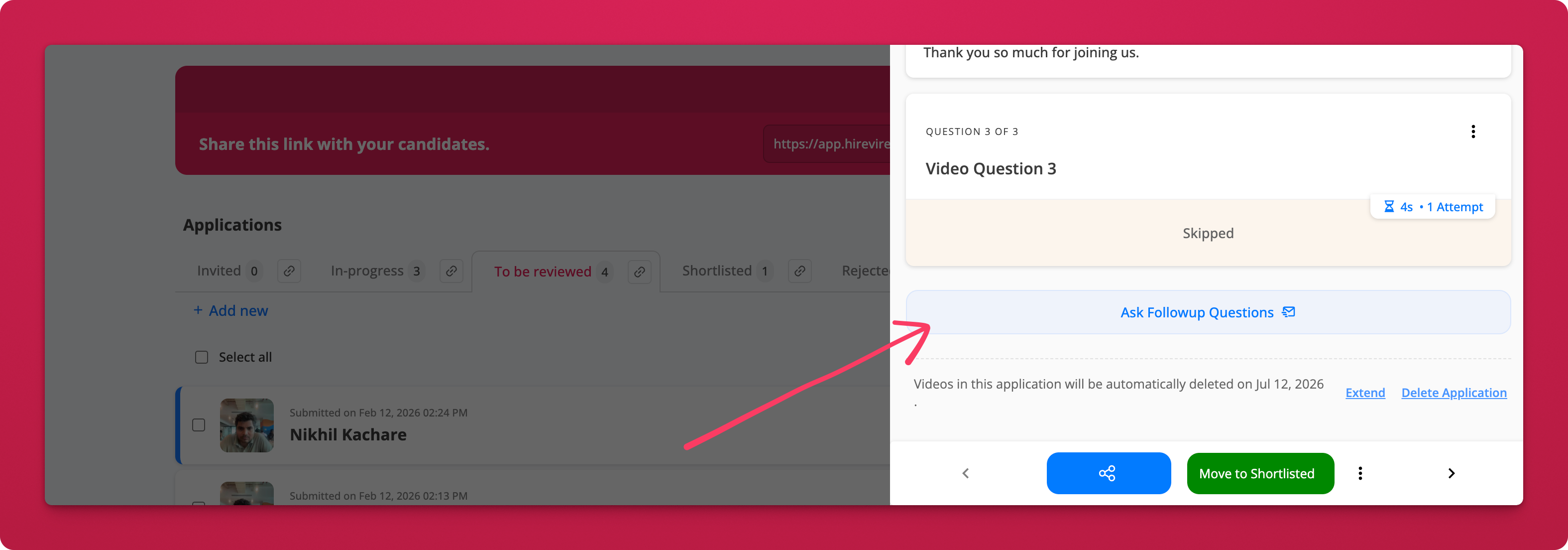
From any candidate's application, simply click "Ask Follow-up Questions" and send them a new set of questions via email. Candidates respond asynchronously, just like the original interview.
How it works
- Review a candidate's responses in their application panel
- Click "Ask Follow-up Questions" at the bottom of their response view
 3. Compose your follow-up — add an optional intro video (record or upload), write a message, and add one or more questions
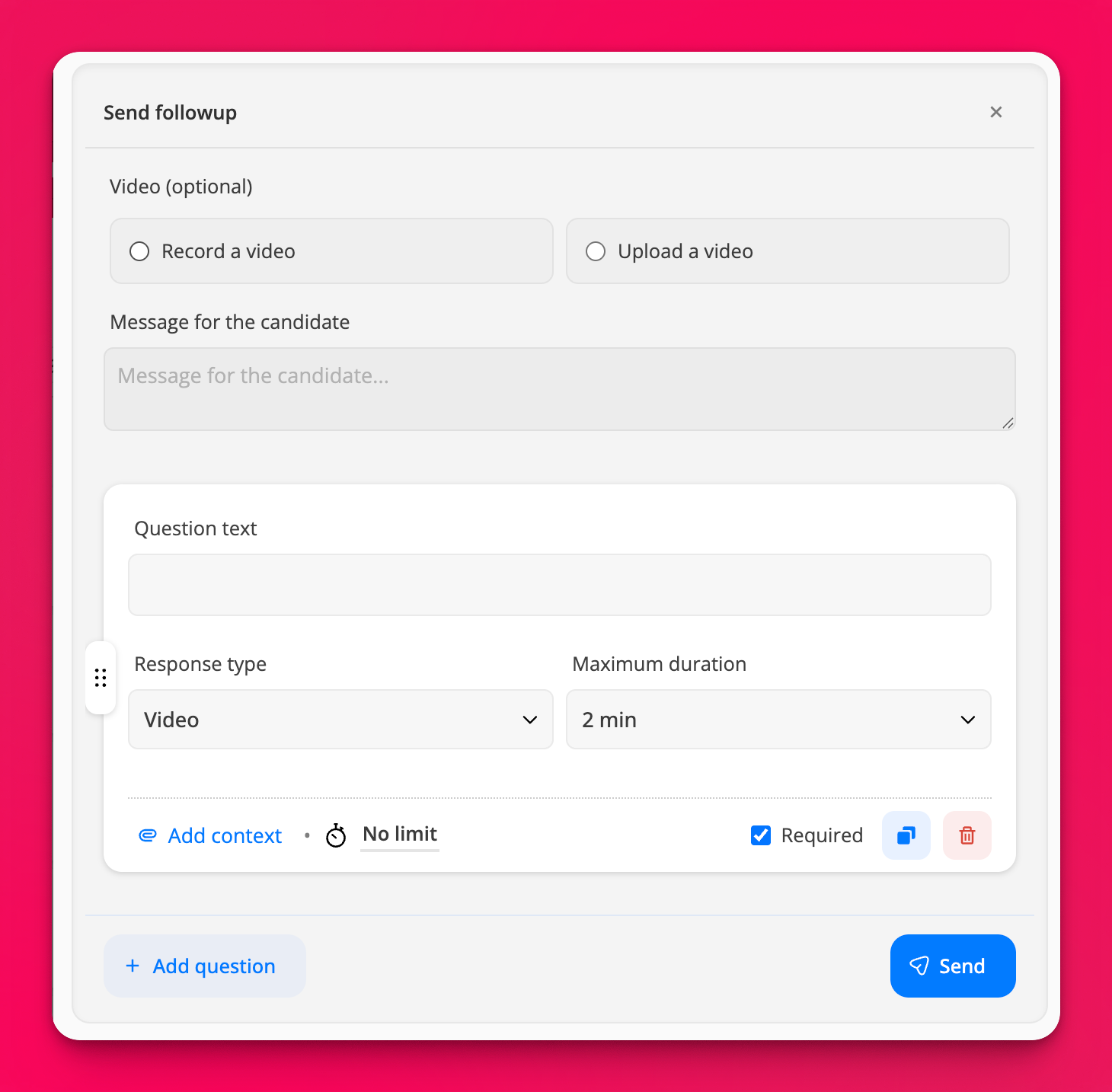 4. Set response type and duration — video, text, or other formats with configurable time limits
5. Hit Send — the candidate receives a branded email with a link to respond
4. Set response type and duration — video, text, or other formats with configurable time limits
5. Hit Send — the candidate receives a branded email with a link to respond
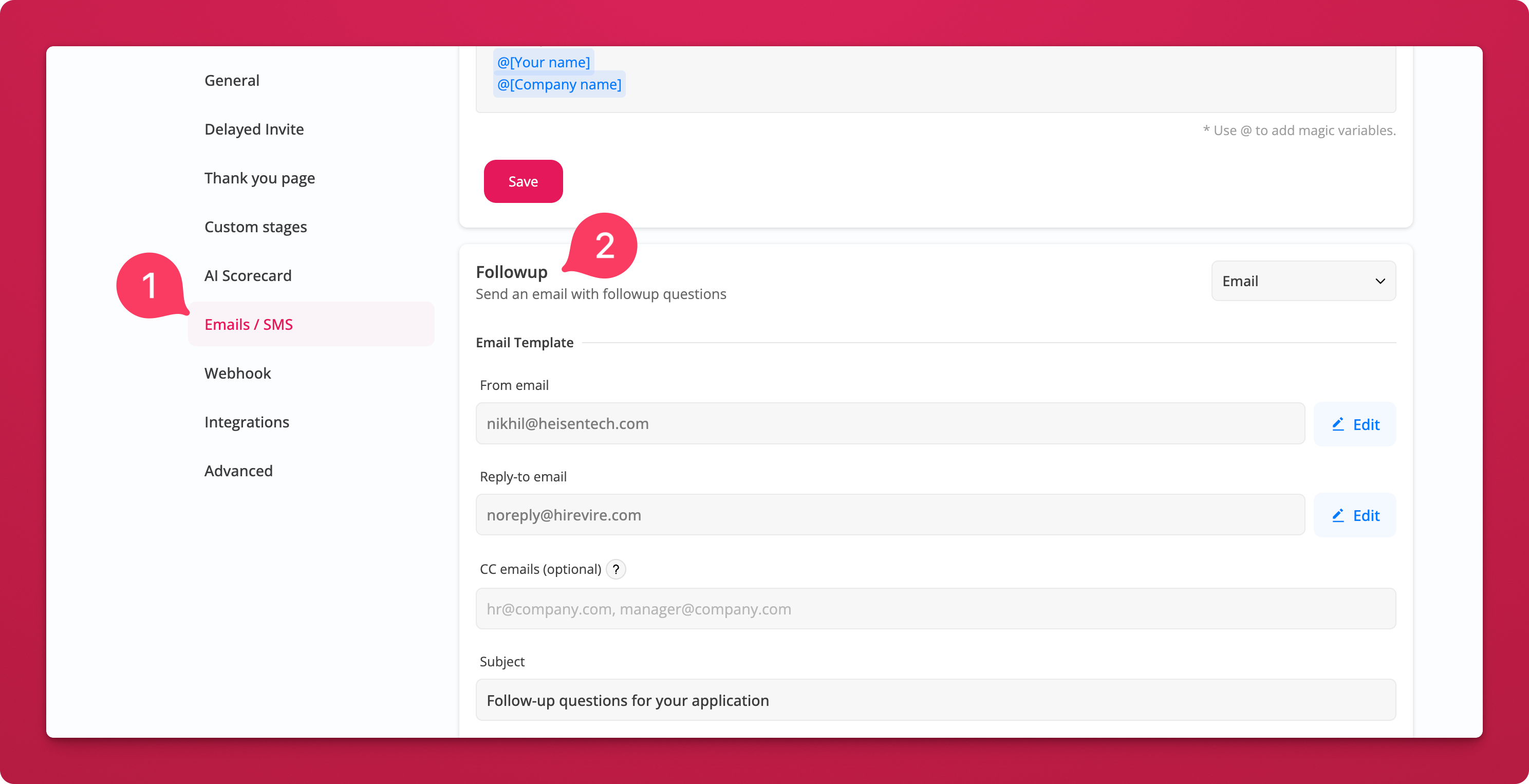
You can also customize the follow-up email template (sender, reply-to, subject, CC) from your job's Emails / SMS settings.
Why this matters
- Go deeper on promising candidates — clarify vague answers or explore interesting threads without burning calendar time on a live call
- Keep hiring fully async — your whole team stays aligned without needing to sync schedules
- Reduce mis-hires — gather the exact information you need before making a shortlisting or offer decision
- Better candidate experience — candidates respond on their own time, reducing pressure and improving response quality