
Custom Domain Setup with DNS Verification
Your custom domain now verifies its DNS configuration before going live, so candidates always land on a working link.
What's New
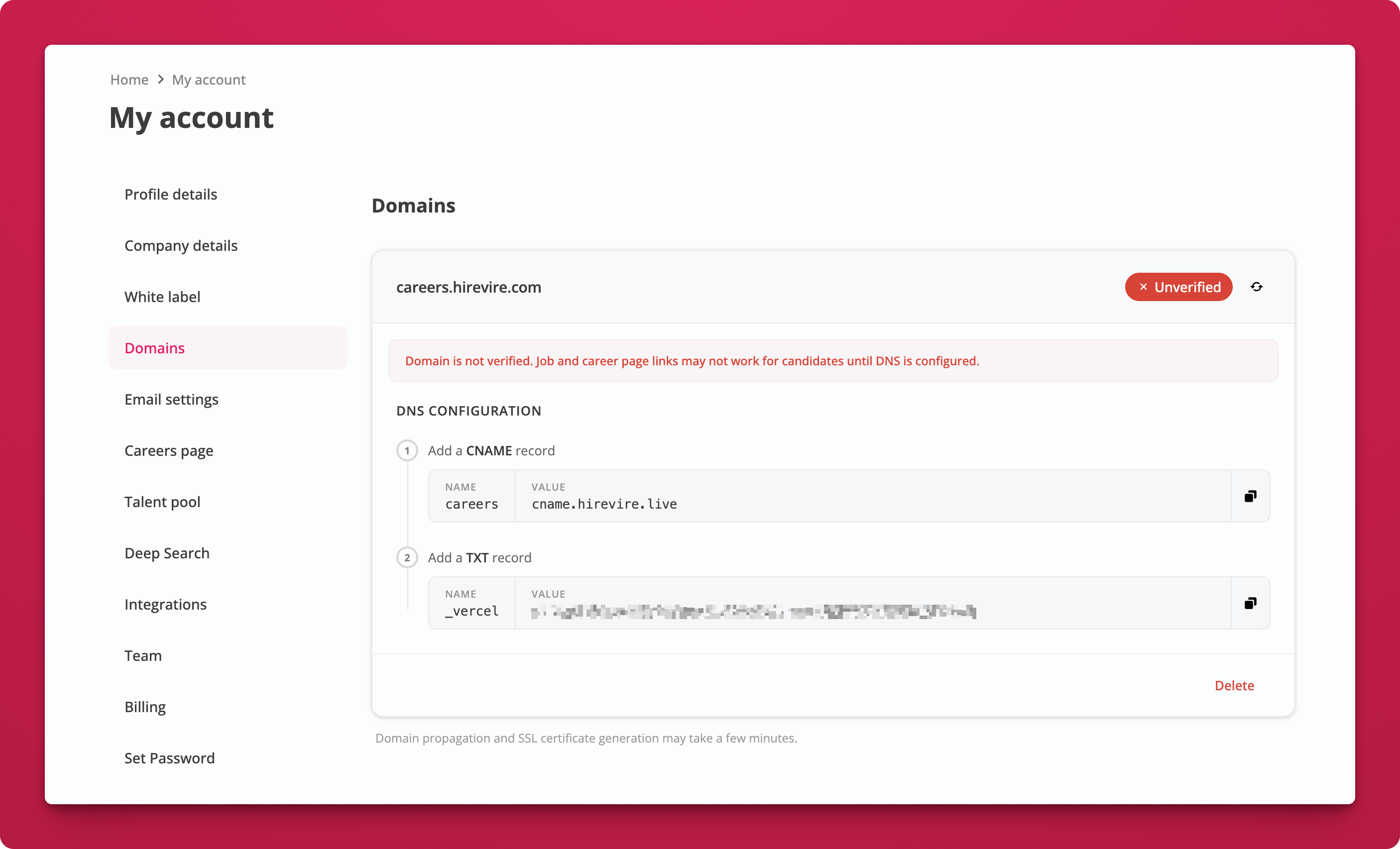
- DNS configuration guide right in the Domains settings. You'll see the exact CNAME and TXT records to add, with copy-to-clipboard values.
- Domain verification status shows whether your custom domain is correctly configured. If DNS isn't set up yet, application and career page links fall back to the default
app.hirevire.comdomain. - Inline warning on the job's share link if your custom domain isn't verified yet, so you know
Where
My Account → Domains
How It Works
- Add your custom domain (e.g.,
careers.yourcompany.com) in Domains settings. - Copy the DNS records shown on screen and add them to your DNS provider. You'll need a CNAME record and a TXT record for verification.
- Wait for propagation. DNS changes and SSL certificate generation may take a few minutes.
- Check the status badge. Once verified, your application and career page links will automatically use your custom domain.

Notes
- Until DNS is verified, all links default to
app.hirevire.com. Candidates won't hit a broken page. - Domain propagation and SSL certificate generation may take a few minutes after adding DNS records.