Edit candidate details on an application
Typo in a candidate's email? Phone number they skipped? You can now fix it directly on the application instead of chasing the candidate for a resubmission.
What's New
- Edit submitted answers like name, email, mobile, and date of birth right on the application
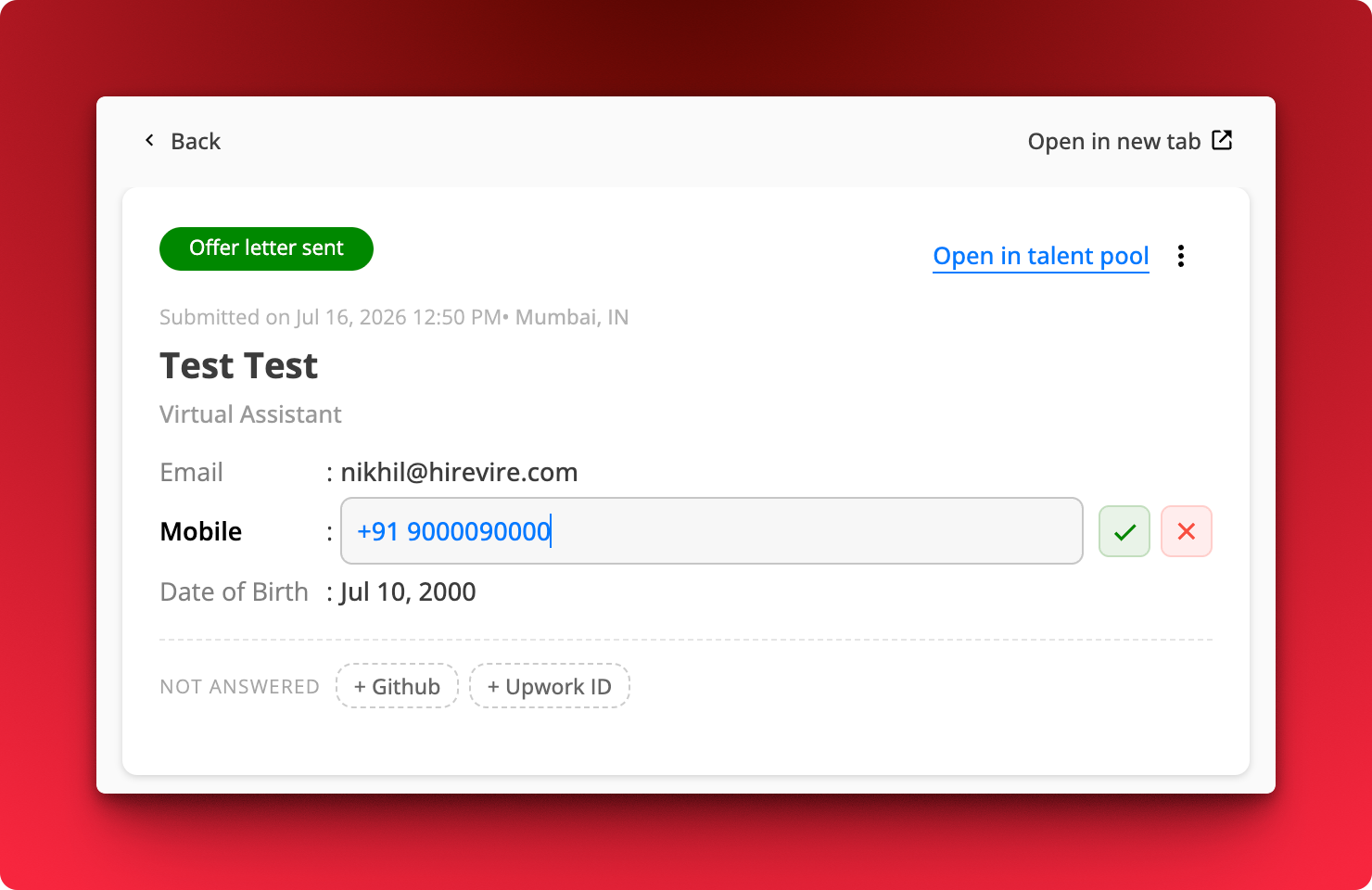
- Fill in skipped fields. Anything the candidate left blank shows up under Not answered as a chip you can click to add.
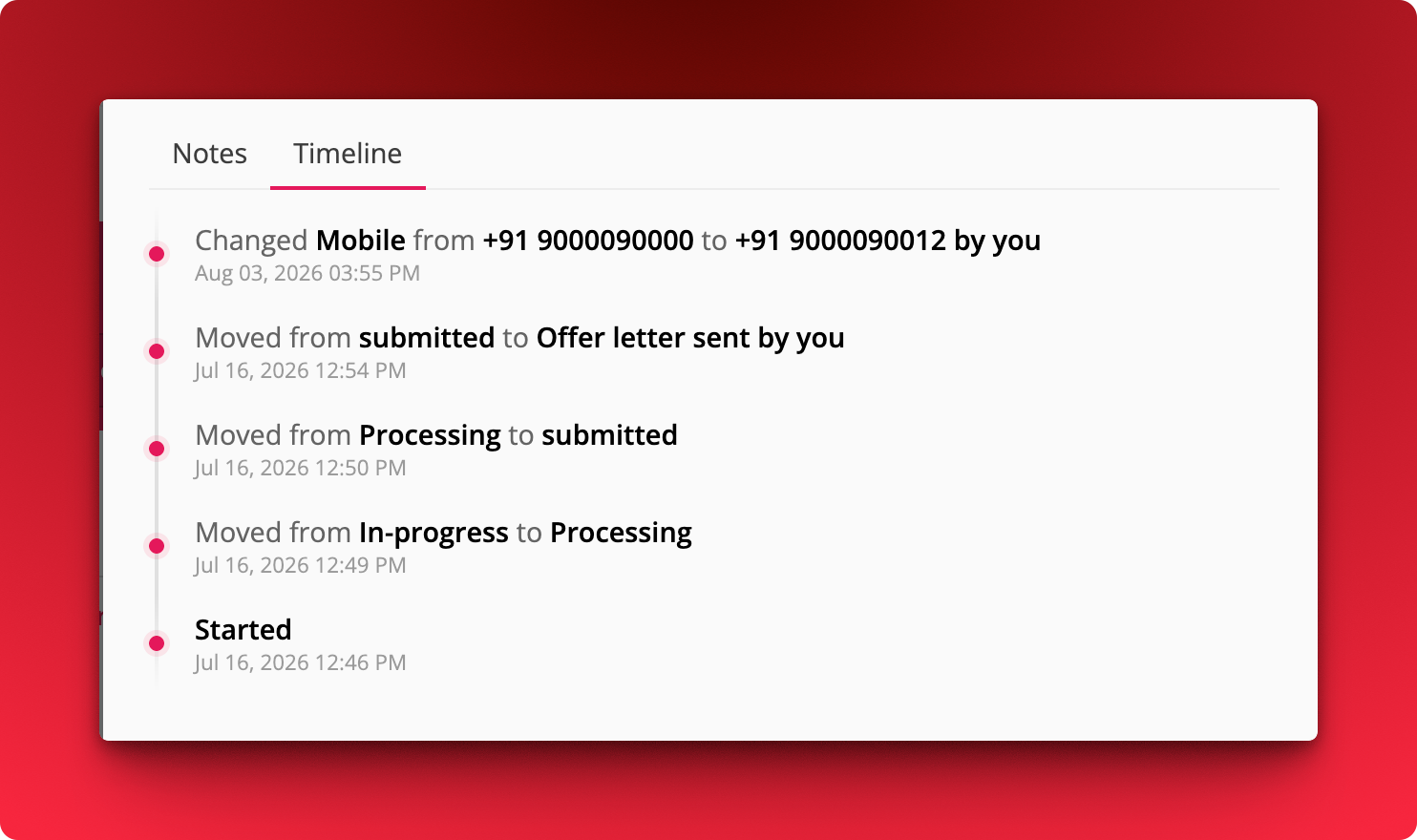
- Every change is logged in the Timeline tab, with the old value, the new value, and who made the edit
How It Works
Where: Job → Applications → open an application
- Click the field you want to change.
- Type the new value and hit the green tick to save, or the red cross to discard.
- Click a chip under Not answered to add a detail the candidate skipped.
- Open the Timeline tab to see the full edit history alongside stage changes.