
Email subjects now support magic variables
Magic variables used to work in the email body only, so every candidate got the same subject line. Now the subject field has the same + Add magic variable picker.
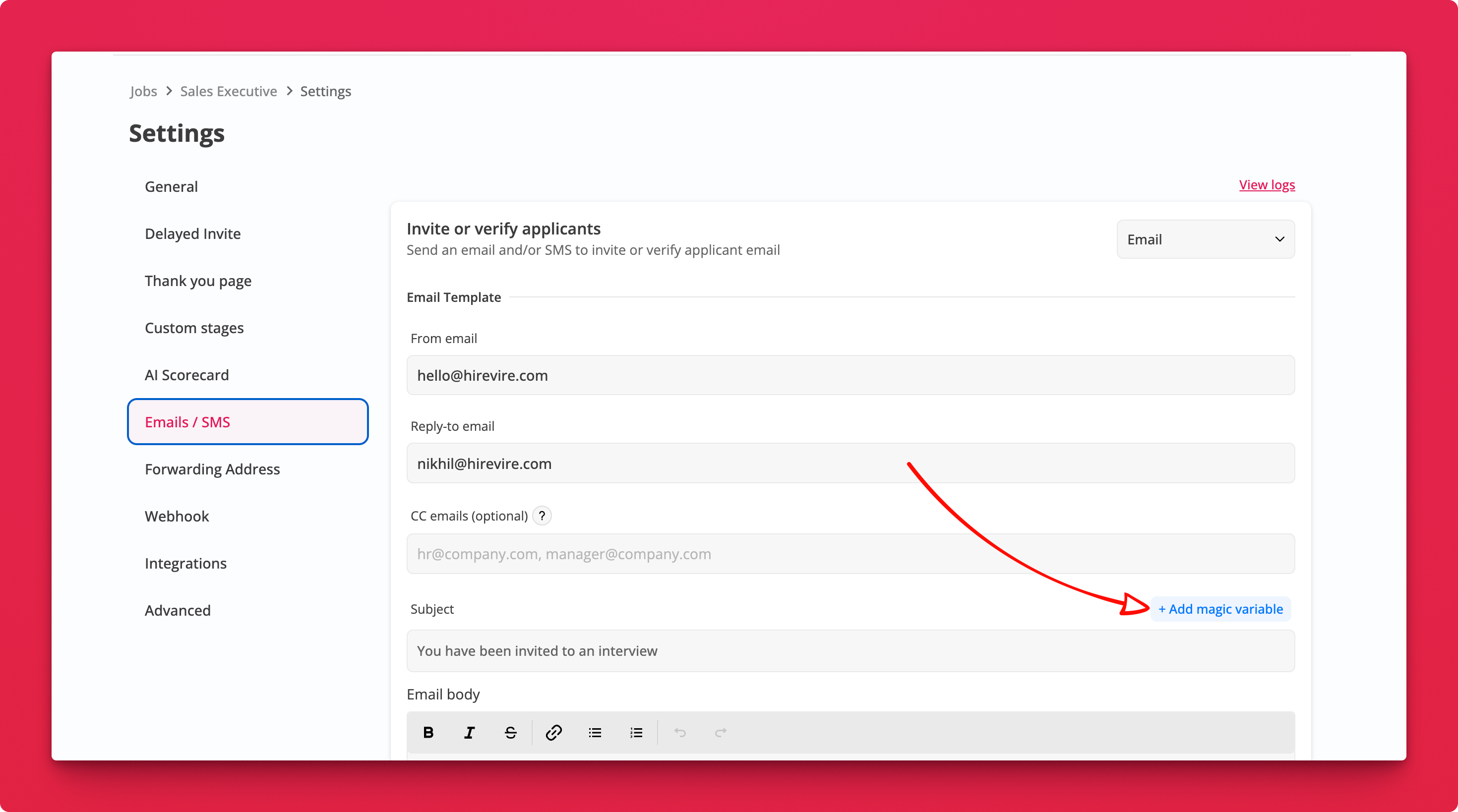
Where: Job Settings → Emails / SMS → Subject
How it works
- Click into the Subject field of any email template
- Click + Add magic variable and pick one
- Save. The variable is filled in per candidate when the email goes out
Instead of "You have been invited to an interview", the subject can read "Hi Priya, your Sales Executive interview is ready".