
Embed audio in job descriptions and questions
Talk your candidates through a task instead of writing it out. You can now embed audio anywhere you write instructions.
What's New
- New audio button in the rich text toolbar for job descriptions and question additional details
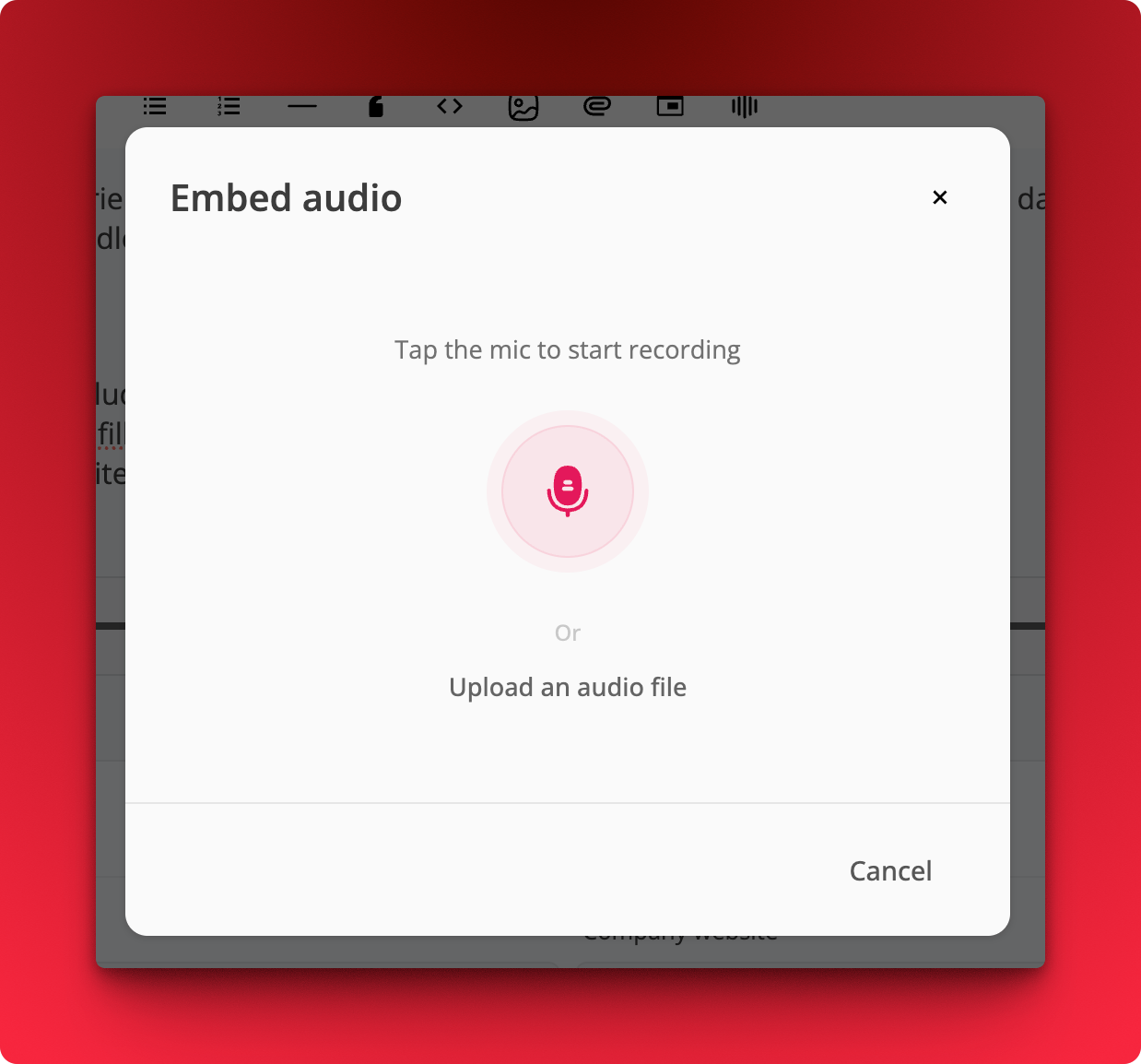
- Record directly in the browser, up to 5 minutes
- Or upload an audio file, up to 50 MB
How It Works
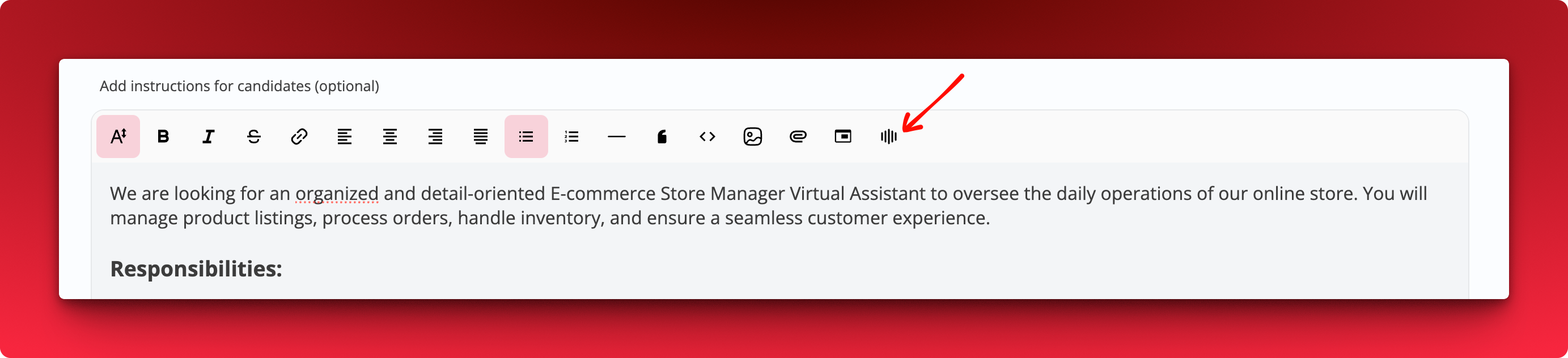
- Click the audio icon in the toolbar.
- Tap the mic to start recording, or pick Upload an audio file.
- Save. Candidates play it inline while reading the instructions.
Notes
- Pair audio instructions with Screen Recording questions to walk candidates through a task out loud instead of writing a long brief.