
Generate scorecards with AI and score on resumes too
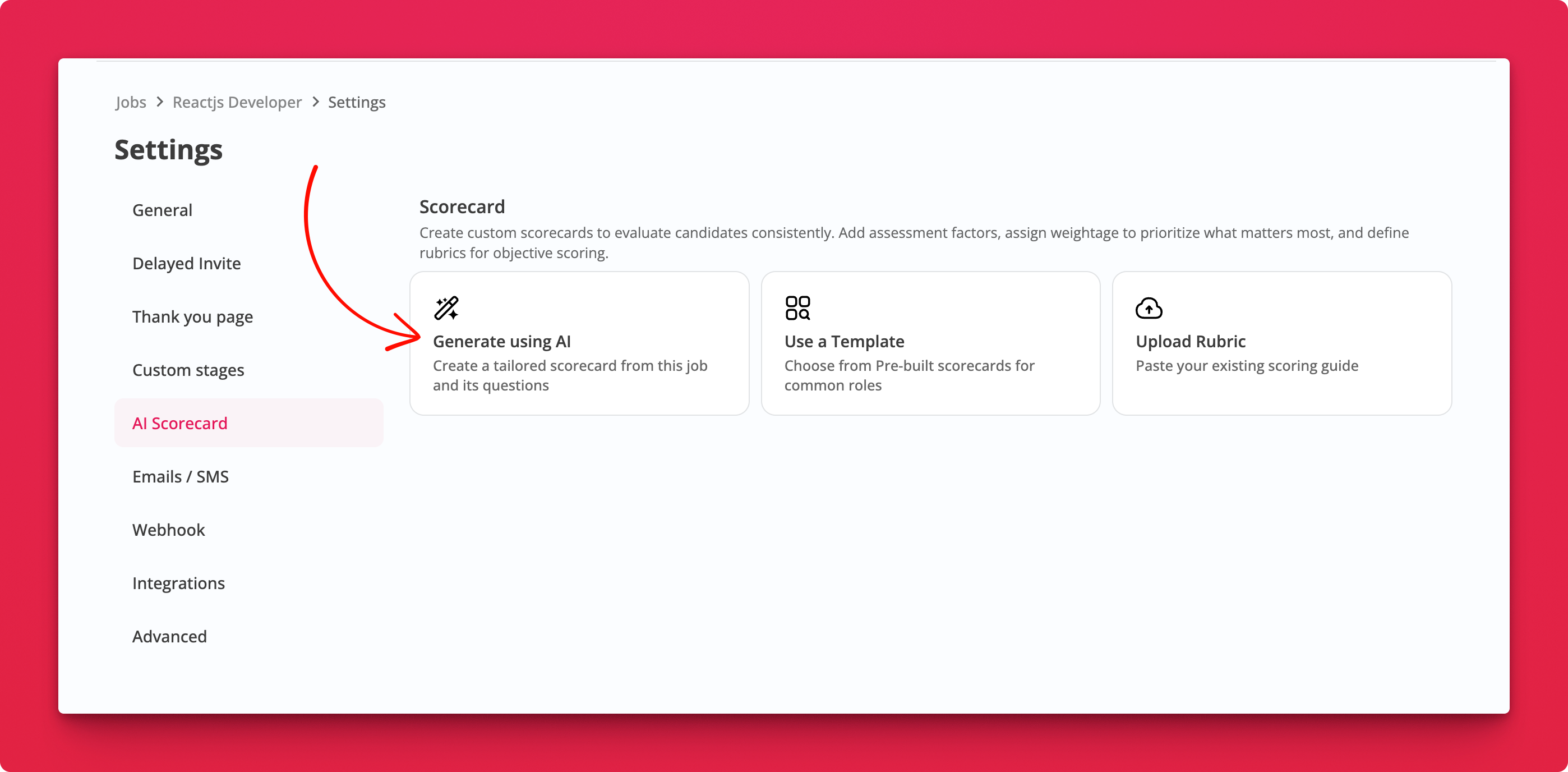
Setting up a scorecard no longer starts from a blank template. AI reads your job and its questions, then drafts factors and rubrics tailored to that role.
What's New
- Generate using AI. A third option alongside Use a Template and Upload Rubric, built from this job's title, description, and questions.
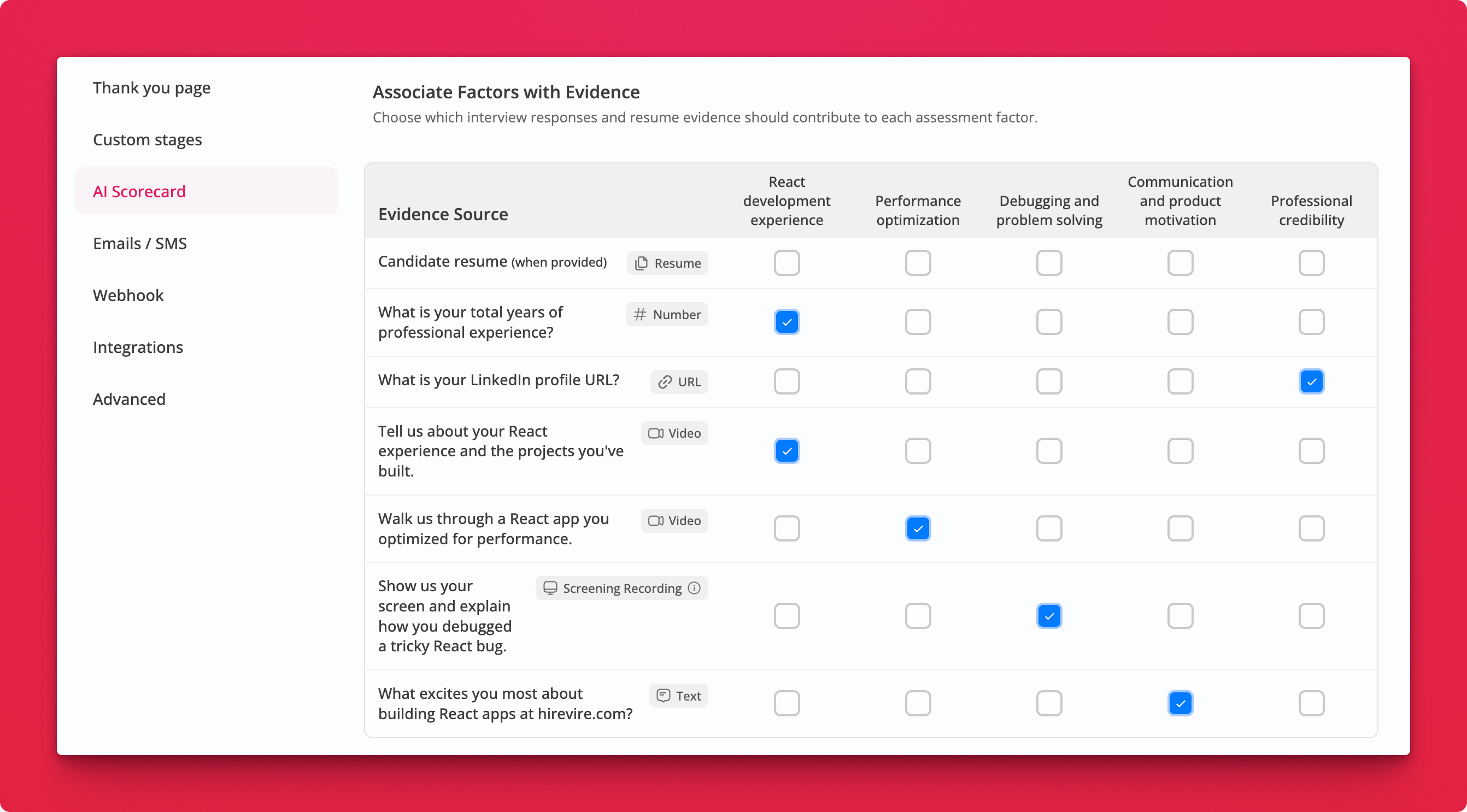
- More evidence sources. Scoring now uses standard responses (numbers, URLs, text) and resumes and text-based file uploads, not just video answers.
- The evidence table renamed to Associate Factors with Evidence, with a row for the candidate's resume and a type label on every question.
How It Works
Where: Job Settings → AI Scorecard
- Click Generate using AI. Factors, weightage, and rubrics are drafted for you.
- Review the evidence table. Tick which responses feed each factor. Resume evidence is used when the candidate provides one.
- Edit anything. Generated factors are fully customisable, same as template-based ones.
Notes
- A years-of-experience number or a LinkedIn URL can now back a factor on its own, so you can score credibility without asking for another video.