
Import questions in bulk and pick how many AI generates
Moving a job over from a Google Doc or another tool? Paste your whole question list at once instead of typing them in one by one.
What's New
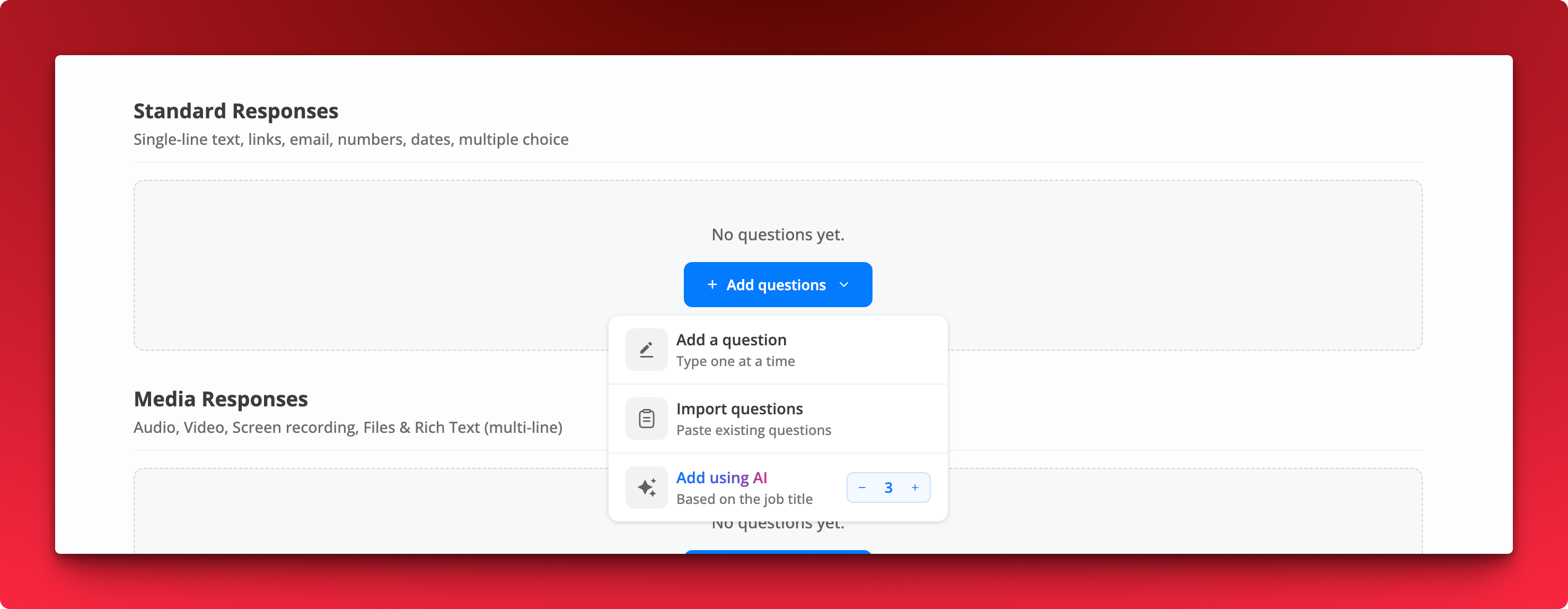
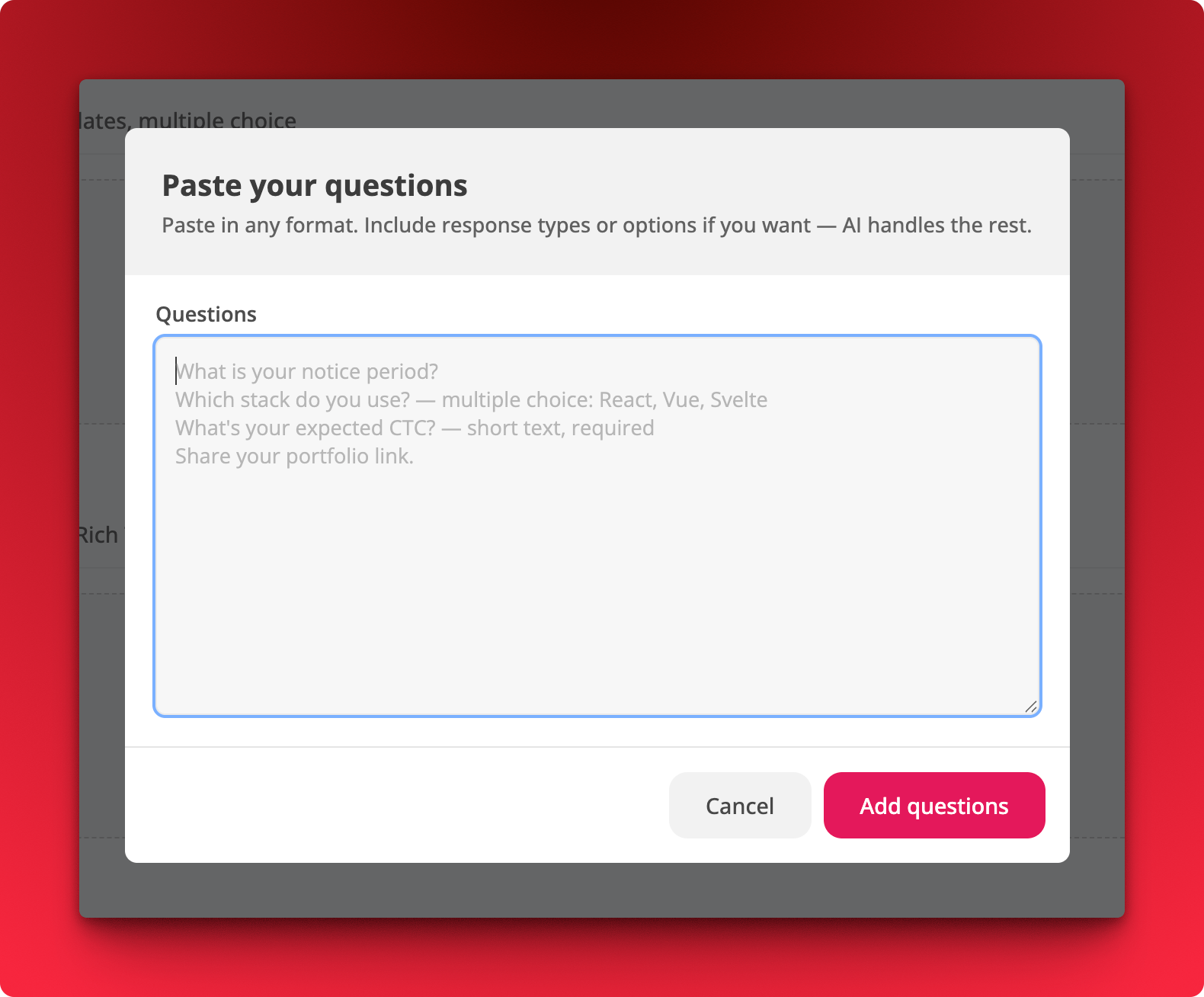
- Import questions. Paste multiple questions in any format and AI parses them into properly configured questions.
- Include response types and options inline if you want, for example
Which stack do you use? multiple choice: React, Vue, SvelteorWhat's your expected CTC? short text, required - Pick a count for AI generation. The Add using AI option now takes a number, so you decide how many questions get generated
How It Works
Where: Job → Questions → Add questions
- Choose Import questions and paste your list, one question per line.
- Click Add questions. Response types, options, and required flags are picked up from whatever you included.
- Review and edit anything AI got wrong before saving.
Notes
- Works for both Standard Responses and Media Responses.
- Formatting is flexible. Plain lines work fine if you would rather set response types yourself afterward.