
Invite candidates by forwarding their email
Every job now has its own email address. Forward a candidate's email or CV to it and they get your interview invite, without you typing their name and email into the invite form.
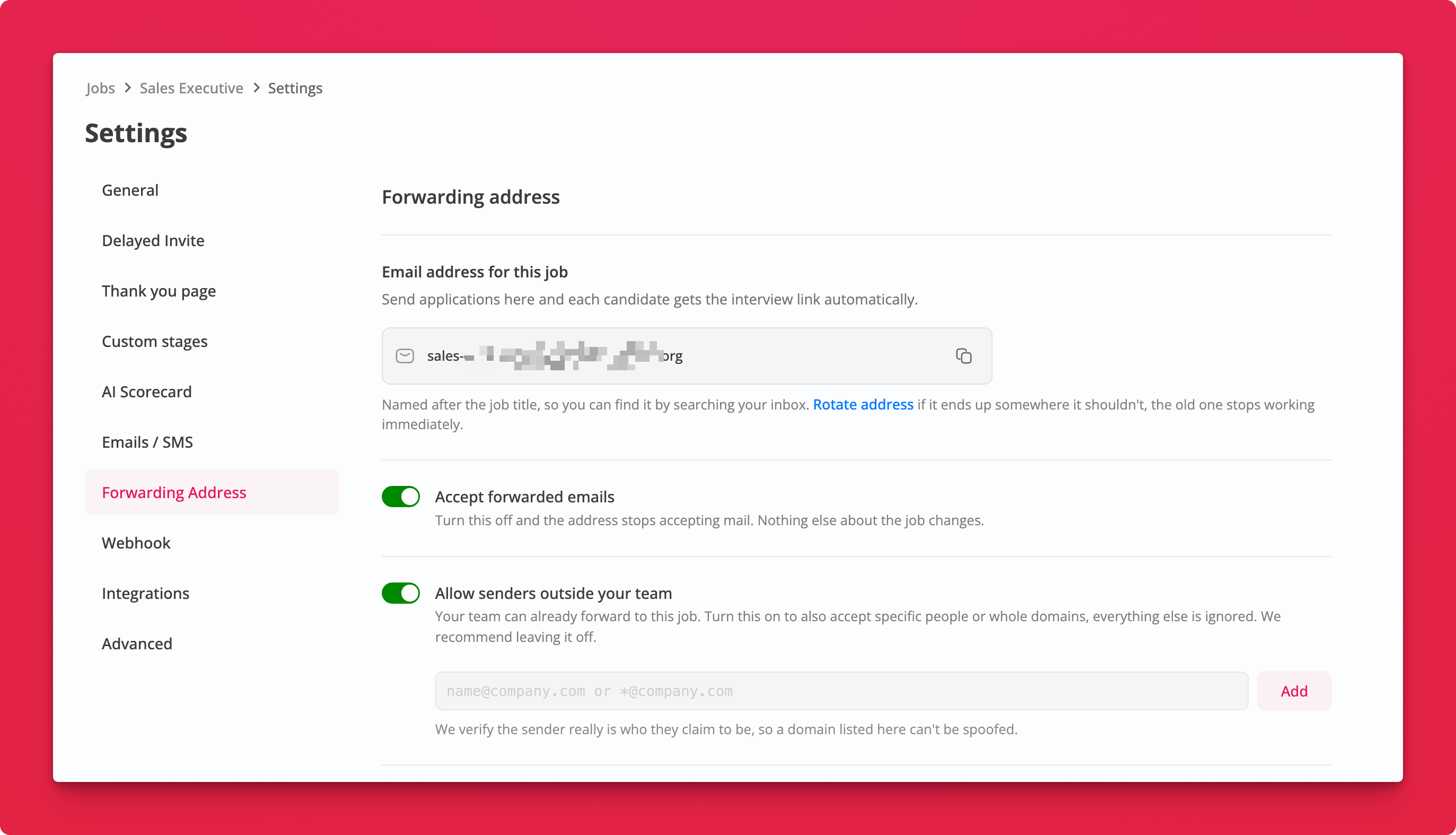
Where: Job Settings → Forwarding Address
How it works
-
Open the Forwarding Address tab, switch on Accept forwarded emails and save. The address then shows on the job page next to the apply link.
-
Forward a candidate's email to that address. An attached CV works too.
-
We read the message and the CV for their name, email and phone, and send them the invite email for this job.
-
We reply in the same thread to confirm, with a link to the new application.
The address is named after the job title, so you can find it later by searching your inbox.
Who can forward
Anyone on your team with access to the job can forward straight away. To accept forwards from outside your team (a hiring manager, an agency partner), switch on Allow senders outside your team and add their email address or a whole domain like *@partner.com. We check that the sender really is who they claim to be, so a listed domain can't be spoofed.
Notes
- If the job collects a resume, the CV from the email is attached to the application
- If the candidate was already invited, the reply tells you so and no second invite goes out
- If we can't find a candidate email in the message, the reply asks for it. Reply with the address and the invite goes out
- Click Rotate address if the address ends up somewhere it shouldn't. The old one stops working immediately
- Available on Essentials, Professional and Agency plans, and during the trial