
Jump Anywhere with Cmd+K
Press Cmd+K (or Ctrl+K on Windows) from any page to pull up a universal search and command palette. Find a job, a candidate, or jump straight to a dashboard action, no more digging through menus.
What's New
- Universal search: type a job title, candidate name, or keyword to surface matching records instantly
- Command mode: type a command name or browse the list to jump directly to a page
How It Works
- Press Cmd+K on Mac or Ctrl+K on Windows from anywhere in the dashboard, or click the Search... bar in the top-right header
- Type to search jobs and candidates, or select a command from the list
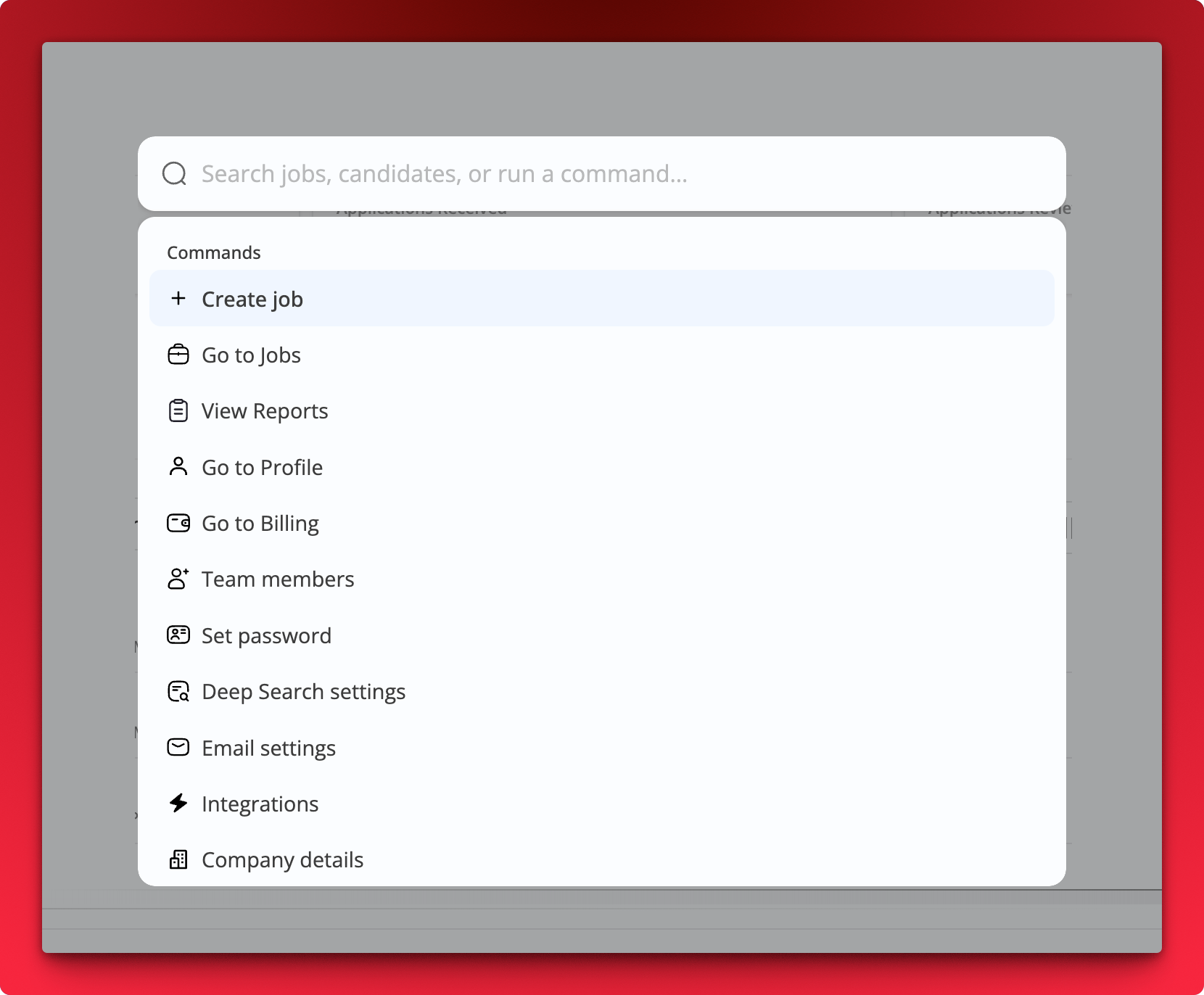 Verified commands include Create job, Go to Jobs, View Reports, Go to Profile, Go to Billing, Team members, Set password, Deep Search settings, Email settings, Integrations, and Company details