
Rerun AI scores with a note, and save rules to scoring memory
When the AI scores a candidate differently than you would, you can now tell it why and have it score again. If your note states a general rule, the scorecard keeps it and applies it to every candidate after that.
Where: Application → AI Score card → refresh icon next to the score
Rerun with a note
- Click the refresh icon next to the score
- Type why you disagree, for example "Q2 was answered fully. Missing keywords should not lower the score."
- Click Rerun scoring. The old score stays on the card until the new one replaces it, and the note is shown under the score so you can see what the run was based on
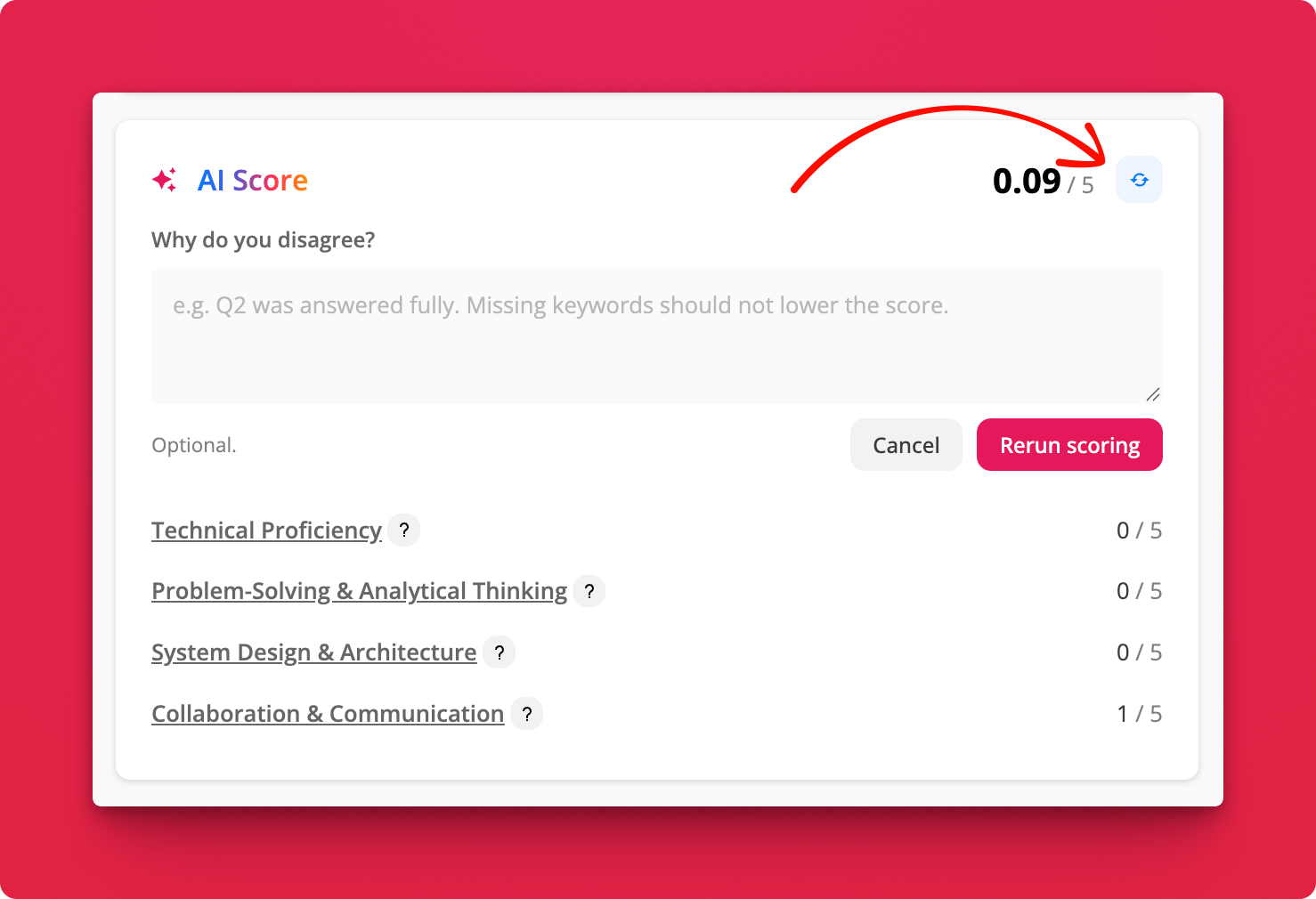
The note applies to this candidate only and tells the AI how to apply the rubric, so keep it about the scoring rather than the person.
Scoring memory
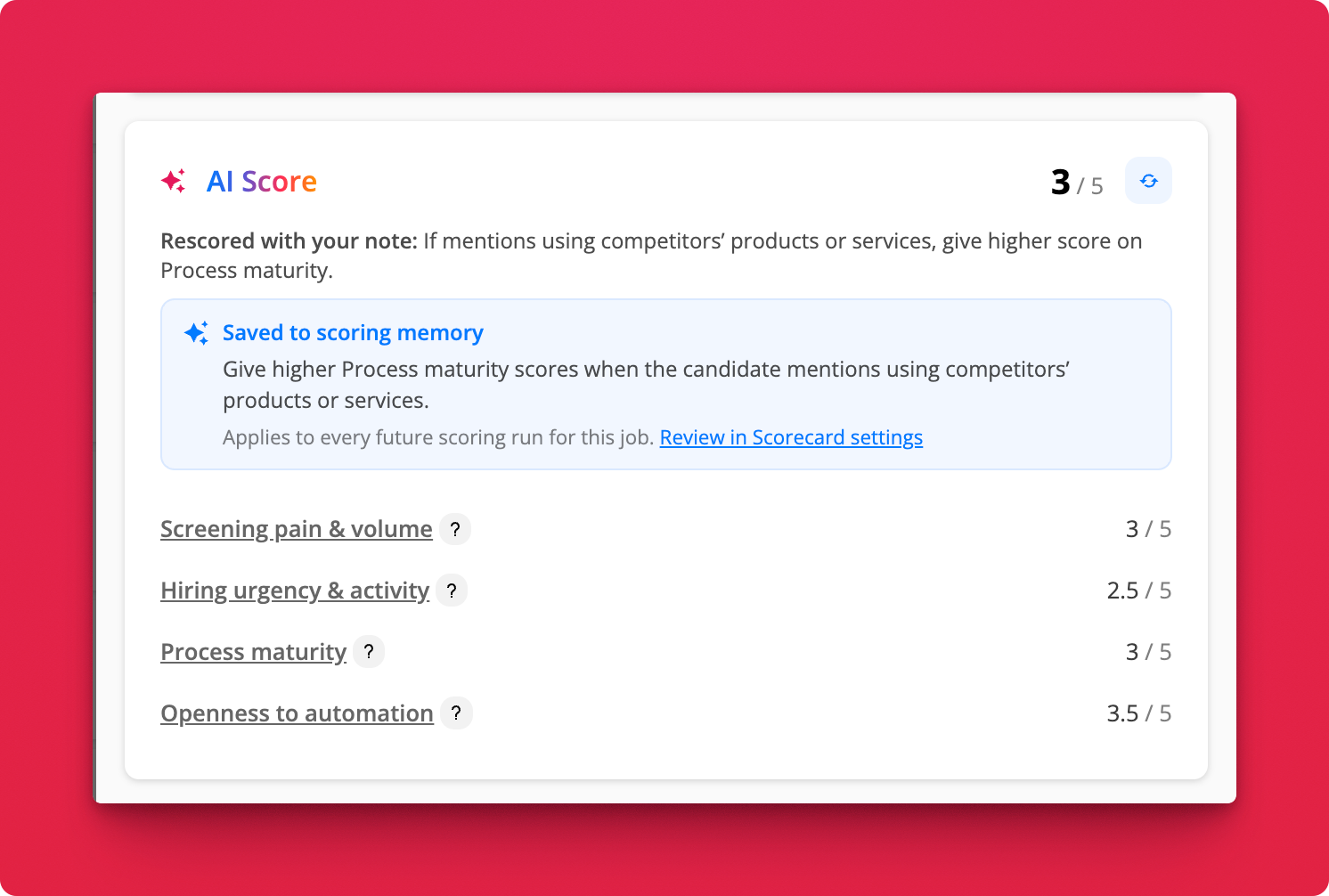
If the note describes something that should hold for every candidate ("Treat a working demo link as strong evidence of technical proficiency"), the AI turns it into a rule and saves it to the scorecard. A Saved to scoring memory banner appears on the card. Every scoring run for the job from then on, bulk or single, applies the rule.
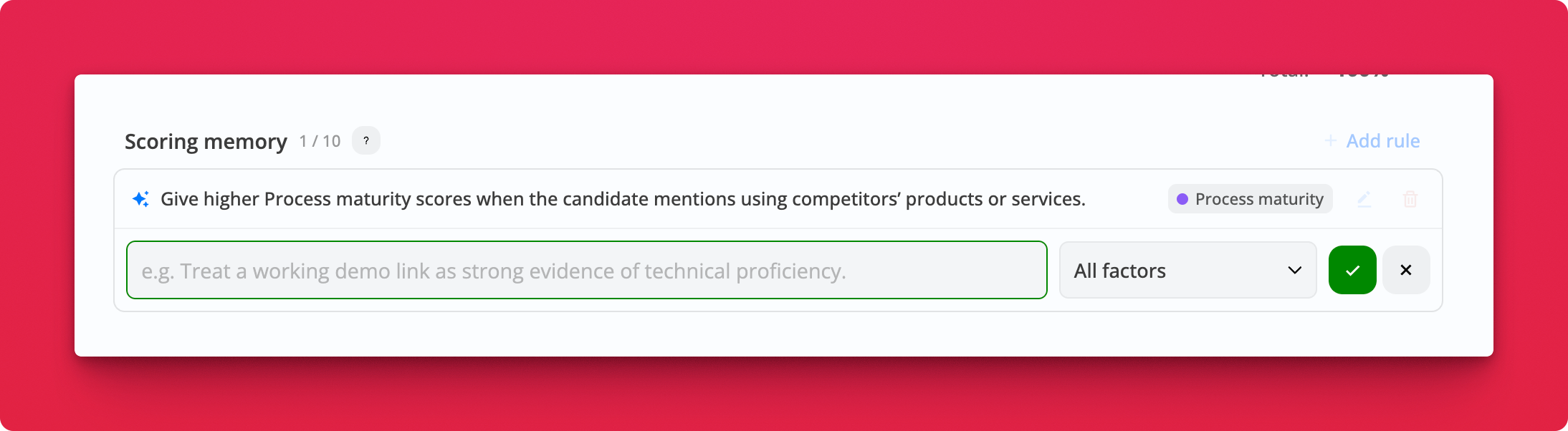
Rules live in Job Settings → Scorecard → Scoring memory. Add your own, tag a rule to one factor or leave it on all factors, and edit or remove any of them.
Notes
- A rerun uses 1 AI credit. Turning the note into a rule costs nothing extra
- A scorecard holds up to 10 rules
- Notes about one candidate ("their portfolio link was broken") never become rules
- Picking a scorecard from another job doesn't bring its rules along. Duplicating a job does