
Webhook delivery logs with detailed status
Why
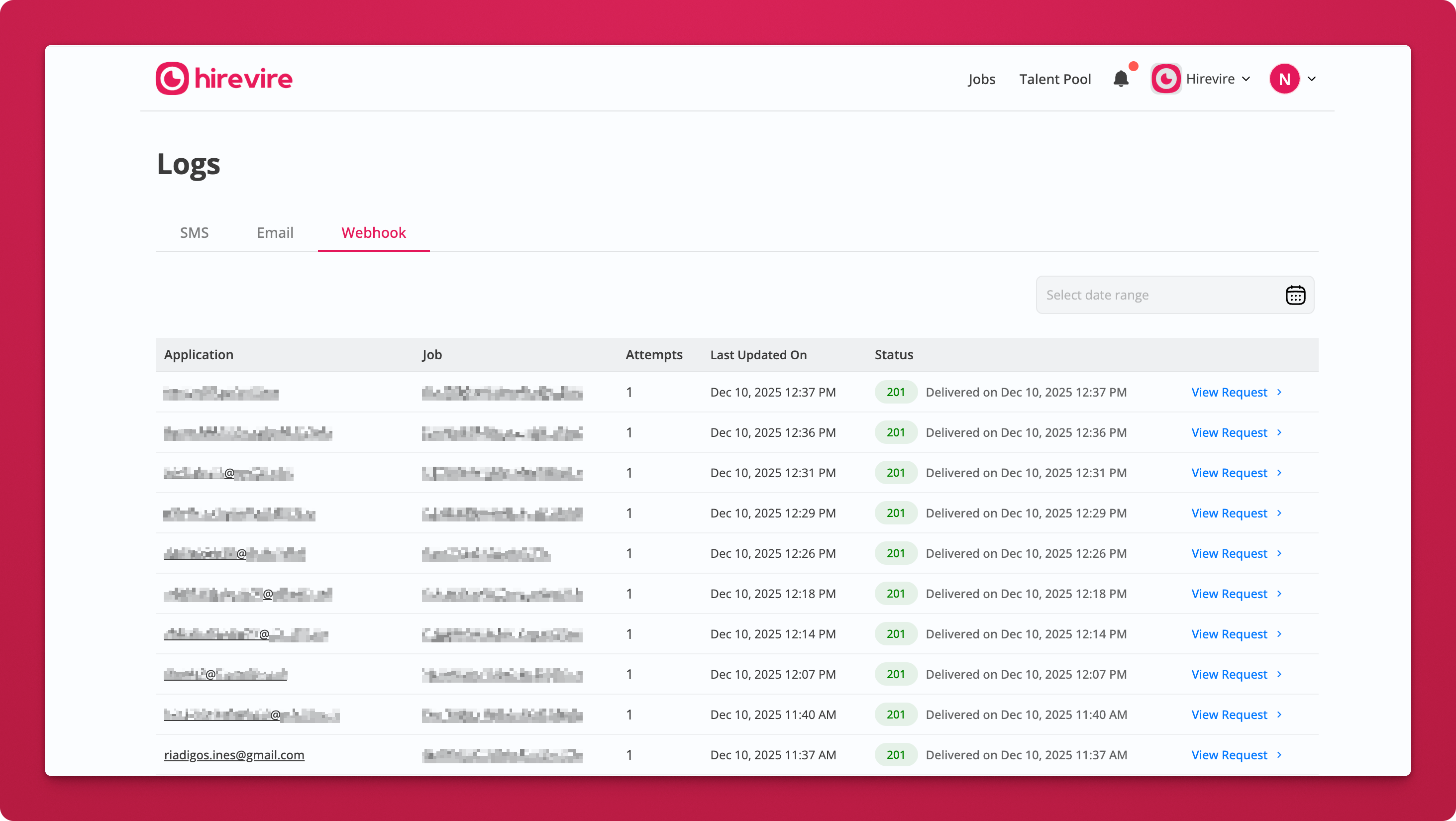
Track every webhook sent to your systems. When integrations fail or data doesn't sync, you can now see exactly what happened—whether it's a timeout, authentication error, or connection issue—so you can troubleshoot quickly and keep your workflows running smoothly.
What's new
Complete webhook logs for all events Every webhook sent for applications, status changes, and other events is logged with delivery status, timestamps, and attempt history.
Detailed failure reasons See exactly why a webhook failed: timeout, invalid endpoint, authentication error, or HTTP error codes (4xx, 5xx).
Filter by status and date Narrow logs by Delivered/Failed status and date range to quickly identify problem webhooks or verify successful deliveries.
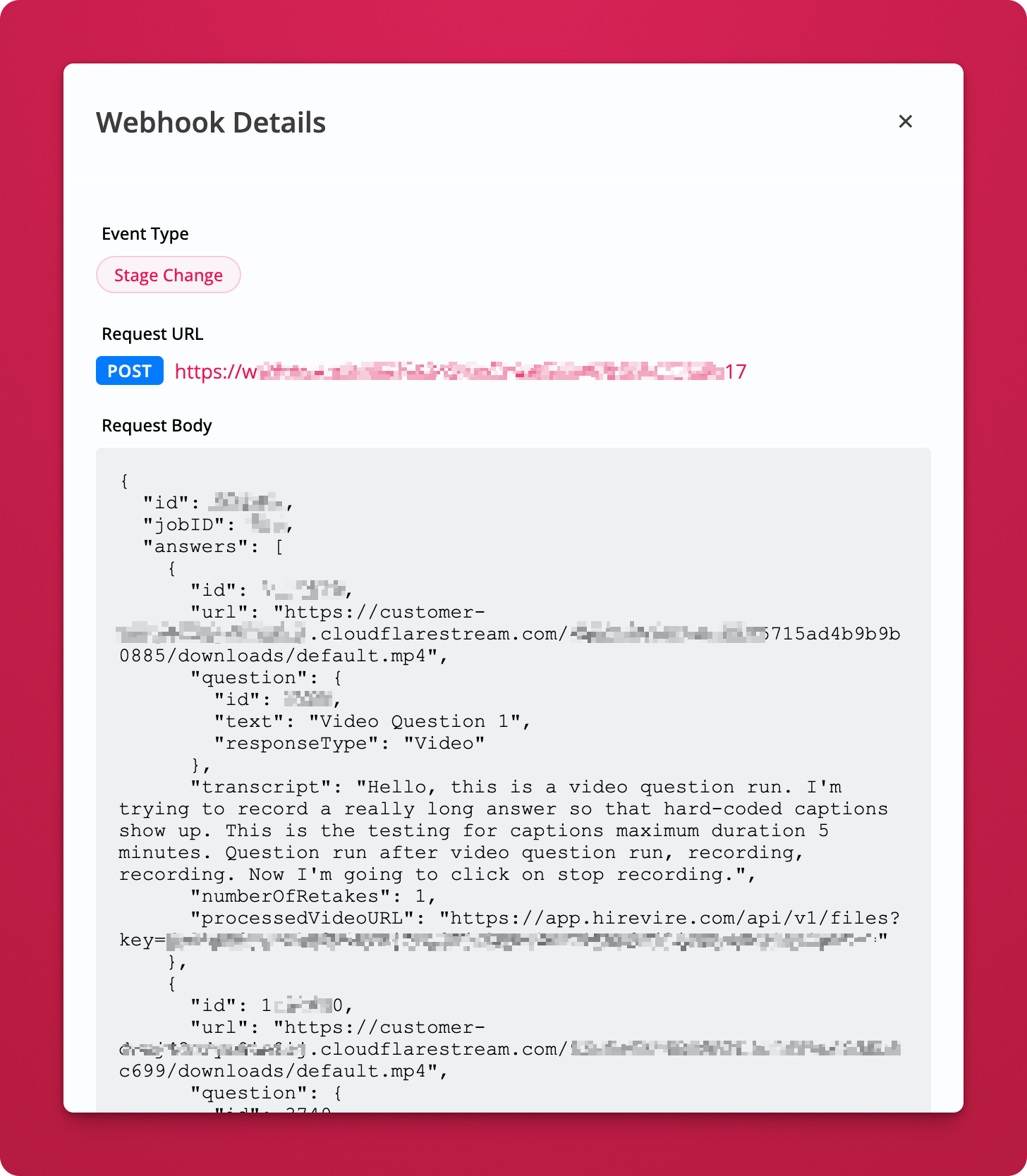
View webhook payload Click "View Request" to see the exact data sent (endpoint URL, headers, payload body) so you can debug integration issues or resend manually.