
Hirevire MCP now supports write actions
Your AI agent can now do more than read. Connect Claude or any MCP client to Hirevire and let it create jobs, edit them, and move candidates through your pipeline.
What's New
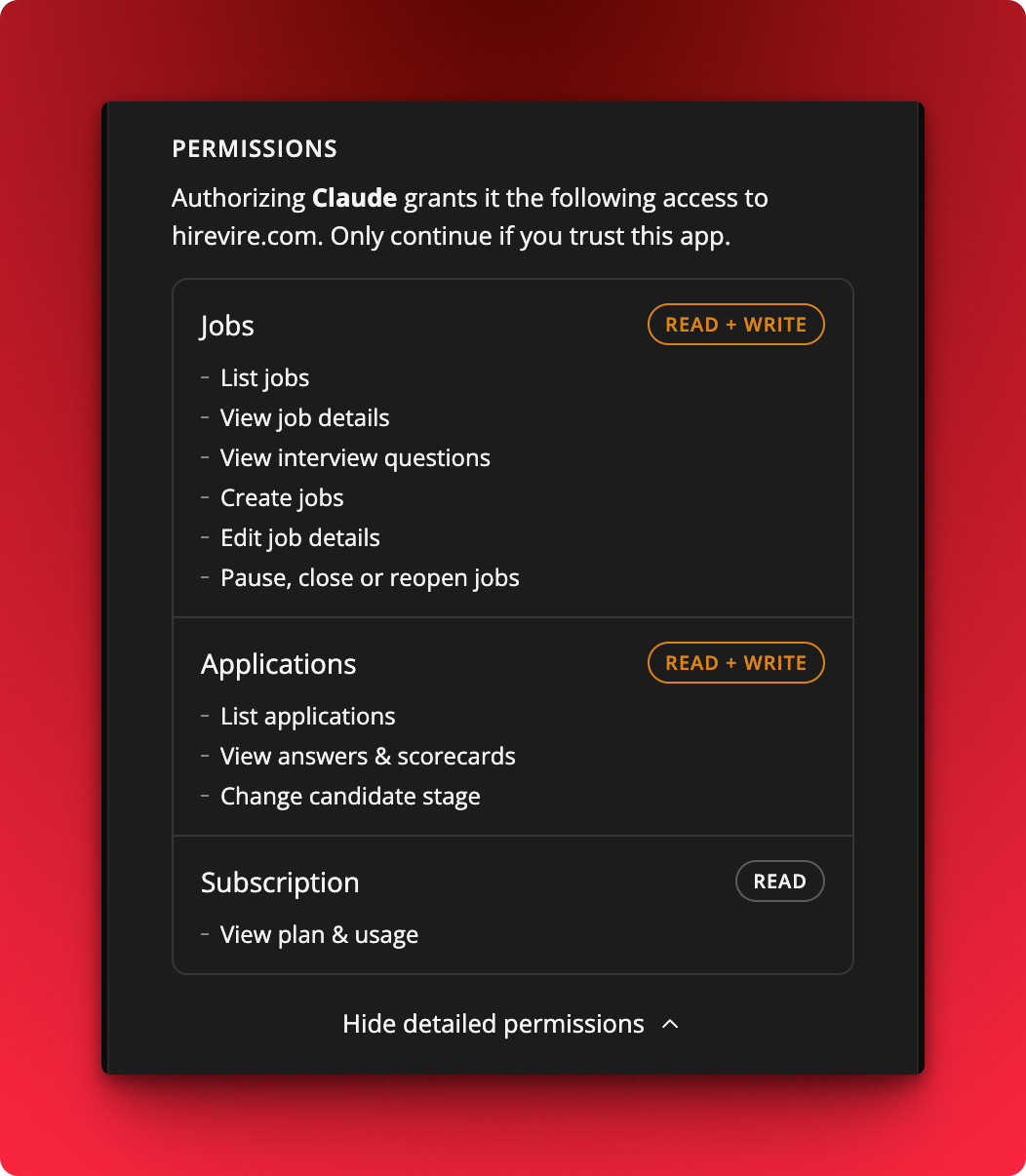
- New write tools: create jobs, edit job details, pause, close or reopen jobs, and change a candidate's stage
- New read tools: view job details, view interview questions, view answers and scorecards, and view your plan and usage
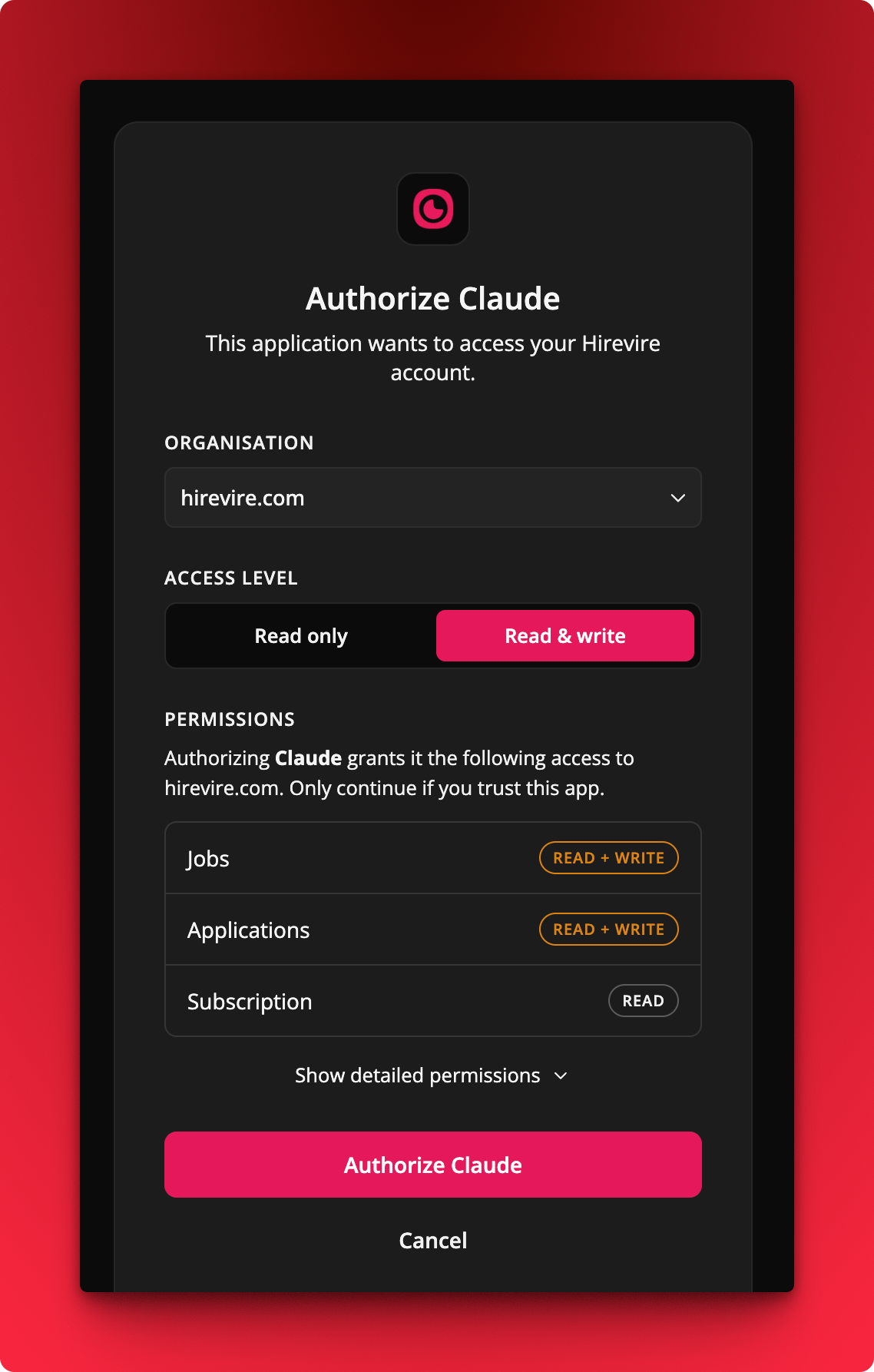
- Granular permissions: pick Read only or Read & write when you authorize, and see exactly which actions the agent gets before you approve
How It Works
Where: My Account → Integrations tab
- Open the Integrations tab and follow the setup instructions for your AI client.
- Pick an organisation and an access level on the authorization screen.
- Review the detailed permissions grouped under Jobs, Applications, and Subscription, then authorize.
 More details - https://hirevire.com/helpdesk/connect-an-ai-agent-to-hirevire-via-mcp-v6ym6