
Save questions to a library and reuse them across jobs
If you ask the same screening questions on every role, you no longer have to retype them. Save a question once and pull it into any other job.
Where: Job → Questions
Save a question
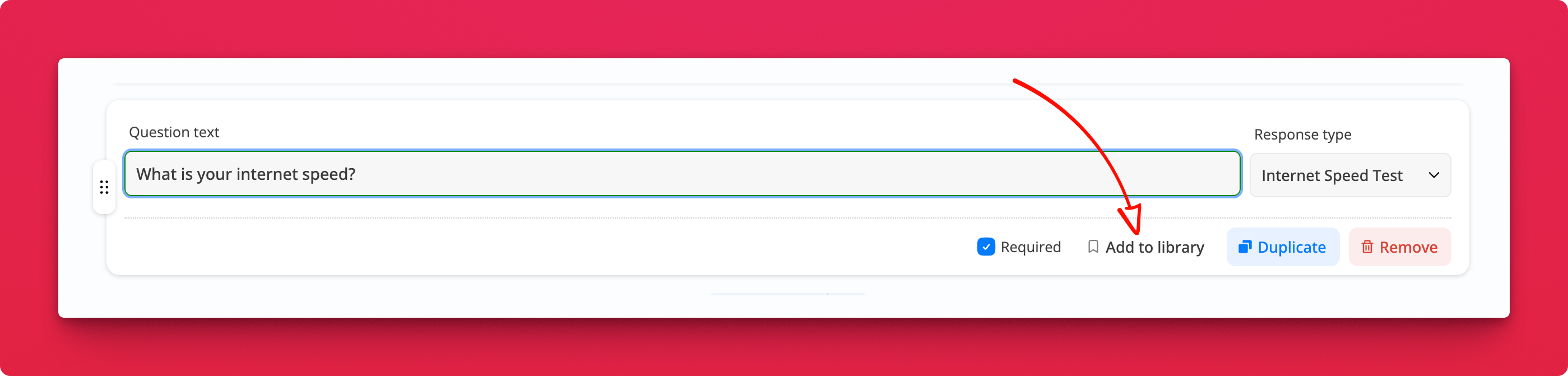
Click Add to library on any question. The question text and its response type are stored together, so "What is your internet speed?" comes back as an Internet Speed Test, not a plain text field.
Reuse it
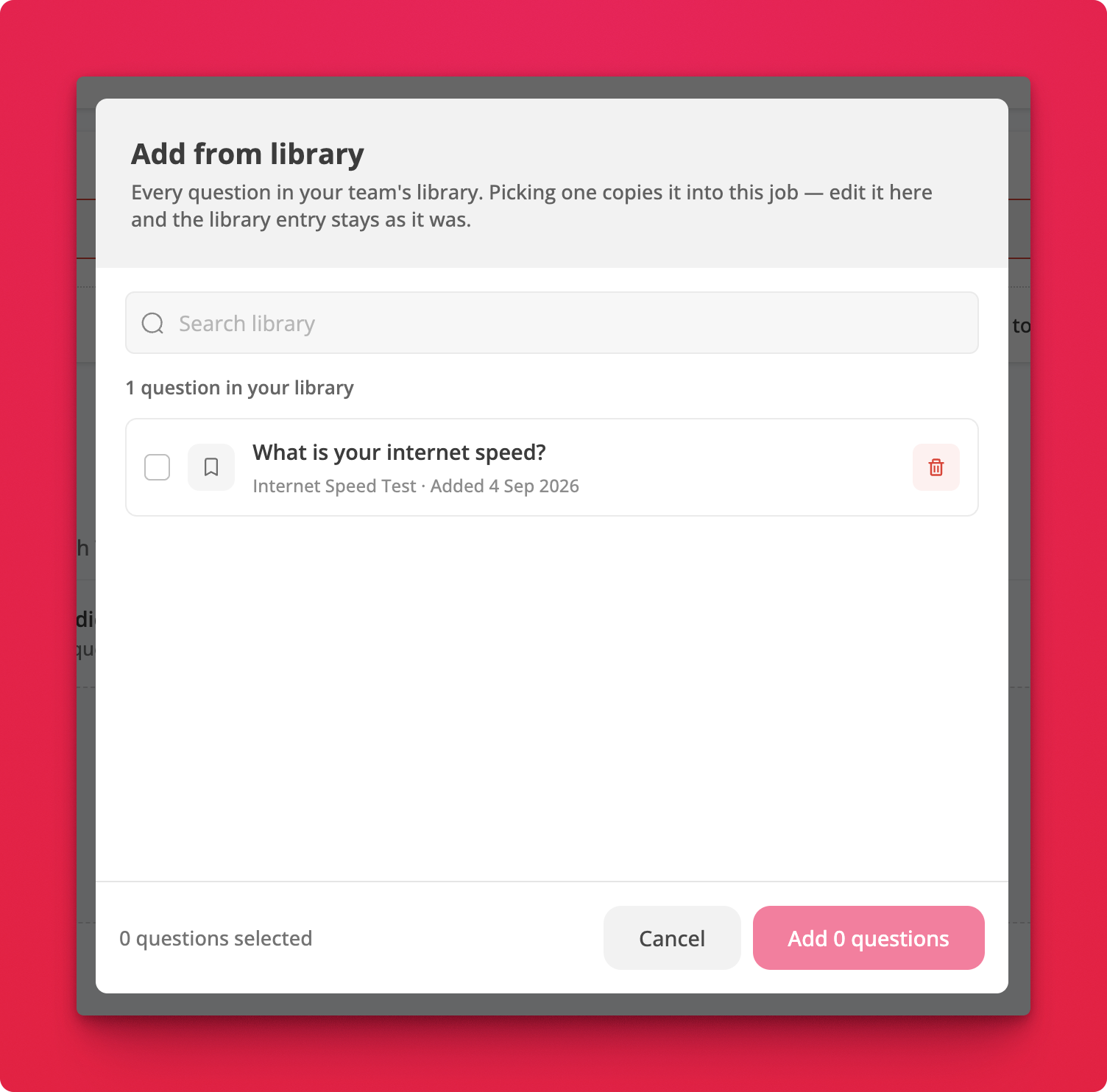
Open Add from library, search for what you need, tick as many as you want, and add them in one go.
Notes
- The library belongs to your team, so a question one recruiter saves is there for everyone
- Picking a question copies it into the job. Edit the copy however you like and the library entry stays as it was
- Delete a question from the library with the bin icon. Jobs already using it are unaffected