Share Candidate Reviews With Your Team, No Logins
To share candidate reviews with your team without logins, generate a stage-filtered shared review link in Hirevire and send it to your hiring managers or clients. They open one URL, watch the actual screening responses, and leave ratings — no account, no software, no expiring per-candidate links. It works on the Essentials plan from $39/month, and reviewers never pay or sign up.
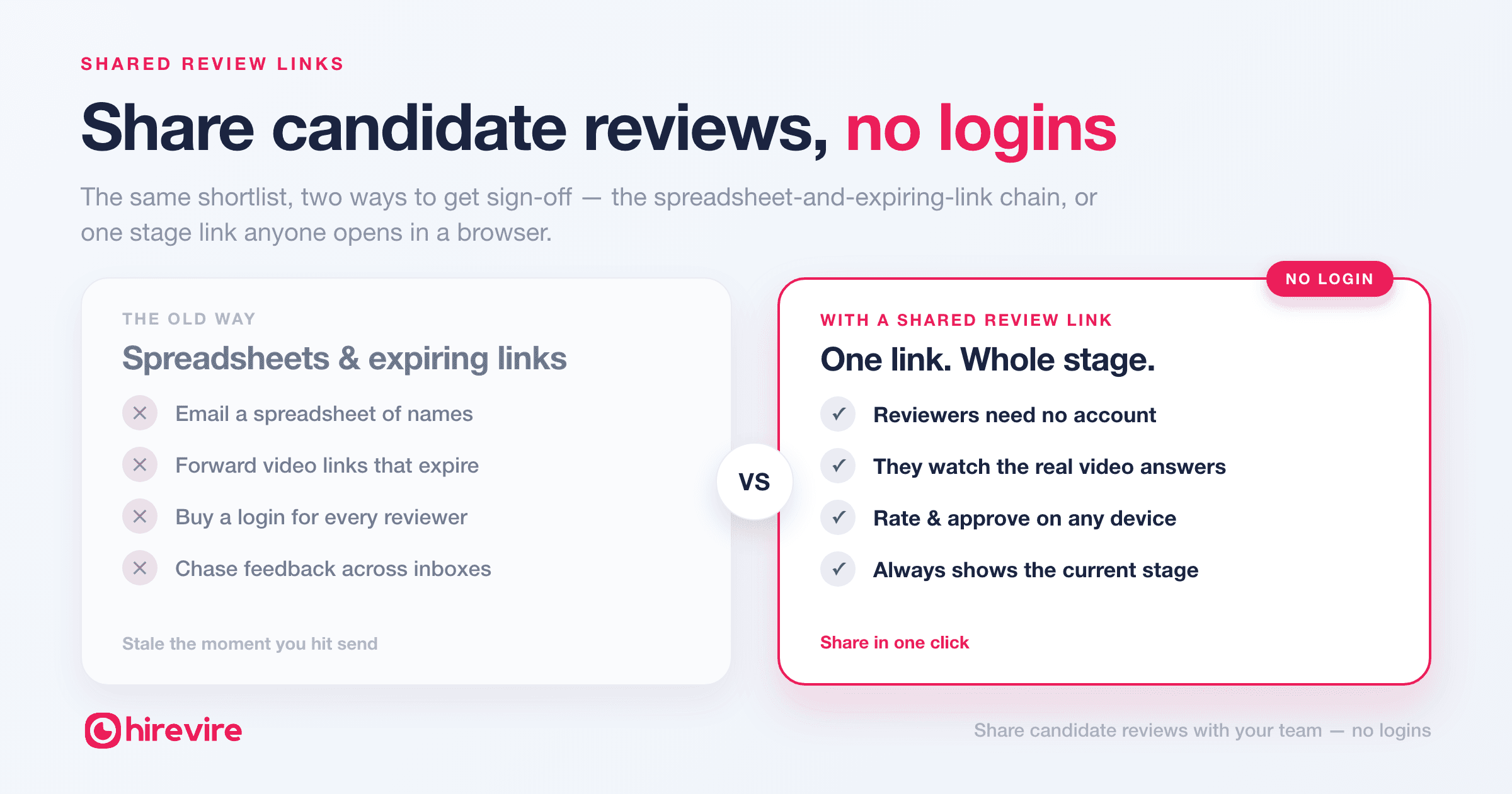
Getting a hiring manager or client to sign off on a shortlist is usually the slowest part of the week. You export a spreadsheet, forward a few video links, wait, re-send the ones that expired, and chase replies across three email threads. The decision-makers don't have logins to your ATS — and you don't want to buy them seats — so everything gets flattened into attachments that are stale the moment you hit send.
Shared review links remove that whole chain. Instead of shipping data about your candidates, you share a live, read-only view of them.
Key takeaways
| The old way | The problem | With a shared review link |
|---|---|---|
| Email a spreadsheet of candidates | Text notes, no context, out of date instantly | A live link to the actual video/audio answers |
| Forward each interview link | Per-candidate, and they expire | One link covers every candidate in a stage |
| Add managers or clients as users | Seats to buy, logins to manage, training | No account for reviewers — ever |
| Send PDF or screenshot exports | Stale the moment you send them | Always shows the current stage |
| Chase feedback over email | Scattered across threads | Ratings and notes collected in one place |
The spreadsheet-and-forwarded-link chain is broken
Every recruiter knows the ritual. Screening's done, you've got a strong five, and now you need a hiring manager — or a client — to weigh in. But they live outside your hiring tool, so you translate everything into something they can open:
- A spreadsheet with names, notes, and a column of links.
- A handful of forwarded video URLs, some of which have already expired.
- A PDF export that's out of date before it lands in their inbox.
Then you wait. They reply "can you resend #3, the link's dead," or "which one was the second candidate again?" The feedback comes back in fragments — a Slack message here, an email reply there — and you're the one stitching it into a decision. The cost of a slow hiring process isn't just your time; it's the strong candidate who accepted another offer while you were waiting on sign-off.
The root problem is that you're moving copies of candidate data around. Copies go stale, links break, and context gets lost in translation. A shared review link fixes it by giving reviewers the real thing.
How shared review links work (no login for anyone)
In Hirevire, candidates screen themselves in asynchronously — they record video, audio, or screen responses to your questions with no account of their own. Every response, transcript, and AI scorecard lives on the candidate's card in your pipeline.
A shared review link turns a whole hiring stage into a single URL you can hand to anyone:
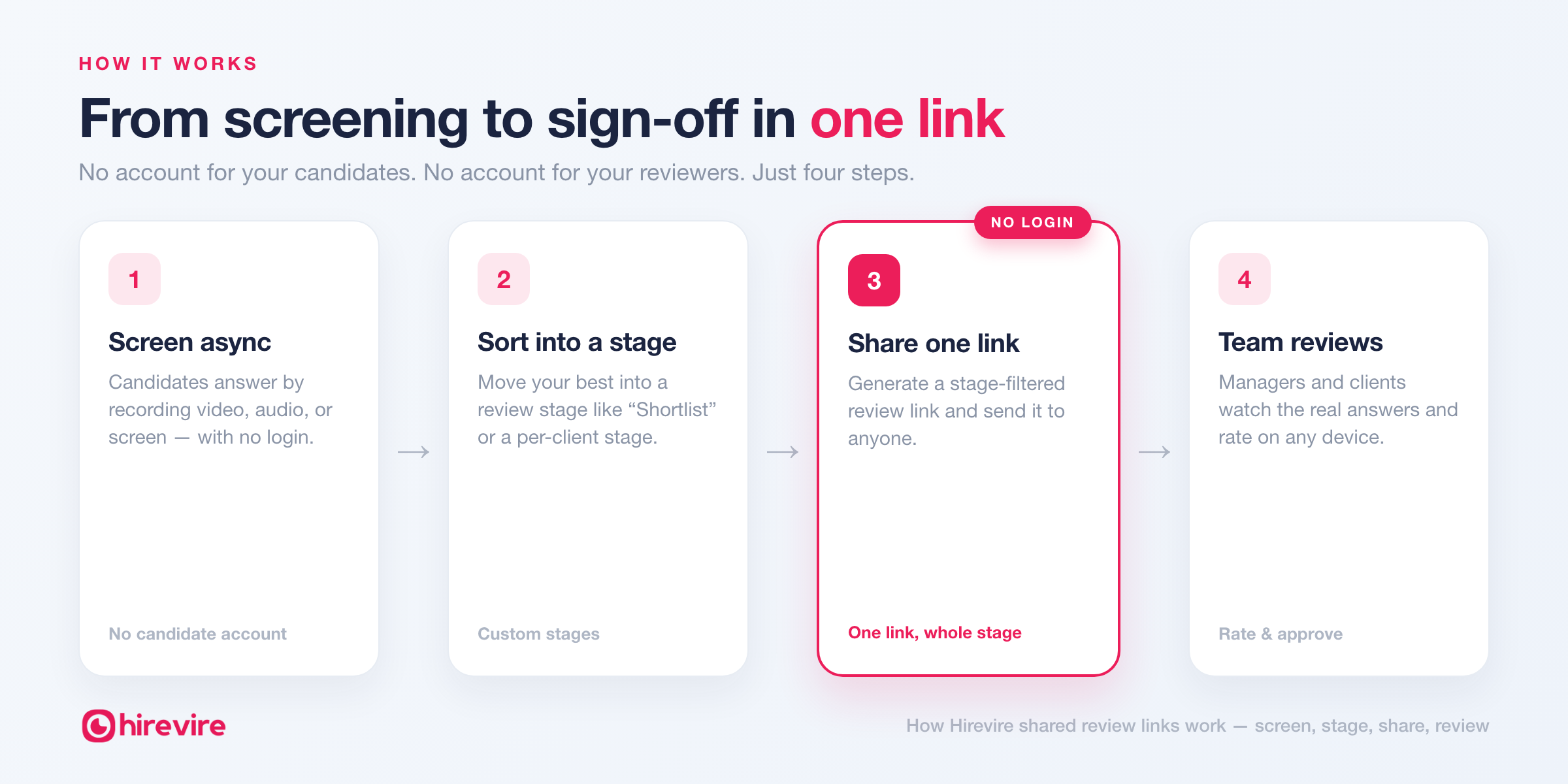
- Pick the stage you want reviewed — say, "Shortlist" or "Manager Review."
- Generate the link. It bundles every candidate currently in that stage.
- Send it. Your manager or client opens it in any browser and sees the actual responses instantly — no sign-up, no download, nothing to install.
Because reviewers open the genuine responses — not a screenshot of them — they get the tone, the reasoning, and the detail that never survives a spreadsheet. And because it's one link tied to a stage rather than one link per candidate, there's nothing to expire and nothing to re-send.
See it in action — generating one shared link for every candidate in a stage:
The point: you share a live window into a stage, not a pile of attachments. Move a candidate out of the stage and they drop off the link automatically.
Share the right stage, not your whole pipeline
You rarely want a client to see everyone who applied — you want them to see the three you're recommending. That's what custom stages are for. Build a pipeline that matches how you actually work ("First Round Cleared," "Client Review," "Reference Check"), then generate a link scoped to a single stage.
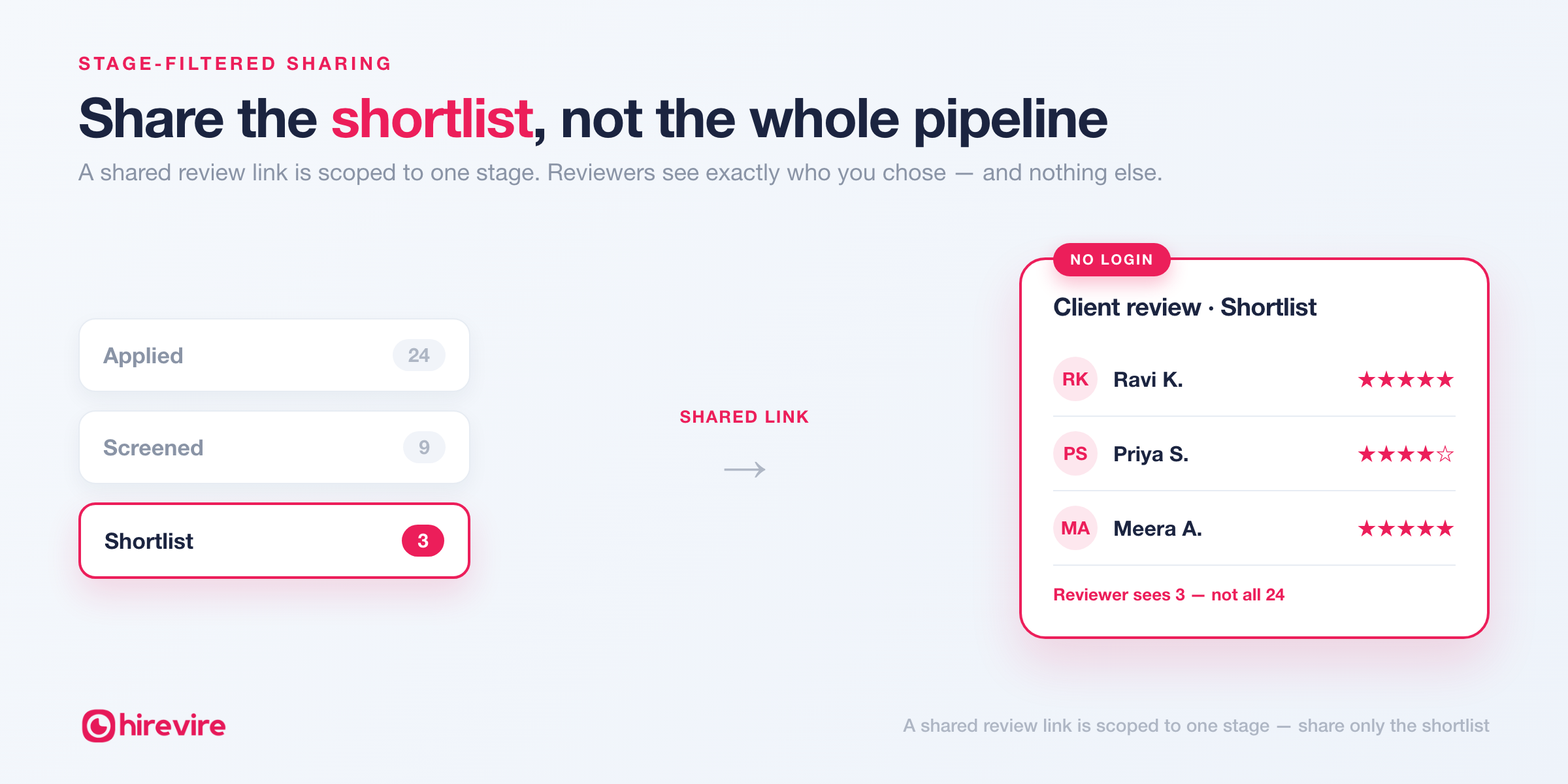
The reviewer sees exactly that stage and nothing else. There's no "please ignore the first eight rows" — the link only ever shows what you chose to put in front of them. As candidates move forward or get filtered out, the link updates itself, so what your reviewer sees is always current.
This is also what keeps the review focused. A decision-maker looking at three stage-filtered candidates gives you a fast, clear yes/no. The same person handed a 40-row spreadsheet gives you silence.
For agencies: one branded link per client
If you're a staffing or recruitment agency, this is the difference between looking like a vendor and looking like a partner. Instead of emailing each client a spreadsheet, you send a clean, branded showcase link of just their shortlist. They review on their own time, on any device, without you provisioning a login or walking them through your tools.
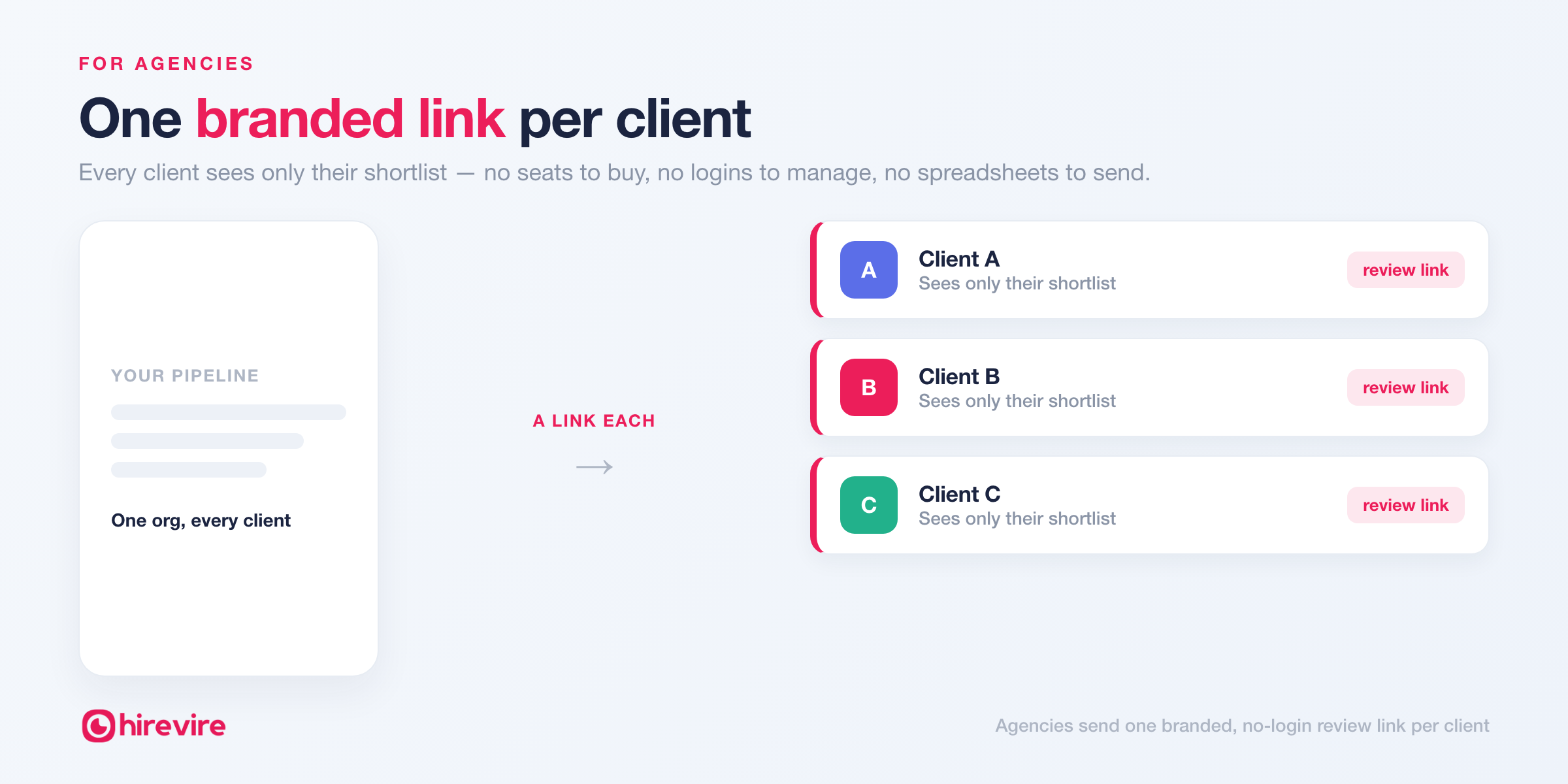
- Per-client shortlists. A stage (and link) per client means every client sees only their candidates.
- No seats to buy for clients. Reviewers never need a Hirevire account, so involving a client costs you nothing.
- A more professional handoff. Live video responses beat a forwarded resume PDF every time.
That's the workflow behind recruiting automation for agencies: automate the collection and the sharing, keep the human judgment. The Agency plan ($199/month) is built for exactly this — up to 20 jobs across multiple client organizations.
Keep your internal team in sync with roles and ratings
Shared links are for the people outside your tool. For the people inside it, Hirevire's team collaboration keeps everyone aligned. Invite teammates by email, assign role-based access (from view-only reviewers to full admins), and let everyone rate and comment on candidates in one place.
Instead of hunting for that one Slack thread where someone left feedback, ratings, notes, and discussion all sit on the candidate's card. When it's time to decide, you're reading a consolidated view — not reassembling opinions from five inboxes.
Set it up in 4 steps
- Screen candidates async. Send your questions; candidates reply with video, audio, or screen recordings — no login on their side either.
- Sort them into stages. Use custom stages to move your best into a review stage like "Shortlist" or a per-client stage.
- Generate a shared review link for that stage.
- Send it to your manager or client. They open it in a browser, watch the responses, and leave ratings — no account required.
The whole loop — from "we're done screening" to "the client has reviewed" — collapses from a multi-day email thread into a single link.
Shared review links vs. the workarounds you're using now
| If today you… | You deal with… | A shared review link means… |
|---|---|---|
| Email a candidate spreadsheet | Flat text, zero context, instantly outdated | Reviewers see the real recorded answers, always current |
| Forward individual video links | Expiring URLs and endless re-sends | One durable link for the whole stage |
| Buy your manager/client a seat | Cost, logins, onboarding | Reviewers need no account at all |
| Export PDFs or screenshots | Stale copies the moment you send | A live view that updates as the stage does |
| Collect feedback over email | Scattered replies you have to compile | Ratings and notes gathered in one place |
Send a no-login review link to your team or client — start free. Hirevire's 7-day free trial needs no credit card. Screen your next role async, then share the shortlist with one link.
Frequently asked questions
Do my hiring managers or clients need a Hirevire account to review candidates? No. That's the entire point of a shared review link — reviewers open one URL in any browser and see the candidates' screening responses without signing up, logging in, or installing anything. You never have to buy them a seat.
Can I share just a few candidates instead of my whole pipeline? Yes. Shared review links are scoped to a hiring stage, so you share only the candidates you've moved into that stage — a shortlist, a client-review group, or a single round. Reviewers never see the rest of your pipeline.
Can reviewers leave ratings or feedback on the link? Yes. Reviewers can rate and give feedback on the candidates in the link, so their input comes back attached to the candidate rather than buried in an email reply. Your internal team can also rate and discuss candidates directly in Hirevire through role-based team collaboration.
Is a shared review link secure? You control exactly what a link exposes: it only ever shows the candidates in the stage you chose, and you can generate a separate link per stage or per client. Because access is by link rather than a public listing, only the people you send it to can open it.
What device or software do reviewers need? Just a web browser. Shared review links open on desktop or mobile with nothing to download, which is what makes async review with external stakeholders realistic.
How much does it cost, and how do I start? Shared review links and custom stages are included across Hirevire's plans — Essentials ($39/month, 1 job, 300 interviews/year), Professional ($99/month, 5 jobs, career page and custom domain), and Agency ($199/month, 20 jobs, multiple organizations), all billed annually. Reviewers are always free. Start with the 7-day free trial — no credit card required.