MCP for Recruiting: How AI Agents Screen, Shortlist, and Hire
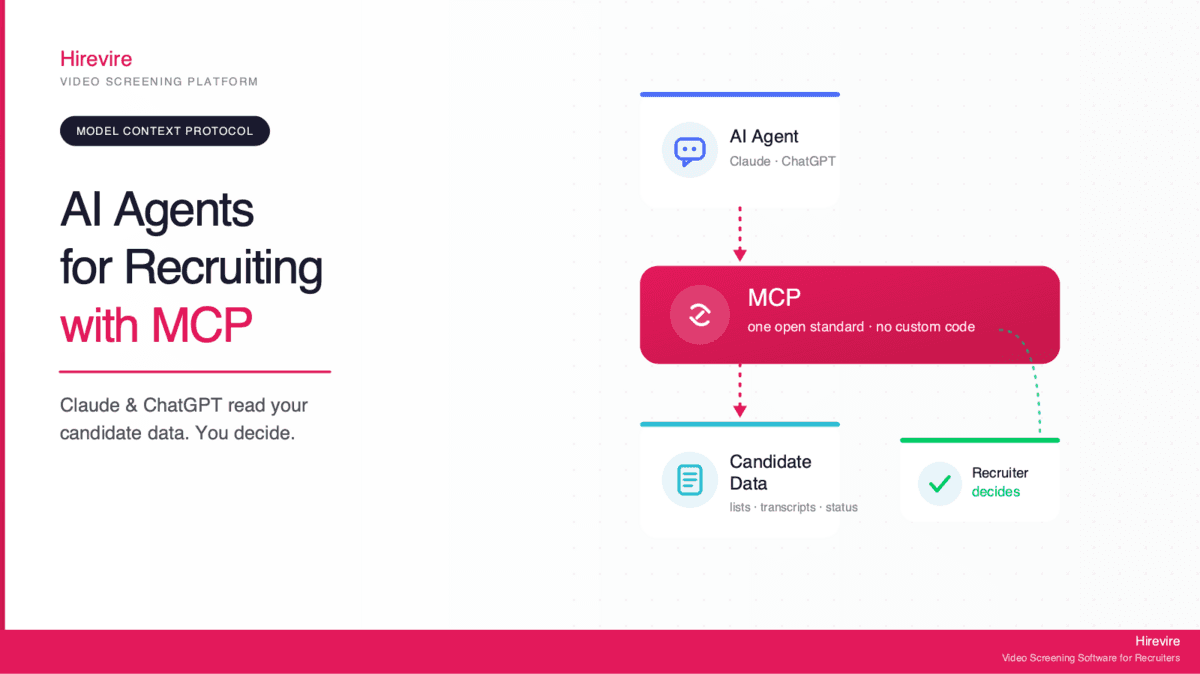
MCP for recruiting means connecting an AI agent such as Claude or ChatGPT straight to the tool that holds your candidates, so the agent reads the pipeline, searches the transcripts and proposes the next move while the recruiter keeps the decision. Eleven HR tools ran their own MCP server as of August 2026, and only one of them is a screening tool. What follows covers what an agent can and cannot do with candidate data, which recruiting servers exist today, a worked screening run, the security model, and when MCP beats a Zapier or webhook integration.
| What the agent does | Example request | Who decides |
|---|---|---|
| Reads candidate lists and stages | "Who applied for the warehouse role this week and who finished screening?" | The recruiter reviews the list |
| Searches transcripts and answers | "Which applicants described handling an angry customer?" | The recruiter confirms the matches |
| Summarises responses | "Two sentences on each of the top ten for the CSR role" | The recruiter checks the summary against the recording |
| Proposes or applies a status change | "Move everyone under 5 to not progressing" | The recruiter approves, then owns the outcome |
| Drafts messages | "Write a polite rejection for the 40 who scored under 5" | The recruiter edits and sends |
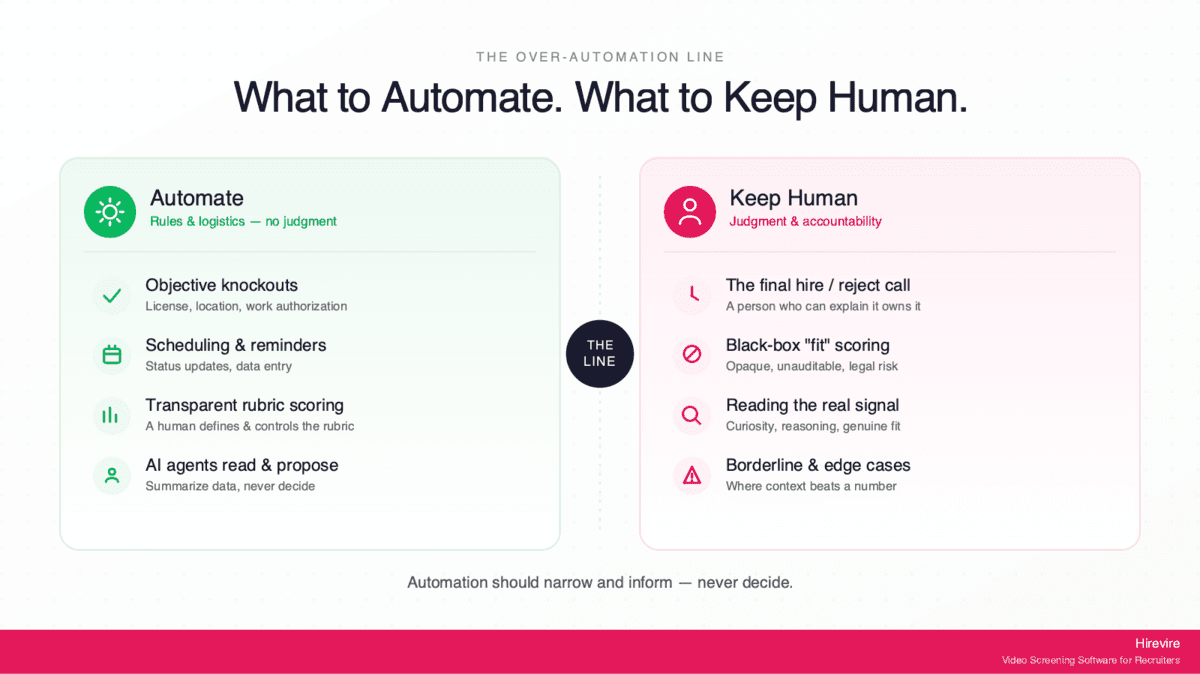
Every row ends with a person. That is the whole design, and the reason MCP looks different from earlier recruiting automation: it speeds up the work around the decision and leaves the decision alone.
What is MCP, in recruiting terms?
The Model Context Protocol is an open standard, introduced by Anthropic and now adopted across the AI industry, that gives AI agents one common way to connect to outside tools and data. The specification lives at modelcontextprotocol.io. One adapter instead of a plugin per assistant: the recruiting tool exposes a single MCP server, and any compatible agent can connect to it.
In practice your screening platform runs an MCP server that can answer "list candidates for the Customer Support role" or "show the transcript for this applicant". Your assistant is the MCP client. You ask a question in plain English, the client fetches what it needs from the server, and the answer comes from your live pipeline rather than from the model's memory.
The server exposes three things. Tools are actions the agent can take, such as updating a status. Resources are data it can read, such as candidate lists and transcripts. Prompts are reusable templates the server offers. For recruiting, the resources are your candidates and their answers, and the tools are whatever actions you choose to allow.
A hosted server connects over a standard web transport and authenticates through OAuth, the same sign-in flow you use when one app asks for access to another. The host application can also hold a tool call for confirmation before it runs, so a write action such as "mark this candidate rejected" waits for a click. That confirmation step is what turns "the recruiter still decides" from a slogan into a control.
Which recruiting tools run an MCP server today?
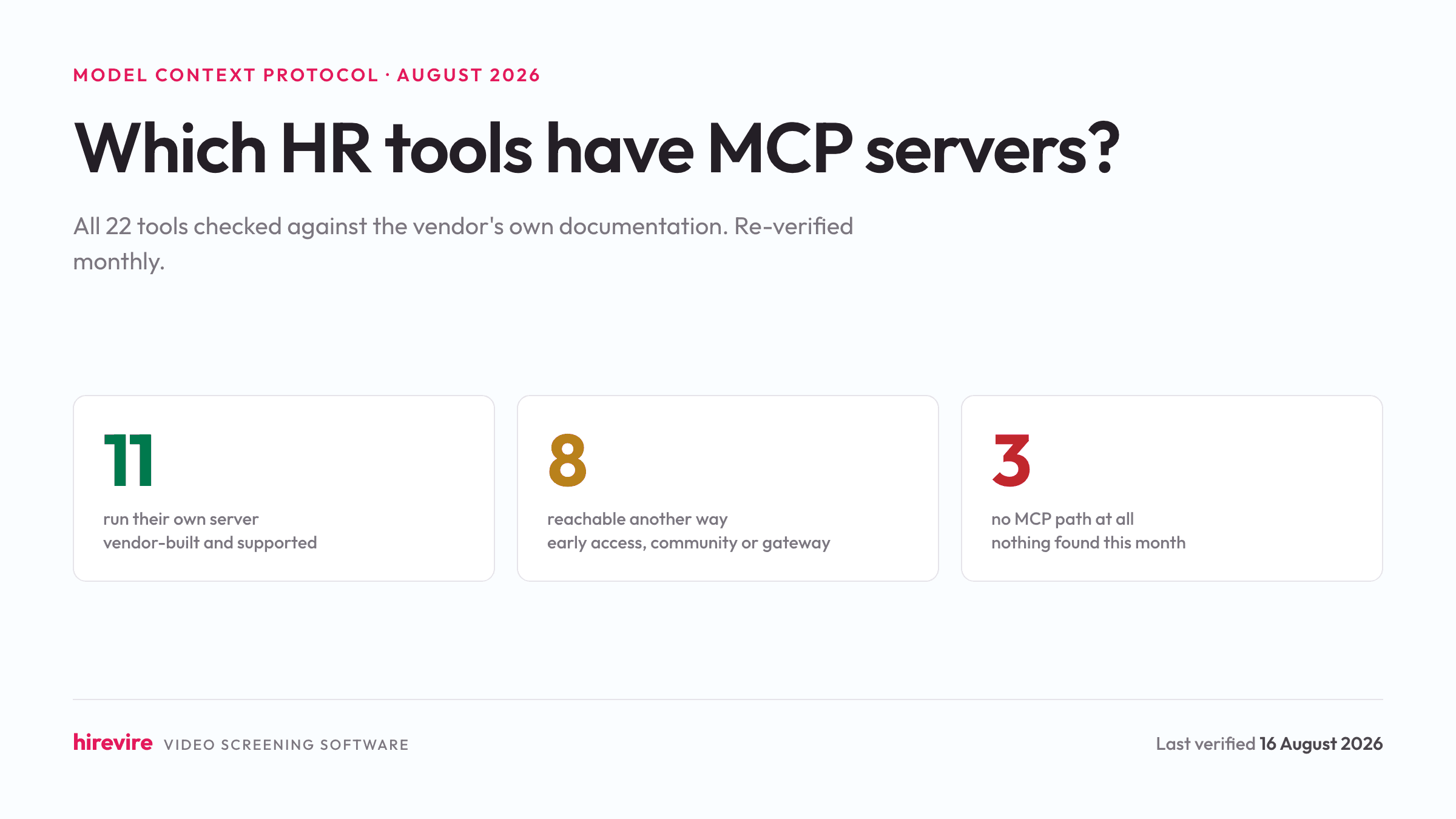
As of the August 2026 check, eleven HR tools run a server their own vendor maintains: Workable, Greenhouse, Ashby, Manatal, Zoho Recruit, HiBob, Gusto, Calamari, Lattice, Checkr and Hirevire. The monthly table at Which HR Tools Have MCP Servers? carries every row with a docs link and a verified date.
For a recruiter the useful split is by stage.
Applicant tracking has moved. Greenhouse shipped 36 tools with org-level controls in open beta. Ashby runs per-user OAuth on every plan. Workable exposes 94 tools at a hosted URL. Manatal covers candidates, jobs, notes and matches on its Enterprise Plus plan. Zoho Recruit follows the roles already set in your Zoho account.
HRIS and payroll are split. HiBob, Gusto, Calamari and Lattice run native servers. Workday and BambooHR have announced servers that only invited customers can reach.
Video screening has barely moved. HireVue and VidCruiter have no server of any kind. Spark Hire and Willo are reachable through Zapier's gateway for a handful of actions. Hirevire runs its own: hosted, per-user OAuth, read-only or read-and-write, connecting at https://app.hirevire.com/api/mcp.
The gap matters because of what each layer holds. An ATS server can tell an agent that 400 people applied and move them between stages. It cannot tell the agent what any of them said, because the ATS never held the recording, the transcript or the score. Those live in the screening tool. The stack that works is an ATS server and a screening server side by side in the same agent.
What can an agent do with screening data?
Three kinds of work open up once an agent is connected, and each stays on the reading-and-proposing side of the line.
Reading the pipeline. The agent pulls who applied to a role and where each person sits. "Who applied for the warehouse associate role this week, and which ones have completed their screening?" returns the list with statuses, drawn live. This removes the dashboard-hopping that eats a recruiter's morning.
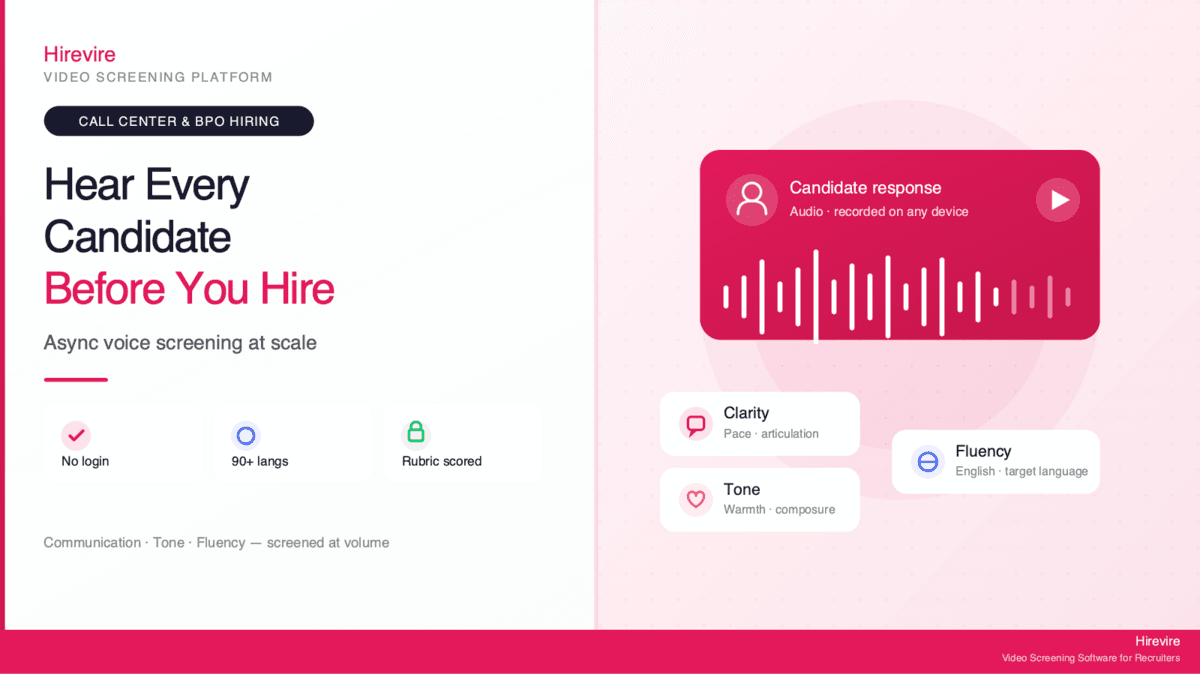
Searching what candidates said. Async video and audio screening produces hundreds of recorded answers, and scrubbing through them by hand is the slowest part of the week. Connected over MCP, the agent searches the content. "Which candidates mentioned shift scheduling experience?" runs across transcripts rather than resume keywords. Hirevire's Deep Search is the layer underneath: it indexes video transcripts, resumes, text answers, team notes and uploaded files and returns ranked matches.
Summarising and proposing. The agent drafts a summary of a candidate's answers so nobody has to watch every recording end to end, and with write scope it can propose a status change. Under Hirevire's MCP integration write access stays inside the permissions the connecting user already holds and can be revoked with one click. The agent proposes; the recruiter confirms.
A worked example: screening 500 applicants from a chat window
A customer support role. Five hundred applications in the first week, most with resumes that say the same thing. The full run, with screenshots and copyable prompts, is in How to Screen 500 Applicants from Claude; the short version below shows where the agent works and where the person does.
Connect. Paste the Hirevire server URL into Claude's connector settings and sign in with OAuth. Five minutes, no code.
Post the job with five screening questions. "Create a Customer Support Representative role with these five questions, video answers, 90 seconds each." The agent creates it and returns the application link.
Wait for answers. Applicants record on their phones with no login. AI Scorecards, if switched on for the workspace, score each answer against the criteria you wrote.
Pull the top of the pile. "List everyone above 7 on the CSR role, with their score per question." Sixty names come back instead of five hundred.
Read what matters. "Show me the transcript of question 3 for the top twenty." The recruiter reads twenty answers about handling a refund dispute, which takes fifteen minutes, and notices that two high scorers gave textbook answers with no example behind them.
Shortlist and close out. "Move these twelve to Interview and draft a rejection for everyone under 5 that thanks them and mentions the role closed quickly." The agent stages both changes; the recruiter approves them.
The agent did the retrieval, the counting and the drafting. The recruiter read twenty transcripts and made every call that touched a person. 25 Prompts for the Hirevire MCP has the prompt library this run was built from, grouped by task and marked read or write.
What an agent must never do
An agent connected to candidate data should never make the hiring decision, never auto-reject, never auto-advance, and never rank-and-cut a pile of people without a human reading the reasoning. Two reasons, both serious.
The legal one. Hiring is regulated and automated tools are in scope. EEOC technical assistance applies Title VII to an employer's use of software, algorithms and AI in selection, and a tool that screens out candidates on a protected basis creates disparate impact even when a vendor built it. New York City's Local Law 144 requires an independent bias audit and published results before an automated employment decision tool screens anyone, and Illinois gives candidates a private right of action for AI discrimination since January 2026. An agent that decides who advances is exactly the tool those rules describe. Compliant AI Hiring in 2026 covers where the line sits in each jurisdiction.
The quality one. Full automation makes hiring slower. Pointing an agent at the judgment step instead of the busywork produces review loops, false rejections and rework, the pattern described in why AI can make hiring slower. Recruiters agree: in SHRM's 2026 survey of recruiting executives, 85% want to keep final decision authority even as 84% plan to use AI in recruiting this year and 52% plan to add agents (SHRM Recruiting Executives Priorities and Perspectives 2026).
The healthy split: the agent takes retrieval, summarising and drafting, which are repetitive and reversible. The human keeps selection, which carries legal weight. MCP supports that division because a server can grant read access broadly and gate write access behind permissions and confirmation.
How do you set up Hirevire's MCP server?
Hirevire runs a hosted server, so there is nothing to install. Three steps.
Open the Integrations page in your Hirevire account and copy the MCP server URL, https://app.hirevire.com/api/mcp. Paste it into your agent's connector or MCP settings and authenticate with OAuth 2.1; the agent inherits the access level of the account that signed in, so a read-only user grants read-only access. Then ask. "List my open roles and how many candidates each has" works with no further setup.
One URL works across Claude, ChatGPT and any other MCP-compatible client, so a team using two assistants connects each the same way. Once connected, an agent can list the jobs in your organisation, browse candidates with their scores, read application transcripts, and update application statuses where write scope was granted.
MCP sits beside Hirevire's other integrations rather than replacing them. The ATS integrations and webhooks connect Hirevire to other software. MCP connects Hirevire to a person who is talking to an agent. Roy Lammers, CEO of Remote Talents, rated Hirevire 5/5 on G2:
"The software always works, it's really easy for our candidates to use and their support is really 10/10. If you need an integration or anything, they are there for you. The implementation was also really easy and Hirevire helped us connect it to the right ATS system."
How is candidate data protected?
| Control | How it works | Why it matters |
|---|---|---|
| OAuth 2.1 sign-in | The agent authenticates as the user | No separate or over-privileged credentials |
| Scoped permissions | Read-only stays read-only; write needs write scope | The agent inherits your access and never exceeds it |
| One-click revocation | Remove any agent under Connected Clients | Instant cut-off when a team member leaves or an assistant is retired |
| Human confirmation on writes | The host can hold a tool call for approval | The agent proposes a change; a person makes it stick |
| Search over bulk export | Deep Search returns the matching candidates | The agent pulls what the question needs and nothing more |
The data itself sits under Hirevire's Data Processing Agreement: candidate video in Germany, encryption in transit and at rest, 90-day default retention, and AI scoring that runs only when a workspace switches it on. An agent connected over MCP reads that data through the same permissions and retention rules as a person logging in.
MCP versus Zapier and webhooks
MCP replaces neither. It answers a different question: is a person in the loop, and what is consuming the data?
| Webhooks | Zapier or Make | MCP | |
|---|---|---|---|
| Trigger | An event happens | An event happens | A person asks |
| Human in the loop | No | No | Yes |
| Logic | Fixed, system to system | Predefined workflow | Open-ended, conversational |
| Best for | Pushing events to other software | No-code multi-step automation | Querying and acting through an agent |
| Consumer | Another system | Another system | A person, through an assistant |
Use a webhook when a completed screening should create a record in the ATS with nobody watching. Use Zapier or Make for a fixed chain such as new candidate to spreadsheet row to Slack message. Use MCP when the next question is unknown until the recruiter asks it: "the top five with bilingual experience" today, "everyone who mentioned forklift certification" tomorrow. Most teams run all three.
Frequently asked questions
What is MCP for recruiting?
Connecting an AI agent such as Claude or ChatGPT directly to your recruiting tool through the Model Context Protocol, so the agent can read candidate data, search transcripts and propose status updates from plain-language requests. The recruiter keeps the hiring decision; the agent handles retrieval and drafting.
Which recruiting tools have MCP servers?
As of August 2026: Workable, Greenhouse, Ashby, Manatal and Zoho Recruit on the ATS side; HiBob, Gusto, Calamari, Lattice and Checkr elsewhere in HR; and Hirevire for video screening. Workday and BambooHR have announced servers limited to invited customers. The monthly table at Which HR Tools Have MCP Servers? tracks every change.
Can an AI agent make hiring decisions through MCP?
It should never be allowed to. On Hirevire the agent reads, searches and proposes, and write actions stay within the user's permissions and can require confirmation. EEOC guidance holds the employer responsible for AI-driven selection, and NYC Local Law 144 and Illinois law regulate automated employment decision tools directly.
What candidate data can the agent see?
Through Hirevire's MCP integration: the jobs in your organisation, candidate lists with scores, application transcripts, and current statuses. With write scope, it can update statuses. Access is bounded by the account that connected it, because the connection authenticates through OAuth as that user.
How do I set up Hirevire's MCP server?
Copy the server URL from the Integrations page, paste it into your agent's connector settings, sign in with OAuth, and start asking questions in plain language. No code, no plugin.
Is it secure to connect candidate data to an AI agent?
Agents authenticate through OAuth 2.1 and operate inside the connecting user's access level. Write actions can require human confirmation. Any connected agent can be revoked with one click under Connected Clients. The data stays under Hirevire's DPA, with candidate video stored in Germany and 90-day default retention.
How is MCP different from Zapier or a webhook?
Webhooks and Zapier automate fixed, system-to-system flows with no human involved. MCP handles open-ended requests where a person is steering an agent against live data. Teams use both.
Does MCP work for high-volume hiring?
Yes, and it is the best use case. Asking an agent to surface the relevant sixty out of five hundred by score or by what candidates said is faster than any manual review, and pairs with Hirevire's high-volume hiring features while the selection stays human.
Recruiting MCP is a small change with a large effect on a recruiter's day: the copy-paste between the screening tool and the chat window disappears, and the agent works the real pipeline. The line that keeps it safe runs between reading and deciding. Hirevire's MCP server connects in minutes with the confirmation and revocation controls built in, and a free trial includes it on every plan.