25 Prompts for the Hirevire MCP
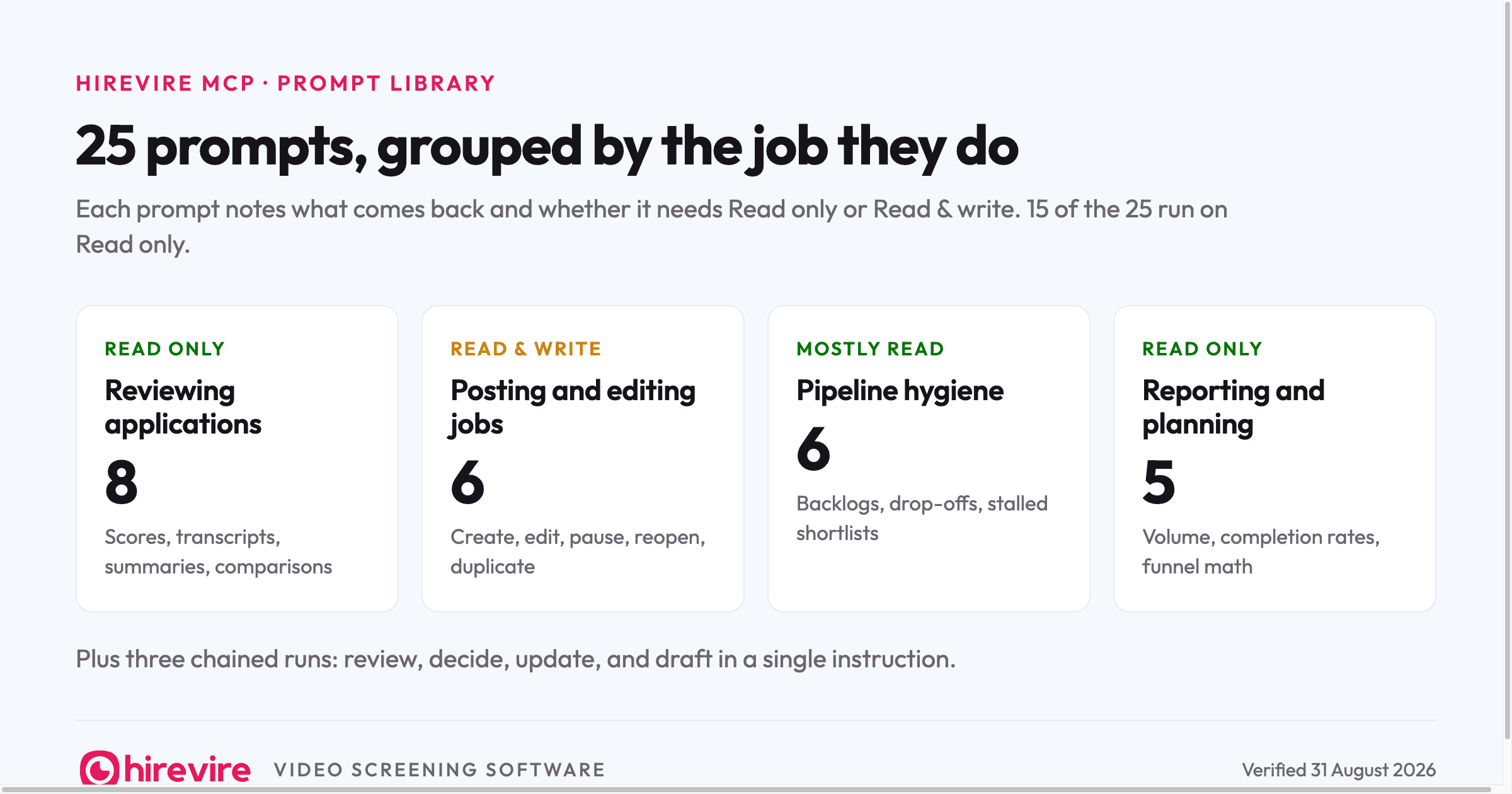
Once the Hirevire MCP is connected to Claude or ChatGPT, the difference between a useful agent and an idle connector is the prompts you actually type. This page is the library we use ourselves: 25 prompts grouped by the job they do, each with a note on what comes back and whether it needs Read only or Read & write access. Copy them as written, swap in your role names, and adjust from there.
Last verified: 31 August 2026. The connection steps, permissions, and plan limits behind these prompts were checked on that date.
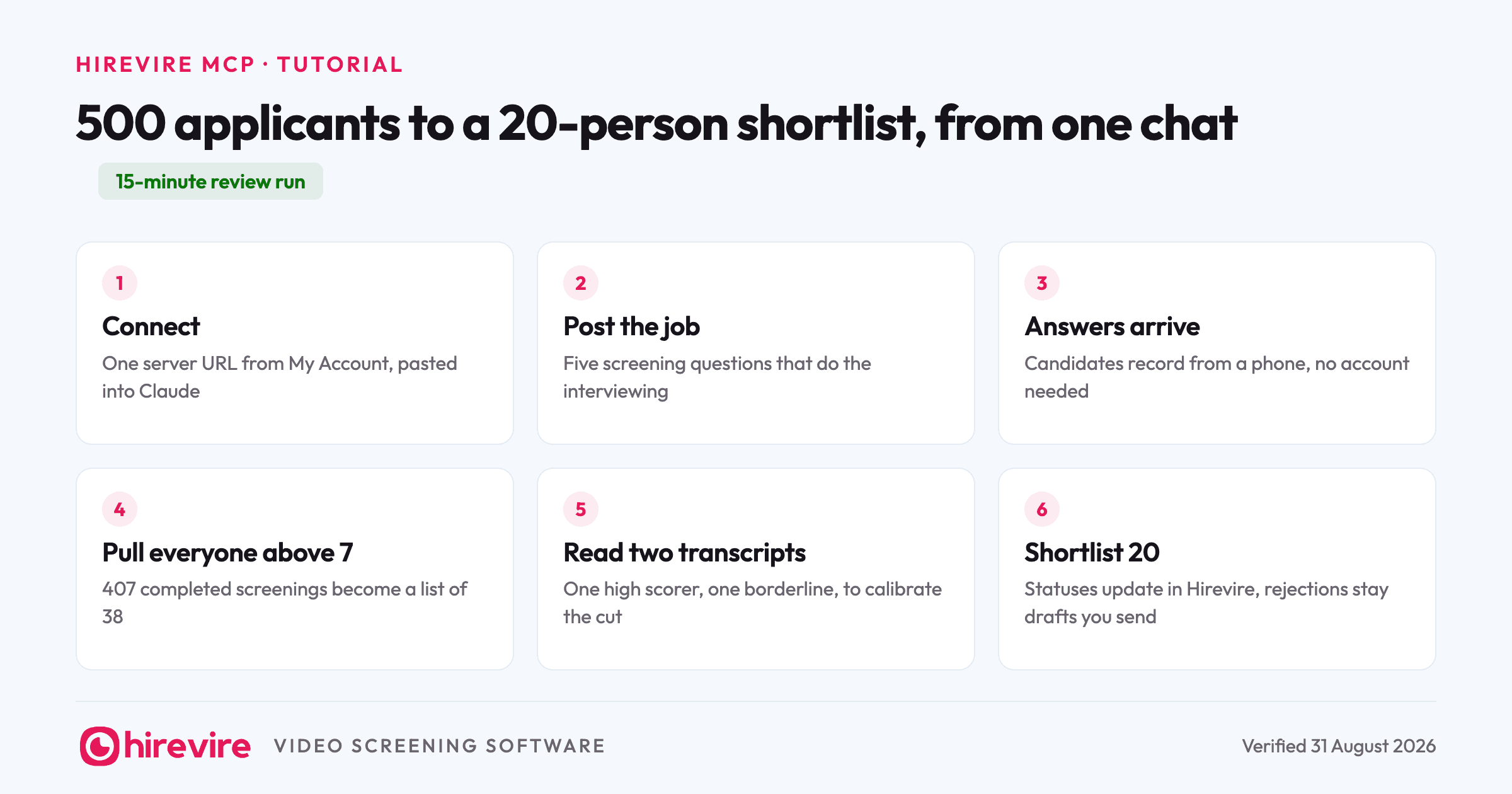
Setup takes one URL: copy your MCP server address from My Account, Integrations in Hirevire, paste it into your AI tool as a custom connector, sign in, and pick an organisation and access level. The full connection walkthrough, inside a real 500-applicant run, is in our screening tutorial.
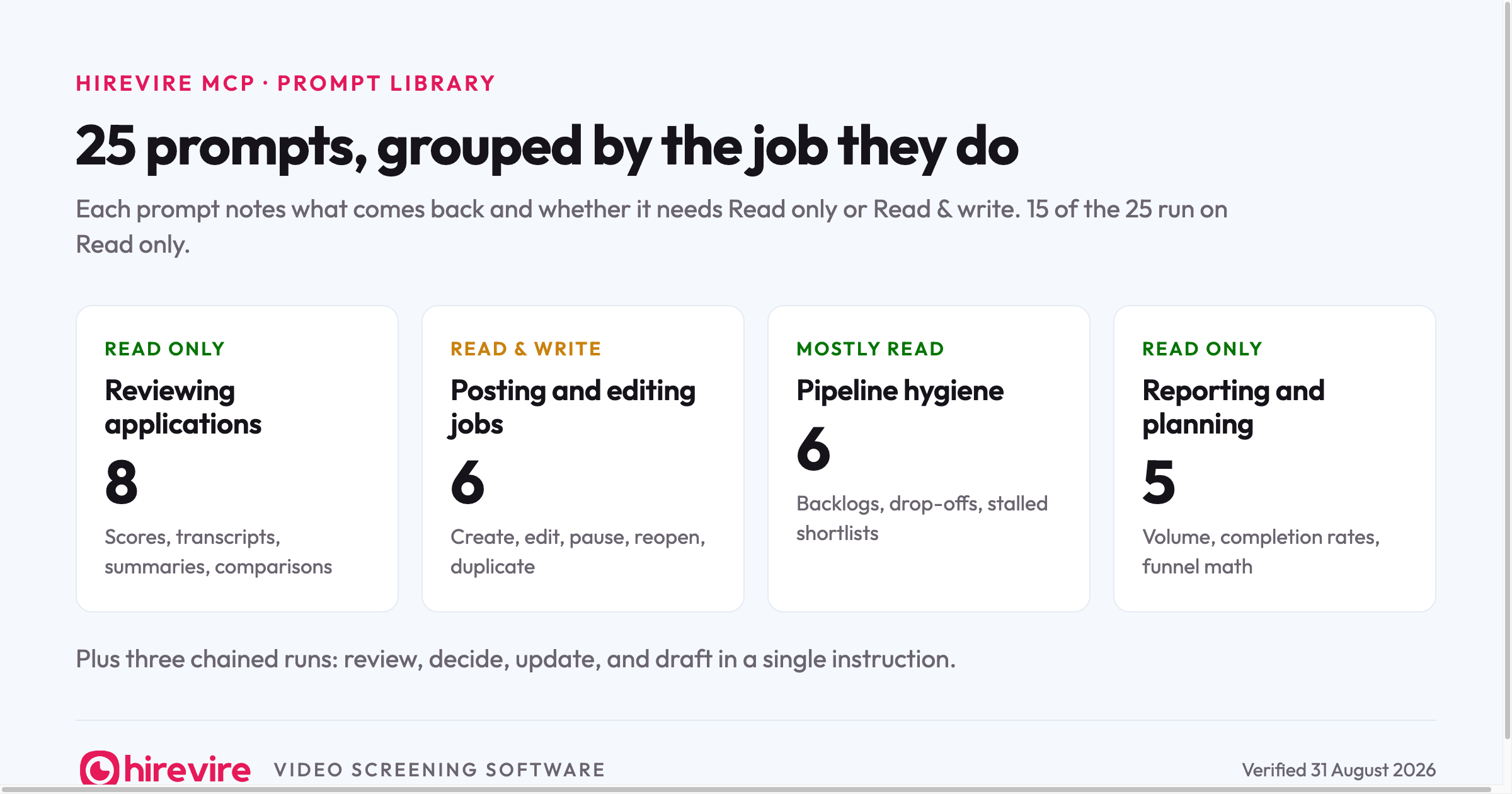
Reviewing applications (8 prompts)
The highest-volume job, so it gets the most prompts. All of these work with Read only access.
Show me every application for the cashier role with a score above 7, sorted by score.
Returns names, scores, and application links. The prompt to start every review block with.
Summarize what the top ten support applicants said to the angry-customer question, one line each.
Returns a scannable digest of one question across many candidates, which is how you spot patterns a per-candidate view hides.
Pull the full transcript of Maya R.'s screening and highlight anything about shift availability.
Returns one candidate's complete answers with the detail you asked for flagged.
Compare the three highest scorers on the barista role and give me one strength and one concern for each.
Returns a side-by-side read you would otherwise build by replaying six videos.
Which applicants for the support role mentioned hands-on Zendesk or Intercom experience in any answer?
Returns a filtered list based on what people actually said, not what their resume claims.
List everyone who applied to the delivery rider role this week that nobody has reviewed yet.
Returns the unreviewed backlog so applicants stop aging in the queue.
Read the two lowest-scoring transcripts above 6 on the cashier role and tell me if the scorecard missed anything.
Returns a calibration check on the borderline. Worth running once per role before you trust the cut line.
Draft a one-paragraph summary of each shortlisted support applicant for the hiring manager.
Returns handoff notes your hiring manager will actually read.
Posting and editing jobs (6 prompts)
These need Read & write access, and your plan's active job limit applies to the agent the same as it applies to you.
Create a job titled "Weekend Barista" with this description: [paste]. Add five questions: [list them].
Creates the role with its screening questions in one pass and returns the application link.
Change the location on the Customer Support Specialist job to Pune and update the description to match.
Edits the live posting. Useful when the role details shift after 50 people already applied.
Pause the warehouse associate job while we work through the backlog.
Stops new applications without losing the existing ones.
Reopen the sales development role and increase the thinking time on question 3 to 60 seconds.
Restarts a paused role, with a tweak that gives candidates longer to prepare before recording that answer.
Draft a new job based on the cashier role for the new store, but swap question 2 for one about POS systems.
Reads the existing role and creates a sibling, so your second location does not start from a blank form.
Rewrite the intro of the delivery rider job post to mention the evening shift allowance, and show me the new version before saving.
Edits with a checkpoint. Asking to see the change first is a habit worth keeping for anything candidate-facing.
Pipeline hygiene (6 prompts)
The unglamorous prompts that keep a pipeline honest. The first four are Read only, the last two write.
List applications across all active roles that have sat unreviewed for more than five days, oldest first.
Returns your true backlog, which is usually larger than the one you remember.
Which roles are still open but have had no new applications in two weeks?
Returns the postings that need a distribution fix, not more patience.
List applicants who started the cashier screening but didn't finish.
Returns the drop-offs, so you can decide whether the questions are too long or the candidates were never serious.
Find applicants we shortlisted more than ten days ago but never moved forward, across all active jobs.
Returns the people about to accept someone else's offer.
Move everyone above 8 on the support role to shortlisted.
The bulk status update that used to be an afternoon of clicking. Needs write access.
We're at our active job limit. Which role has been quiet longest, and can you pause it?
Frees a slot on your plan, with the agent doing the archaeology on which role earned retirement.
Reporting and planning (5 prompts)
Read only, and best run on a schedule rather than when someone asks.
How many applications did each active role get this month, and what was the average score per role?
Returns the volume-and-quality snapshot in one table.
What share of applicants completed all five questions on the support role?
Returns your completion rate, the number that tells you whether the screening itself is too heavy.
Write a Monday-morning hiring update: pipeline counts per role, who got shortlisted last week, and what's waiting on us.
Returns the standup update nobody enjoys writing. Paste it into Slack and correct anything it got wrong.
Which screening question on the barista role produces the widest score spread?
Returns your most discriminating question, the one doing real filtering work. Its opposite, a question everyone scores 7 on, is a candidate for replacement.
Based on this month's completion and shortlist rates, how many applicants do we need to end up with 20 shortlisted for the new store?
Returns a funnel estimate grounded in your own numbers instead of industry averages.
Three chained runs
Single prompts replace clicks. Chains replace workflows, and they are where the MCP beats any dashboard. All three need Read & write.
Pull everyone above 7 on the support role, summarize their refund-question answers, move the best 15 to shortlisted, and draft an interview invite I can send them.
Review, decision, status update, and comms draft in one instruction. You approve the shortlist before sending anything.
Create the holiday-cover cashier job using the same questions as the current cashier role, then pause the old one so we stay under our job limit.
A create-then-pause pair that respects your plan limit without you counting slots.
Go through this week's applications on all roles, flag anyone who mentioned leaving their last job over scheduling, and give me a shortlist per role for Friday's standup.
A cross-role sweep with a judgment call embedded. Check the flags before acting on them; the agent reads transcripts well but your context on the roles is still the tiebreaker.
Four prompts to avoid, and what to type instead
The library above took some editing to earn. These are the prompt shapes we cut, because each one produced worse hiring, not faster hiring.
"Who should I hire for the support role?" asks the agent for a verdict, and you will get one, delivered confidently. The useful version asks for evidence: compare the top scorers, surface strengths and concerns, summarize what each said to the question that matters. You make the call with better inputs, which was the point of connecting the agent at all.
"Reject everyone below 5 and email them." The Hirevire MCP will not send candidate-facing messages, and that boundary is doing you a favor: nothing a candidate receives should be something no human read first. Have it draft the rejection and update statuses; the send stays yours.
"Summarize the pipeline." Too vague to be useful, so the agent guesses at scope and you get a wall of everything. Name the role, the question, and the shape you want back: "applications this week for the cashier role, counts by score band, as a table."
"Clean up our old jobs." An open-ended write is the one prompt shape that deserves suspicion even with trusted access. Split it: ask for the list of roles it would pause first, read it, then instruct the specific pauses. The two-step habit costs ten seconds and means the agent never retires a role you were still hiring for.
A weekly cadence that sticks
Prompt libraries die in a bookmarks folder. This one survives as three standing slots in a hiring week, about 15 minutes total.
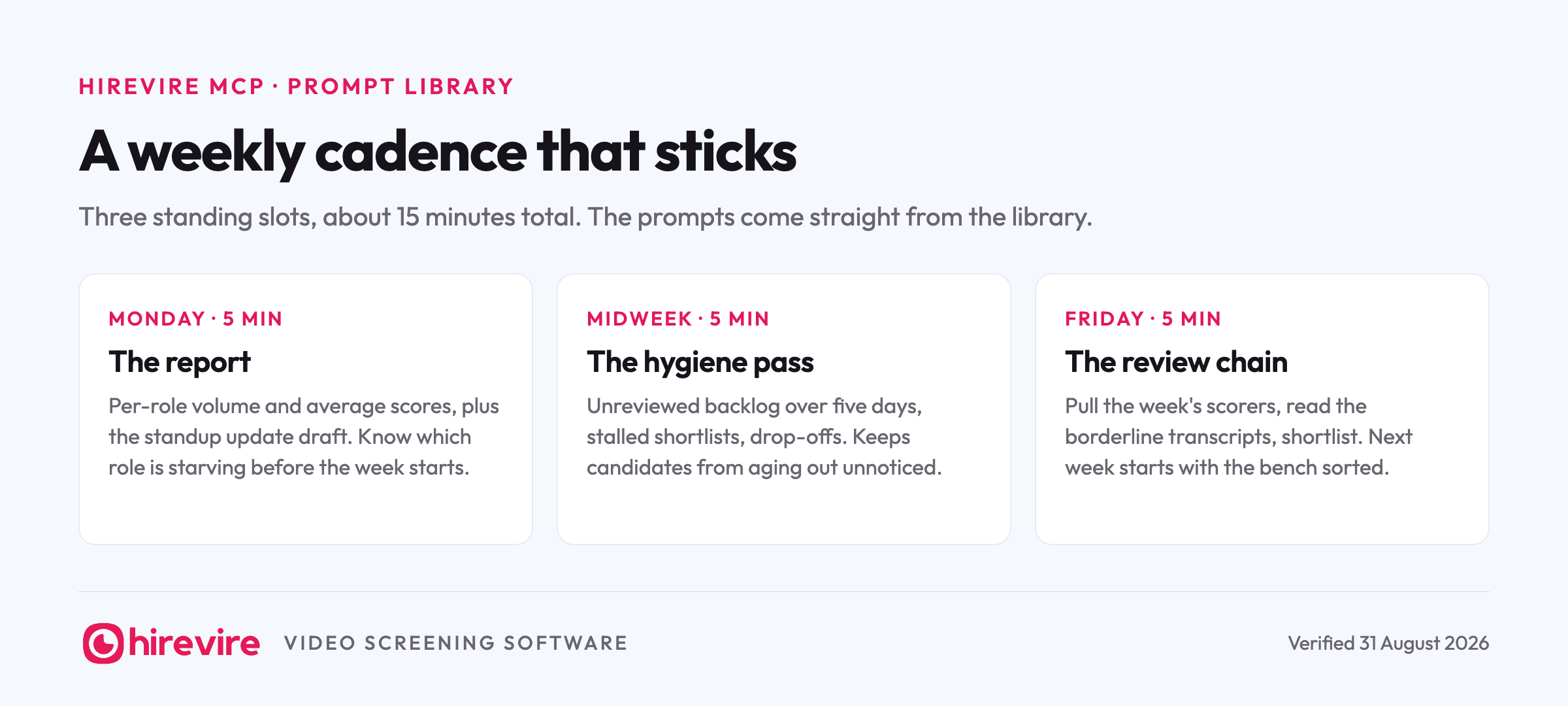
Monday, the reporting prompt: the per-role volume and score snapshot, plus the standup update draft. You start the week knowing which role is starving instead of finding out on Thursday. Midweek, the hygiene pass: unreviewed backlog over five days, stalled shortlists, drop-offs. Ten minutes here is what keeps candidates from aging out of your funnel while nobody was looking. Friday, the review chain: pull the week's scorers on active roles, read the borderline transcripts, shortlist, and walk into the next week with the bench already sorted.
Put the three prompts in a note, run them on the same days each week, and edit them as your roles change. The wording above is a starting point, not a standard.
Frequently asked questions
How do I connect the Hirevire MCP in the first place?
Copy the server URL from My Account, Integrations in Hirevire, add it to your AI tool as a custom connector, and sign in. During sign-in you pick which organisation the agent can reach and whether it gets Read only or Read & write. The feature page has the short version and the tutorial shows it inside a full run.
Do these prompts work in ChatGPT too?
Yes. The prompts are plain instructions, and the Hirevire MCP connects to ChatGPT and any other MCP-compatible client the same way it connects to Claude. Phrasing does not need to change between clients.
Which prompts need write access?
Anything that creates, edits, pauses, or moves: the six job prompts, the last two hygiene prompts, and all three chains. Every prompt in the reviewing and reporting sections runs on Read only, so a cautious first week with read-only access still covers 15 of the 25.
Can the agent go past my plan's limits?
No. Active job limits and organisation boundaries apply to the agent exactly as they apply to your own account, and access can be revoked any time under My Account, Integrations, Connected Clients.
The short version
25 prompts, four jobs: reviewing applications, posting and editing roles, keeping the pipeline honest, and reporting on it. Start with the reviewing section on Read only access, graduate to writes when the read answers have earned your trust, and steal the chained runs once single prompts feel slow. If you have not connected yet, the Hirevire MCP feature page covers setup in three steps, the screening tutorial shows the whole loop on a 500-applicant role, and the monthly MCP table shows which of your other HR tools can join the same chat.
Last verified: 31 August 2026.