MCP for HR: The Complete Guide for HR Managers
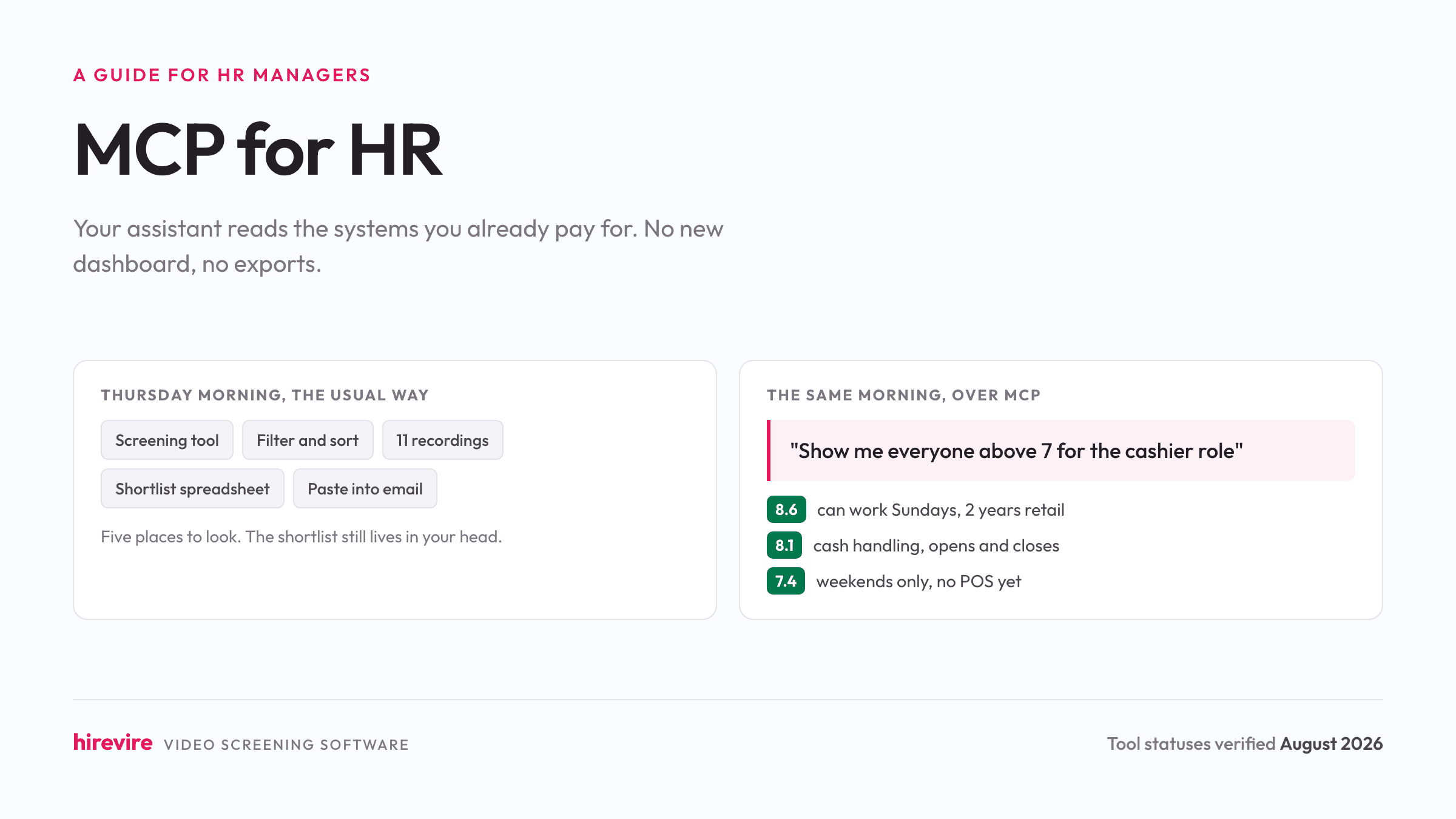
You have 180 applications for a cashier role and a store manager asking who to interview on Thursday. The usual version of that morning: open the screening tool, filter, sort, open eleven recordings, keep a shortlist in a spreadsheet, paste three summaries into an email. The other version: you type "show me everyone above 7 for the cashier role, and summarize what the top five said about weekend availability" into Claude, and it answers from your actual pipeline.
That second version is what MCP does for an HR manager. There is no new dashboard involved. The assistant you already use gets the ability to read the systems you already pay for.
Quick summary: MCP (Model Context Protocol) is an open standard that lets AI assistants like Claude and ChatGPT connect directly to your HR tools, so you can ask questions and take actions in plain language instead of clicking through software. As of August 2026, Workable, Greenhouse, Ashby, Zoho Recruit, Manatal, HiBob, Gusto, Calamari, Lattice, Checkr, and Hirevire run their own servers. Setup is a URL and a sign-in. Permissions are inherited from your existing account, and the highest-value place to start is candidate screening, because it is the most repetitive stage of the week.
What MCP actually changes in your day
Before anything technical, the practical shape of it. MCP does not add intelligence to your HR tools. It removes the copy-paste between them and your assistant.
Everyone already pastes into a chat window: a candidate's answers to get a summary, a policy paragraph to get a plainer version. Every one of those exchanges starts with you fetching something manually and ends with you carrying the answer back by hand. MCP deletes both trips.
A recruiter's morning with a screening tool connected looks like a short conversation. "Who finished screening for the dispatcher role yesterday?" "Summarize the top eight in two sentences each." "Which of them mentioned holding a CDL?" "Move the bottom twelve to not progressing." Four questions, one window, no exports.
The reason this feels different from the automation you have already tried is that nothing is configured in advance. A Zapier zap does one predefined thing forever. MCP handles whatever you happen to ask on Tuesday, because you are the one steering.
How it works, without the protocol details
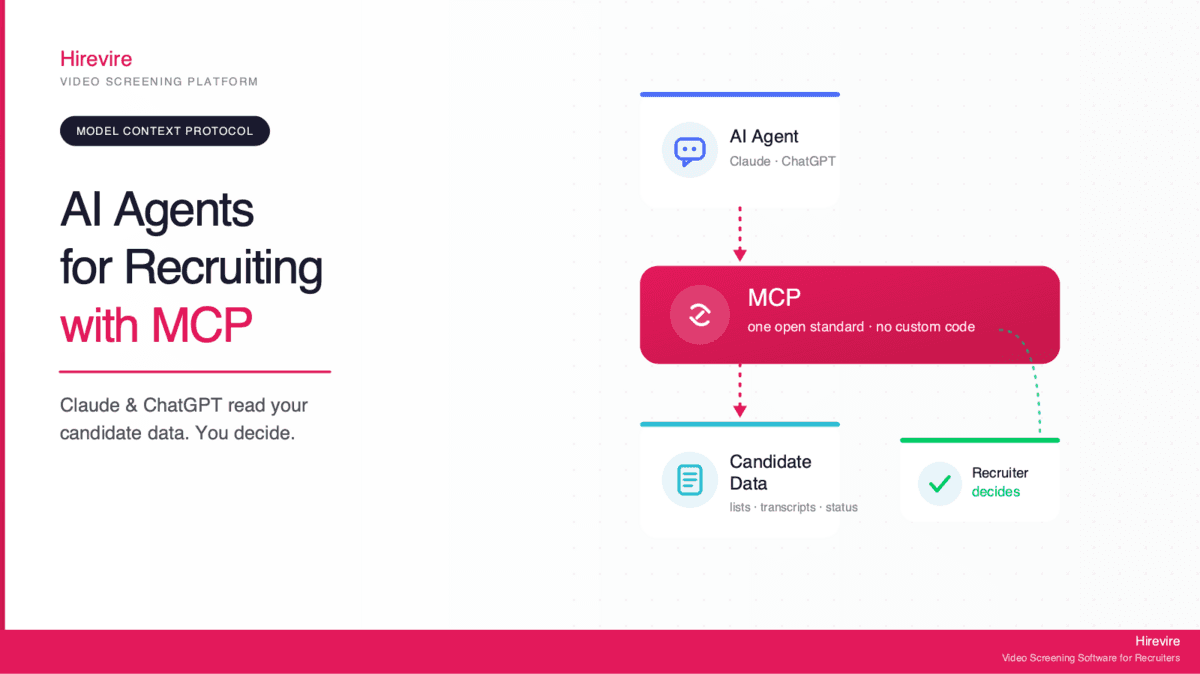
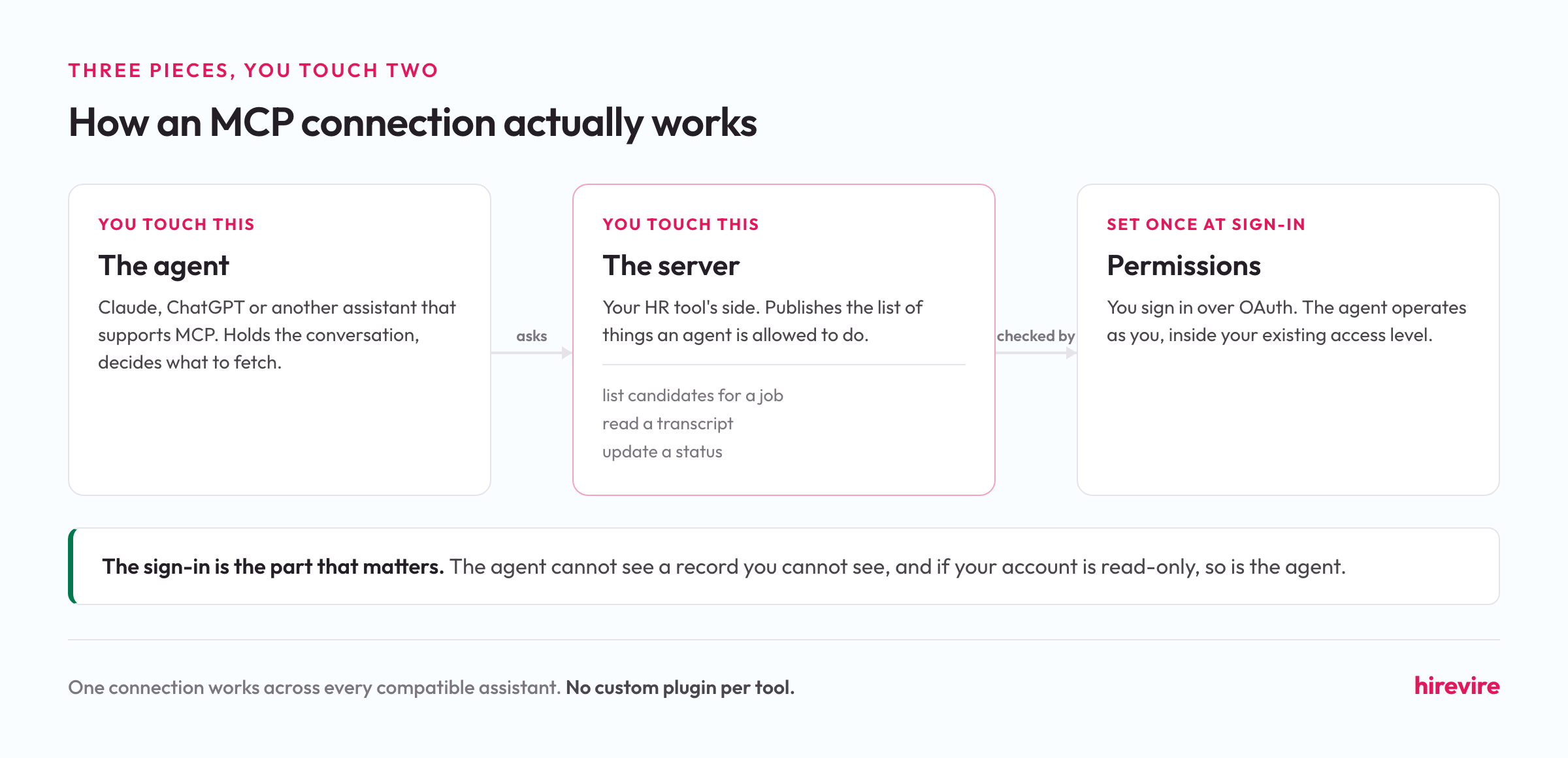
There are three pieces, and you only ever touch two of them.
The agent is Claude, ChatGPT, or another assistant that supports MCP. It holds the conversation and decides what to go fetch.
The server is your HR tool's side. Workable runs one, Ashby runs one, Hirevire runs one. It publishes a list of things an agent is allowed to do, like "list candidates for a job" or "update a status", and it answers requests against your live data.
You connect the two by pasting the server's URL into your assistant and signing in, usually over OAuth, the same flow you use when one app asks for access to another. That sign-in is the part that matters: the agent operates as you. It cannot see a record you cannot see, and if your account is read-only, so is the agent.
MCP is a plug standard, and the point of a plug standard is that one connection works everywhere. Before it, every HR vendor would have needed a custom plugin for every assistant. Now the vendor publishes one server, and Claude, ChatGPT, Cursor, and anything else that speaks the protocol can connect to it.
What you can actually do today, by category
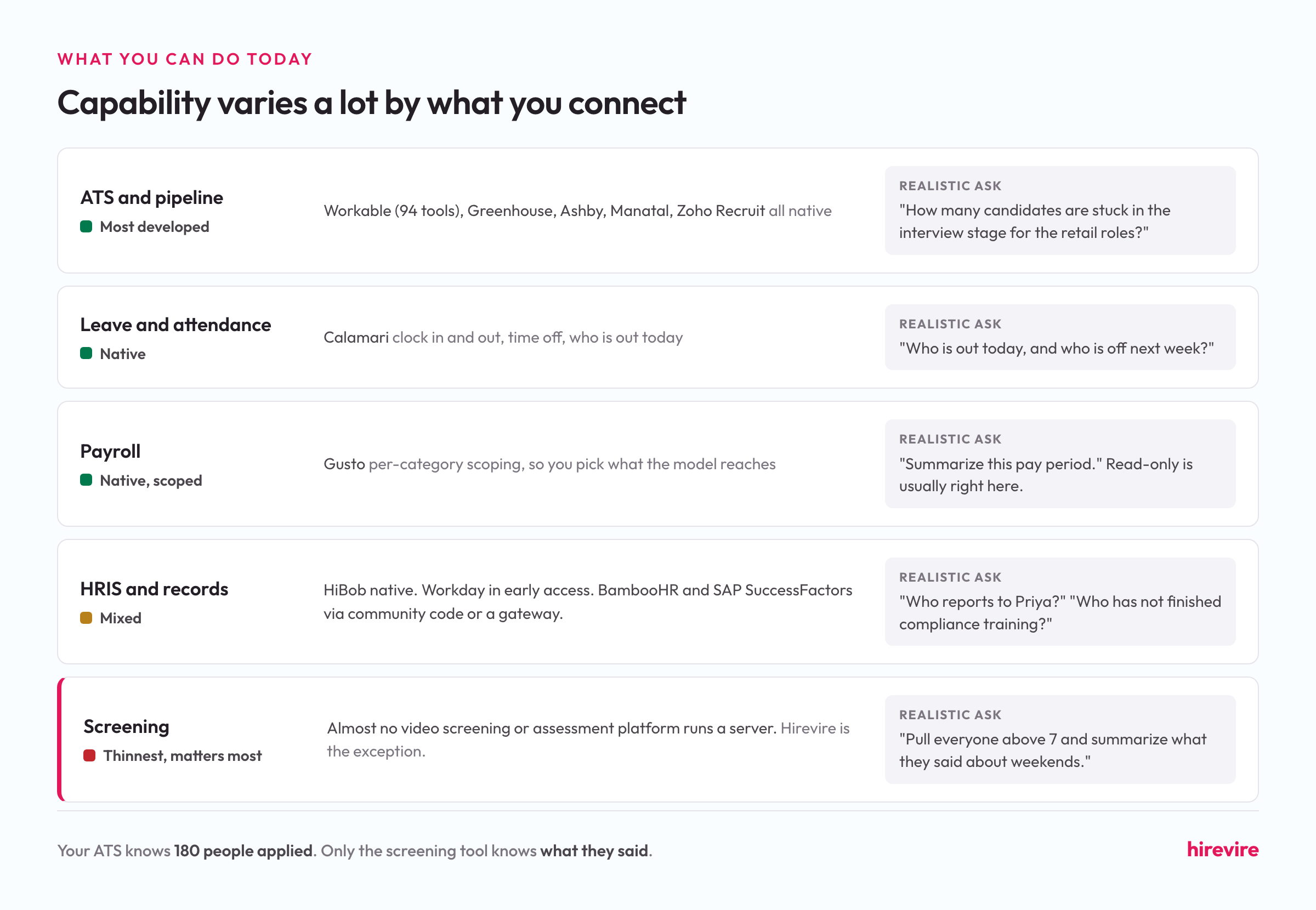
The capability varies a lot by what kind of tool you are connecting. Here is where things stand in August 2026.
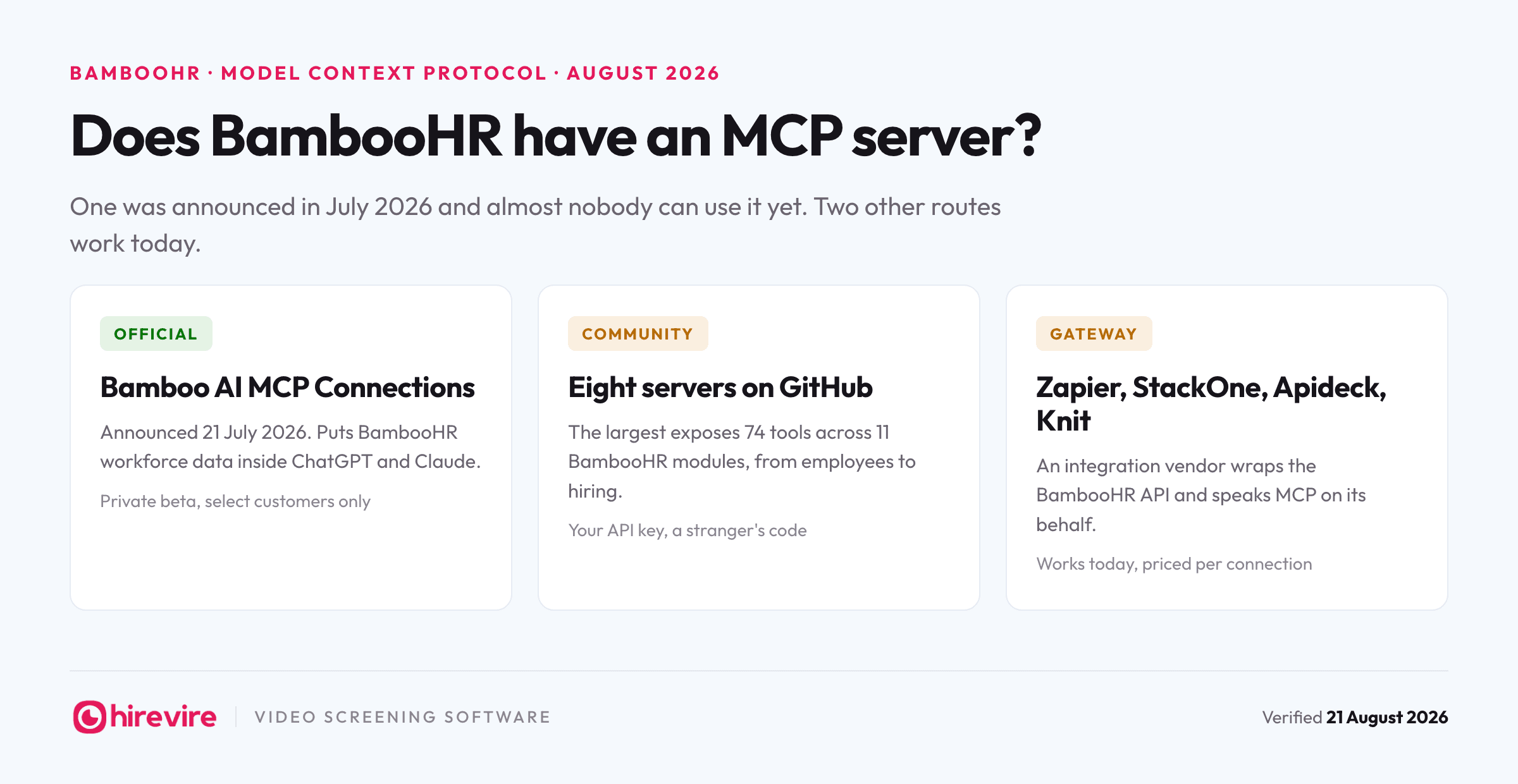
HRIS and employee records. HiBob's server reads employee data, time off, and tasks. Workday's equivalent, called Agent-Ready Tools, is in early access with general availability projected for later in 2026. BambooHR and SAP SuccessFactors have no vendor-run server, so teams reach them through community code or a gateway. Realistic asks: "who reports to Priya", "which employees have not completed their compliance training".
Leave and attendance. Calamari's server handles clock in and out, time off requests, and "who is out today". This is the category where MCP feels most obviously useful to non-HR staff, because the question is short and the answer is a fact.
Payroll. Gusto's server connects over OAuth with per-category scoping, so you decide which slices of payroll data the model can reach at all. Payroll is also the category where read-only is usually the right answer.
ATS and pipeline. The most developed category. Workable exposes 94 tools across jobs, candidates, stages, reviews, requisitions, and offers. Greenhouse shipped a governed server with org-level admin controls. Ashby, Manatal, and Zoho Recruit all run their own. Realistic asks: "how many candidates are stuck in the interview stage for the retail roles", "draft a pipeline summary for the Thursday hiring meeting".
Screening. The thinnest category, and the one that matters most. Almost no video screening or assessment platform runs a server. Your ATS can tell an agent that 180 people applied. It cannot tell the agent what any of them said, because the answers, recordings, transcripts, and scores never lived in the ATS. Hirevire's MCP server covers that stage: posting and editing jobs, pulling applications with their scores, batch review, and shortlisting.
Which HR tools support MCP
The short version of a longer list:
| Category | Tools with a native server (August 2026) |
|---|---|
| ATS | Workable, Greenhouse, Ashby, Manatal, Zoho Recruit |
| HRIS | HiBob. Workday in early access |
| Payroll and leave | Gusto, Calamari |
| Performance | Lattice |
| Background checks | Checkr |
| Video screening | Hirevire |
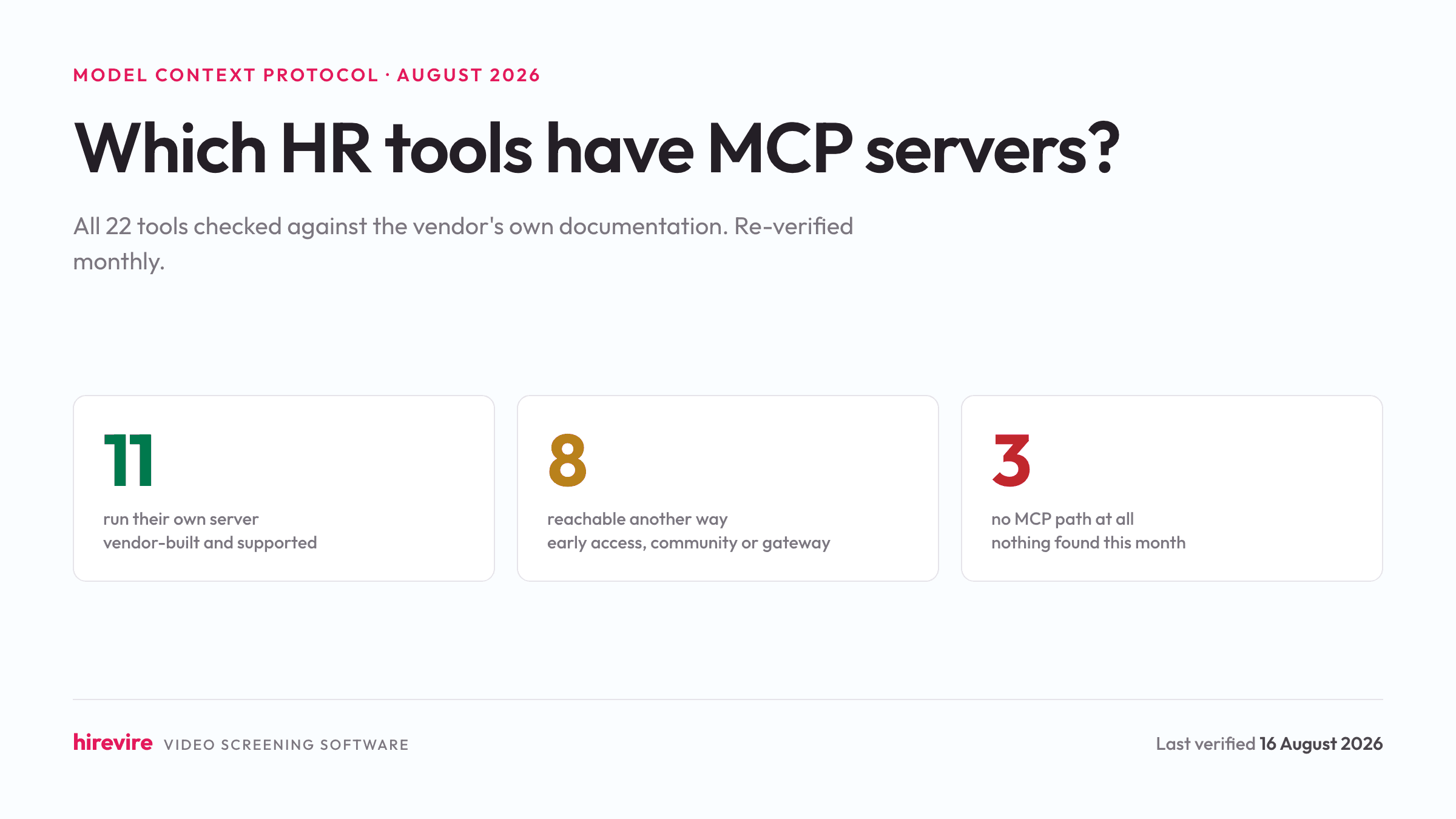
Community servers cover Lever, BambooHR, and SuccessFactors. Gateways like StackOne, Zapier, and Apideck cover ADP, Sage HR, Spark Hire, and Willo. HireVue, VidCruiter, and Culture Amp have no MCP path we could find this month.
For the full 22-tool table with what each server does and a link to its documentation, see which HR tools have MCP servers, which is re-verified monthly.
Try it in ten minutes
The fastest way to understand MCP is to connect one tool and ask it three questions. Screening is the best first connection because the answers are immediately checkable against recordings you can watch.
- Get your server URL. In Hirevire, open My Account, then Integrations, and copy your MCP server URL. Other vendors keep theirs in developer documentation or an admin settings page.
- Add it to your assistant. In Claude, add it as a custom connector and paste the URL. ChatGPT and other MCP clients have an equivalent connector or MCP server setting.
- Sign in and choose scope. Authorizing asks which organization the agent can reach and whether it gets read-only or read and write. Choose read-only for the first week. You can widen it later in a few seconds.
- Ask three questions. Start with something you can verify: "list my open roles and how many applications each has". Then something harder: "summarize the last five applicants for the cashier role". Then something you would normally do by hand: "which of them said they can work Sundays".
- Check one answer against the source. Open the recording for the candidate the agent ranked highest and confirm the summary matches. Doing this once tells you more about whether to trust the setup than any vendor page will.
If the third question returns something wrong or thin, that is usually a sign the underlying data is thin rather than that the agent failed. An agent cannot find weekend availability if nobody asked about weekend availability.
The permissions question
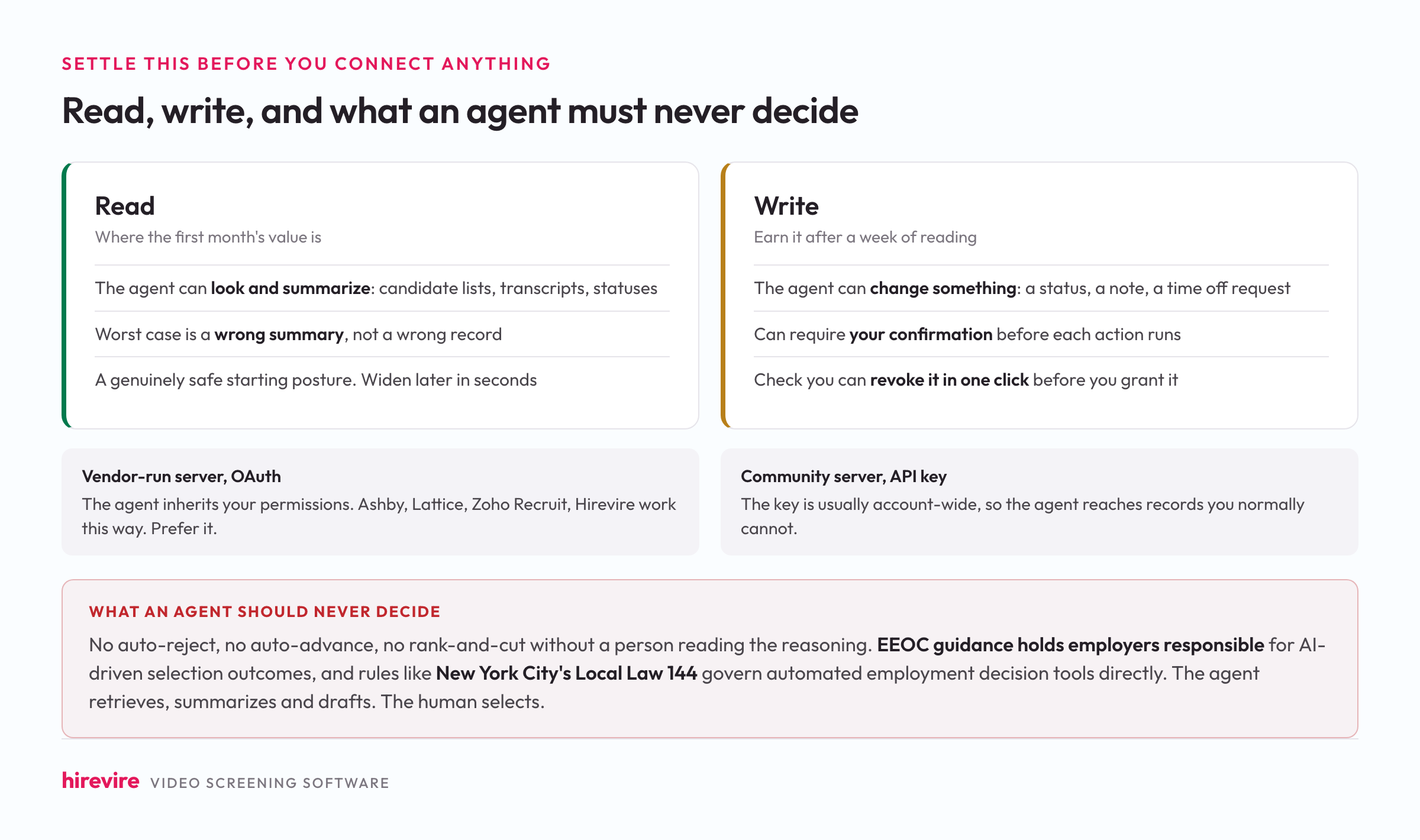
This is where most HR teams stall, reasonably. Four things are worth settling before you connect anything to real employee records.
Read versus write. Read means the agent can look and summarize. Write means it can change something: a status, a note, a time off request. Most of the value in the first month is on the read side, and read-only is a genuinely safe starting posture because the worst case is a wrong summary rather than a wrong record.
Whose permissions apply. With a vendor-run server using OAuth, the agent inherits yours. That is the model Ashby, Lattice, Zoho Recruit, and Hirevire use, and it is the one to prefer. Community servers usually authenticate with an account-wide API key instead, which means the agent can reach records the person using it normally cannot. That difference matters more than any feature comparison.
What an agent should never decide. Do not let an agent auto-reject, auto-advance, or rank-and-cut applicants without a person reading the reasoning. This is not caution for its own sake. EEOC guidance holds employers responsible for AI-driven selection outcomes, and rules like New York City's Local Law 144 govern automated employment decision tools directly. The safe and useful split is that the agent retrieves, summarizes, and drafts, and the human selects. Our longer piece on AI agents in recruiting covers where that boundary sits in practice.
Revocation. Check before you connect that you can disconnect. In Hirevire, connected agents are removable with one click under Connected Clients. If a vendor cannot tell you how to revoke access, that is the answer to whether you should grant it.
Frequently asked questions
What is MCP in HR terms?
MCP, the Model Context Protocol, is an open standard that lets an AI assistant connect directly to your HR software and work with your real data. Instead of exporting a candidate list and pasting it into a chat window, you ask the assistant a question and it reads the answer from your ATS, HRIS, or screening tool through a connection you authorized.
Is MCP safe for employee data?
It depends on which kind of server you connect. A vendor-run server that authenticates over OAuth inherits your existing permissions, so the agent can only reach records you can already reach, and access can be revoked. A community server usually uses an account-wide API key instead, which is a much weaker boundary. For anything holding employee or candidate records, prefer a vendor-run server, start read-only, and confirm you can revoke access before you grant it.
Does ChatGPT support MCP?
Yes. ChatGPT supports MCP connectors, as do Claude, Cursor, and a growing set of other clients. Because MCP is a shared standard, the same server URL from your HR vendor works across all of them, so a team split between Claude and ChatGPT connects each the same way.
What does an HR MCP server cost?
The protocol is free and open. Costs come from two places: your vendor may limit their server to certain plan tiers, such as Manatal's Enterprise Plus or Greenhouse's Core, Plus, and Pro, and your AI assistant subscription. Gateway providers like StackOne and Zapier charge their own per-connection or per-task fees, which is worth avoiding if your tools already run native servers.
Can an AI agent make hiring decisions through MCP?
It should not, and well-designed servers make that easy to enforce. Keep the agent on retrieval, summarizing, and drafting, and keep selection with a person. EEOC guidance makes employers responsible for AI-driven selection outcomes regardless of which tool produced them, and laws such as New York City's Local Law 144 regulate automated employment decision tools specifically.
Do I need a developer to set this up?
No, for vendor-run servers. Setup is copying a URL into your assistant's connector settings and signing in, which takes a few minutes. Community servers are different: those need someone to run the code and manage an API key, which is a developer task.
Which HR workflow should I connect first?
Screening, if you hire at any volume. It is the most repetitive stage, the answers are easy to verify against the source recording, and it is the stage your ATS cannot help an agent with, since the responses live in the screening tool rather than in the pipeline.
What if my HR tool has no MCP server?
Check the vendor's developer documentation and changelog first, since the category is moving quickly and announcements often precede marketing pages. If nothing exists, your options are a gateway like StackOne or Zapier, a community server if you have an engineer, or connecting the tool that does have a server and working from there. Our monthly table tracks where every major HR tool stands.
Where to start
If you take one thing from this: MCP is worth setting up on the workflow you repeat most, and for most HR managers that is screening. Connect one tool read-only, ask it three questions you would otherwise answer by clicking, and check one of its answers against the source. That is a ten-minute test that tells you whether the rest is worth doing.
Hirevire runs a hosted MCP server that connects to Claude or ChatGPT with one URL and an OAuth sign-in, with read-only and read-and-write scopes, one-click revocation, and the hiring decision left with you.
Last updated: August 2026. Tool statuses verified August 16, 2026.