Zoho Recruit MCP: Options for AI-Driven Hiring
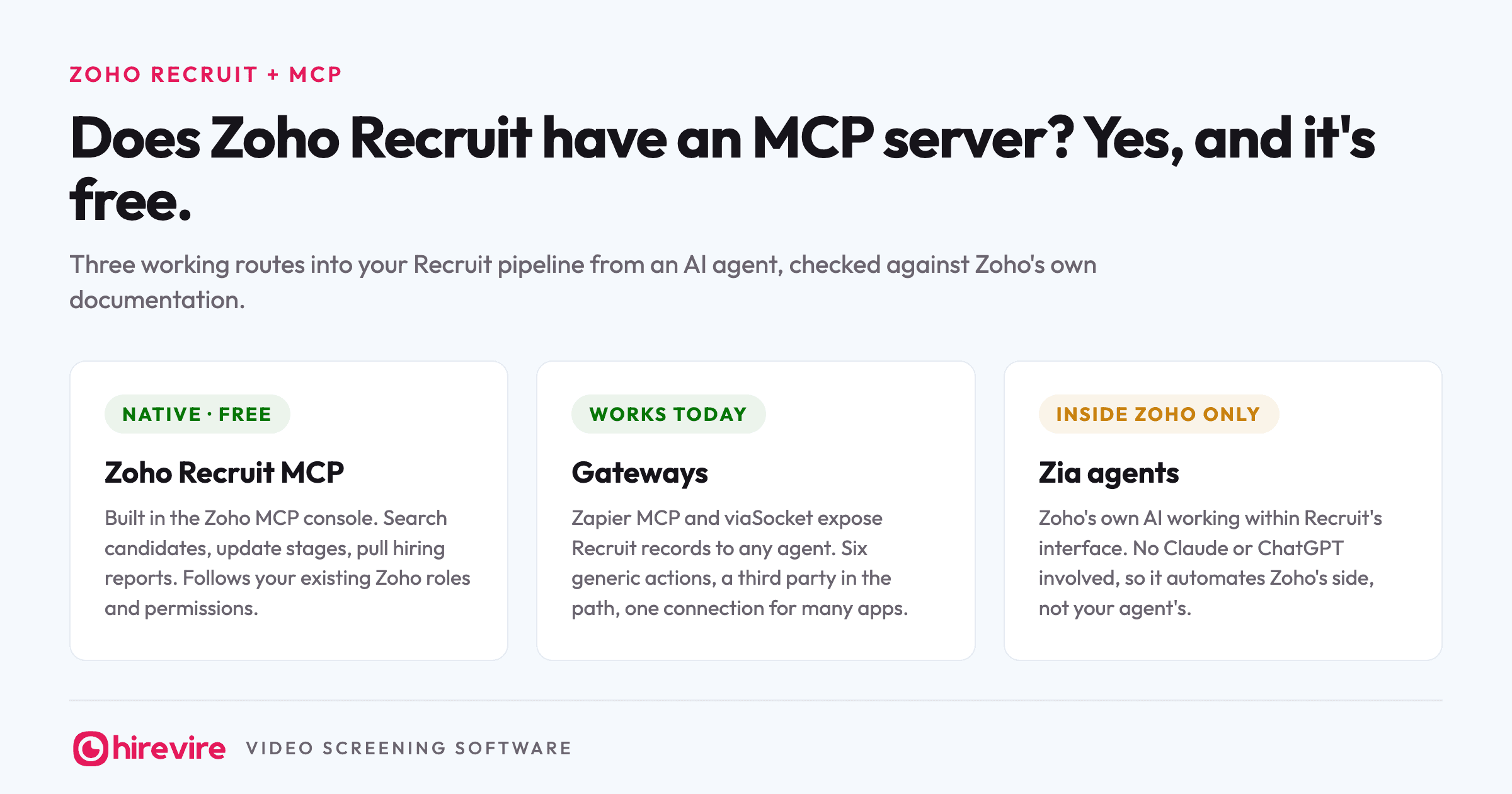
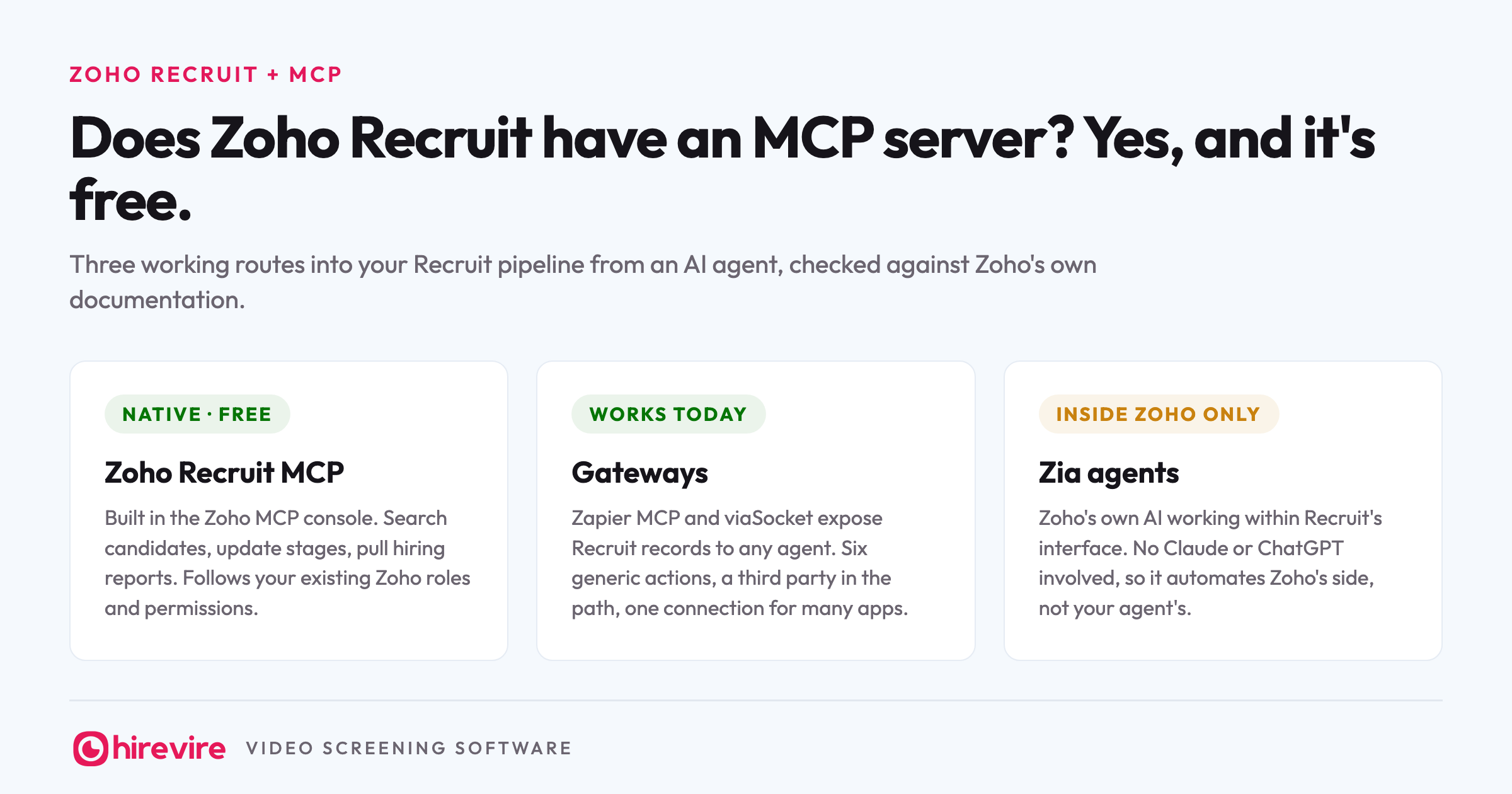
Zoho Recruit has an official MCP server, and unlike half the ATS market, you can connect it today without joining a waitlist. It is part of Zoho MCP, the integration layer Zoho opened across its whole suite, it is free as of August 2026, and it follows the roles and permissions already set in your Zoho account. Paste the server URL into Claude, sign in, and an agent can search candidates, move stages, and pull hiring reports from your real pipeline.
Last verified: 25 August 2026. Every claim below was checked against Zoho's own MCP pages and help documentation on that date.
Key takeaways
| Route | What you get | Best when |
|---|---|---|
| Zoho Recruit MCP (native) | Free server you assemble in the Zoho MCP console, limited by your existing Zoho roles | Your hiring stack lives in Zoho and you want the pipeline inside Claude or ChatGPT |
| Zapier MCP or viaSocket (gateway) | Six generic record actions through a third party that holds your credentials | One agent needs Recruit plus non-Zoho tools in a single connection |
| Zia agents | Zoho's own AI automating inside Recruit's interface | Your team never leaves Zoho's UI and no external agent is involved |
| Hirevire MCP alongside | Screening answers, transcripts, and scores next to Recruit's records | Screening is the stage you actually wanted to hand to an agent |
The official answer
Zoho announced MCP support across its product line in July 2025, in the same launch that introduced its own Zia LLM and an agent marketplace. What started as early access covering about 15 apps has settled into a free, generally available platform, and Zoho Recruit now has its own dedicated MCP page.
Zoho's description of what the Recruit server does: search candidates, update records and stages, and generate hiring reports through natural language, with access limited to what your role already permits. That last clause is the one a security review cares about. The agent sees what the signed-in person is allowed to see, not what an account-wide API key can reach, which is the weakness that runs through most community-built HR servers.
If you are still deciding whether Recruit is the right ATS at all, our Zoho Recruit review for small businesses covers pricing and fit. This page assumes you already run it.
Connecting it takes a console, not a code editor
Zoho does not hand you a fixed server URL the way Workable does. You assemble your own in the Zoho MCP console:
- Create a server and name it.
- Open Tools, then Add Tools, and pick the Recruit actions you want exposed.
- Open Connect and copy the MCP URL it generates.
- Paste that URL into Claude, ChatGPT, Cursor, Windsurf, or VS Code and sign in with your Zoho account.
Two practical notes from Zoho's own documentation. First, keep the tool list short: Cursor refuses more than 40 tools, and Zoho recommends staying near 100 per server for performance, so add the Recruit actions you will use rather than everything on offer. Second, there are two authorization modes. Authorization on Demand, the default, has each user sign in and carry their own permissions. Authorization via Connection lets a super admin wire up one shared organizational credential. Pick on-demand unless you have a specific reason not to. It is the difference between an agent acting as a person and acting as the whole org.
The build-your-own model has a quiet advantage: the server only carries the tools you added. Leave every write tool off the list and you have a read-only server by construction, which is the cheapest way to answer the "what if the AI changes something" question before anyone asks it.
What an agent can run once it's connected
Concrete asks, grouped by what they need. Anything in the first group works on a read-only server.
Reading the pipeline. These are the questions that otherwise mean opening Recruit, setting filters, and exporting:
- "Show me every candidate in the Screening stage for the warehouse associate role."
- "Which of our open roles has had no new applicants in the last two weeks?"
- "Pull this quarter's hires by source and tell me which job board actually produced them."
Acting on it. These need the matching write tools added to your server, and they run with your role's permissions:
- "Move Ananya Rao to the Interview stage."
- "Create a job opening for a night-shift supervisor with the same details as the day-shift role."
- "Update every candidate the team rejected last week to the Archived stage."
Chained runs. The reason to bother with MCP at all, because no dashboard does this in one step:
- "Find candidates who have sat in Screening for more than ten days, group them by role, and tell me which recruiter owns each one."
One thing to notice about all of these: every ask operates on records. Names, stages, sources, dates. Keep that in mind for the section after next.
What the other routes offer
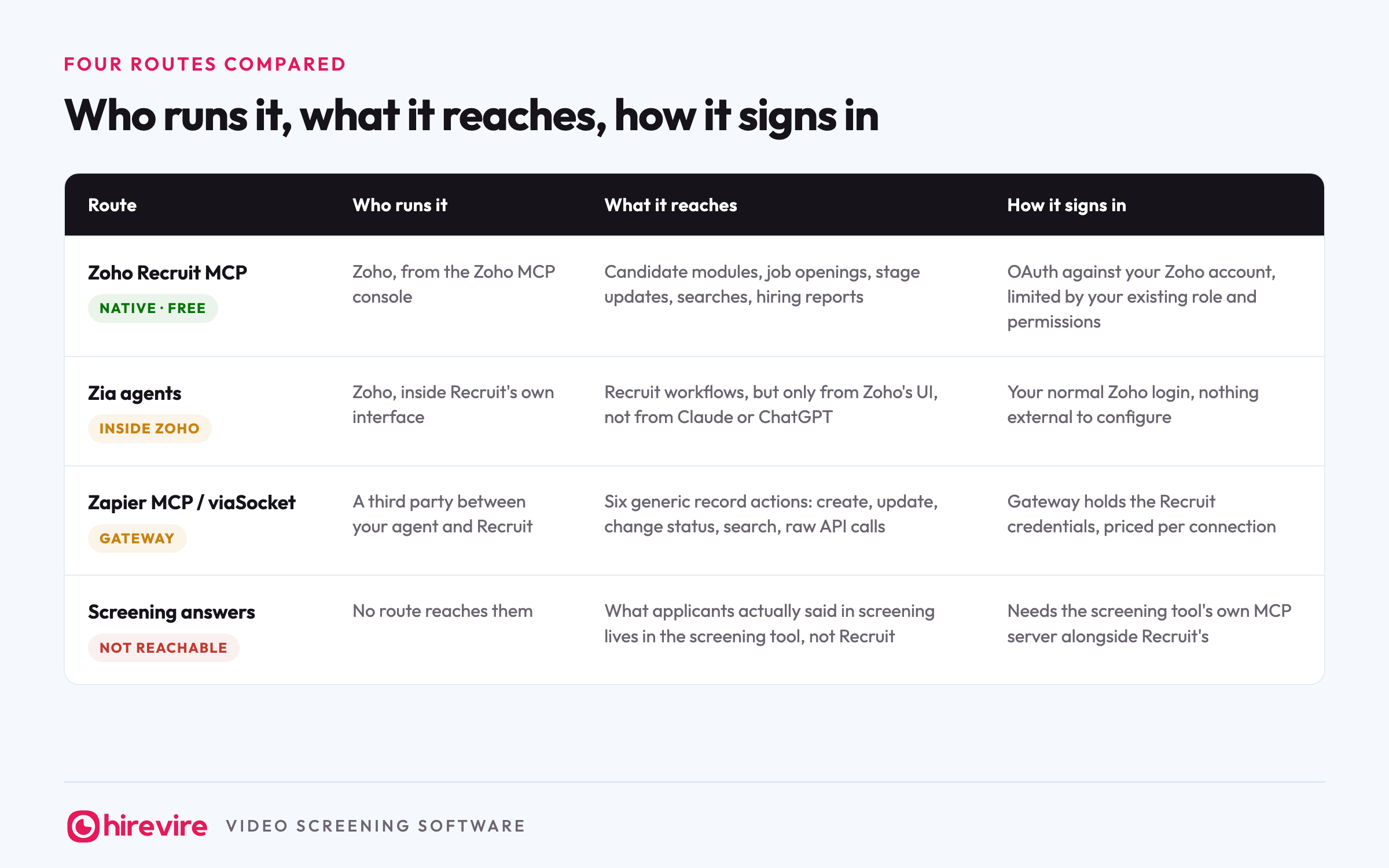
| Route | Who runs it | What it reaches | How it signs in |
|---|---|---|---|
| Zoho Recruit MCP (native, free) | Zoho, from the Zoho MCP console | Candidate modules, job openings, stage updates, searches, hiring reports | OAuth against your Zoho account, limited by your existing role and permissions |
| Zia agents (inside Zoho) | Zoho, inside Recruit's own interface | Recruit workflows, but only from Zoho's UI, not from Claude or ChatGPT | Your normal Zoho login, nothing external to configure |
| Zapier MCP or viaSocket (gateway) | A third party between your agent and Recruit | Six generic record actions: create, update, change status, search, raw API calls | Gateway holds the Recruit credentials, priced per connection |
| Screening answers (not reachable) | No route reaches them | What applicants actually said in screening lives in the screening tool, not Recruit | Needs the screening tool's own MCP server alongside Recruit's |
Zia agents are Zoho's answer to the same problem from the other direction. Zia is Zoho's own AI, running inside Recruit's interface, and it automates work there without any external client involved. If your team lives inside Zoho's UI all day, Zia gets you automation without touching MCP. What it does not get you is your pipeline inside Claude or ChatGPT next to your other tools. Zoho MCP is for external agents; Zia is for automation inside the walls. A team can run both without conflict, since they touch the same data through the same permission model.
Gateways work today too. Zapier MCP exposes Zoho Recruit with six generic actions: create a record, update one, change a record's status, search a module, and make raw API requests. viaSocket offers a similar list. The gateway route fits when one agent needs Recruit and several non-Zoho tools through a single connection, say Recruit plus your Google Sheet of headcount budget plus Slack. The trade is a third party holding your Recruit credentials, per-connection pricing, and tools shaped like API endpoints rather than recruiter questions. If everything you need lives in Zoho, the native console gives you more for nothing.
The REST API remains the custom route. If your workflow is not covered by any tool list, a developer can build against Recruit's API directly. That is a project measured in weeks, which is exactly the kind of work MCP exists to remove.
Which route fits you
Four questions settle it:
- Does your hiring stack live entirely in Zoho? If yes: build the native server in the Zoho MCP console. It is free, permission-aware, and the most capable of the routes.
- Does one agent need Recruit plus non-Zoho tools? If yes: a gateway like Zapier MCP or viaSocket gives you one connection across all of them, at the cost of a third party holding credentials.
- Does your team work only inside Recruit's own interface? If yes: Zia covers automation there, and you can skip MCP entirely until an external agent enters the picture.
- Is screening the stage that eats your week? If yes: no Recruit route helps, because Recruit never stores what applicants said. Pair a screening MCP like Hirevire's beside the Recruit server, covered below.
How Zoho's server compares with the other ATS MCPs
Zoho Recruit is one of five ATSs running a vendor-maintained server as of August 2026. They differ in ways that matter when you are choosing where a workflow should live.
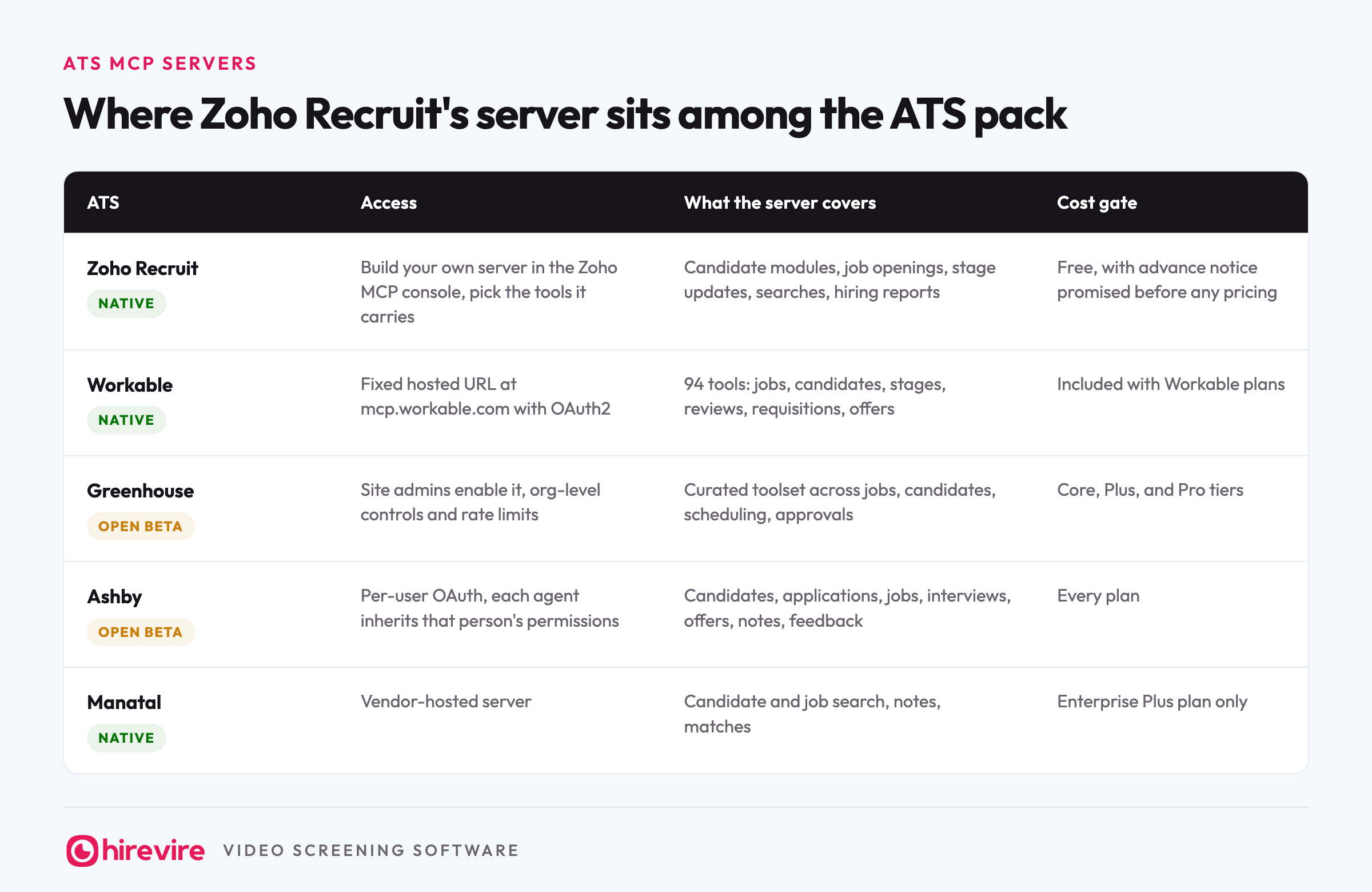
| ATS | MCP status | Access | What the server covers | Cost gate |
|---|---|---|---|---|
| Zoho Recruit | Native | Build your own server in the Zoho MCP console, pick the tools it carries | Candidate modules, job openings, stage updates, searches, hiring reports | Free, with advance notice promised before any pricing |
| Workable | Native | Fixed hosted URL at mcp.workable.com with OAuth2 | 94 tools: jobs, candidates, stages, reviews, requisitions, offers | Included with Workable plans |
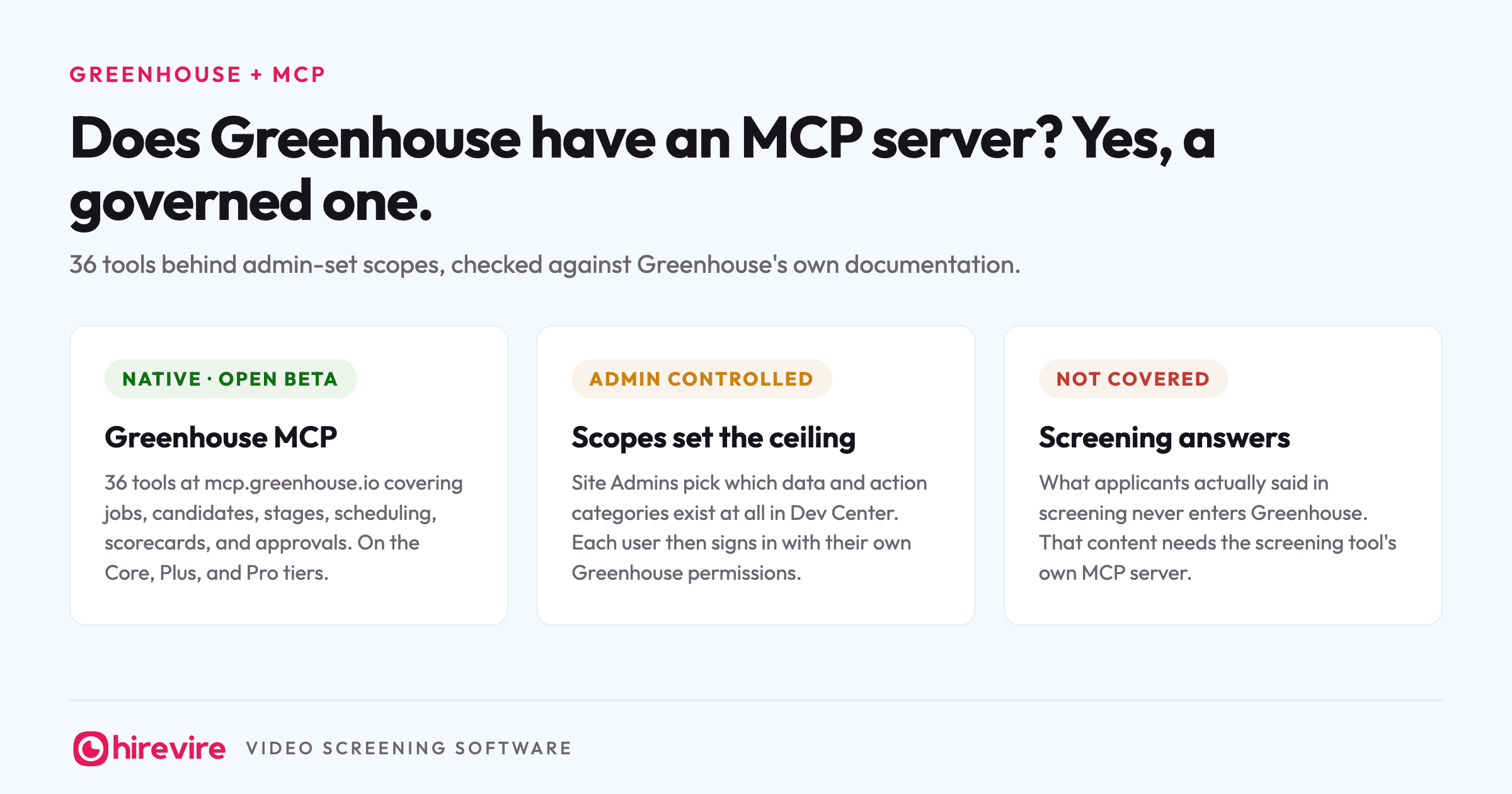
| Greenhouse | Native, open beta | Site admins enable it, org-level controls and rate limits | Curated toolset across jobs, candidates, scheduling, approvals | Core, Plus, and Pro tiers |
| Ashby | Native, open beta | Per-user OAuth, each agent inherits that person's permissions | Candidates, applications, jobs, interviews, offers, notes, feedback | Every plan |
| Manatal | Native | Vendor-hosted server | Candidate and job search, notes, matches | Enterprise Plus plan only |
Zoho's distinctive traits in that group: it is explicitly free, and it is the only one where you compose the server yourself instead of accepting a fixed tool list. Workable ships the broadest coverage of the five. Greenhouse aims at governance-minded teams. Ashby authenticates each user individually on every plan. Manatal gates its server to one plan. The full picture across 22 HR tools, including HRIS, payroll, and screening, is in our monthly MCP table.
The comparison worth making is not "which ATS has the best server" but "does the server cover the stage where your week actually goes". On that question all five look the same, which brings us to the gap.
The stage none of these routes reach
Read back through every tool list on this page. Records, stages, searches, reports. Each one describes data about a candidate that exists after someone decided something. The deciding itself is not in there.
Screening 300 applicants for a support role means going through how 300 people answered the same five questions and picking the thirty worth a phone call. A Zoho Recruit MCP server can tell your agent that 300 people applied, which stage each one sits in, and move number 214 to Interview. It cannot tell the agent what number 214 said, because Recruit never held the recording, the transcript, or the score. Those live in whatever tool ran the screening.
Running Recruit and screening in one agent
You fix that by giving the agent both halves.
Hirevire runs its own MCP server for the screening half. You copy the URL from My Account, Integrations, paste it into the same Claude workspace as your Zoho Recruit server, sign in, and choose read-only or read and write. One agent then answers both kinds of question: Recruit answers "who is in the pipeline for the support role", Hirevire answers "which of them handled the angry-customer question well", and you read the two best transcripts before anyone gets a call.
In practice a two-server run looks like this. "Pull everyone who applied to the support role this week from Recruit" reads the ATS. "Show me their Hirevire scores and flag anyone above 7" reads the screening server. "Move the flagged ones to Interview in Recruit" writes back to the ATS. Three asks, one chat window, and the only tab you opened was Claude. Screening results can also flow into Recruit through Zapier or Make, so the pipeline of record stays where it already is.
Frequently asked questions
The basics
Does Zoho Recruit have an official MCP server?
Yes. Zoho Recruit MCP is part of Zoho's MCP platform, free as of August 2026, and it connects to Claude, ChatGPT, Cursor, Windsurf, and VS Code. Access follows the roles and permissions already configured in your Zoho account.
What is the difference between Zia and Zoho MCP?
Zia is Zoho's own AI working inside Zoho's apps. Zoho MCP lets an outside AI, like Claude or ChatGPT, work with Zoho's data. A team can run both: Zia automating inside Recruit, MCP putting the pipeline into the chat window where the rest of your tools already are.
Setup and cost
How do I connect Zoho Recruit to Claude?
Build a server in the Zoho MCP console: create it, add the Recruit tools you want, and copy the generated URL. In Claude, add it as a custom connector and sign in with your Zoho account. The whole thing is console clicks, with no code and nothing to host.
What does the Zoho Recruit MCP cost?
Nothing. Zoho's MCP FAQ states the service is free to use and that users will be told in advance if pricing is ever introduced. API calls made through it count against Recruit's normal service limits.
Which Zoho Recruit plan includes MCP?
Zoho's Recruit MCP page names no edition requirement, and the MCP platform itself is free. The practical constraint is your edition's API limits, because MCP calls count against them, so a heavily used agent on a low tier will hit those ceilings first.
Does it work with ChatGPT as well as Claude?
Yes. Zoho lists Claude, ChatGPT, Cursor, Windsurf, and VS Code as supported clients. You add the server URL as a custom connector in the client; only Cursor and VS Code get automatic configuration.
Limits and safety
Is it safe to point an agent at recruiting data?
This is one of the safer routes in HR right now, because access rides on per-user OAuth and your existing Zoho roles rather than an account-wide key. Two habits tighten it further: use Authorization on Demand so each user carries their own permissions, and leave write tools out of the server entirely if you only want an agent answering questions.
What can the Zoho Recruit MCP not do?
Screen candidates. It covers records, stages, searches, and reports, but what an applicant actually said during screening never enters Recruit, so no Recruit route can hand it to an agent. That content sits in the screening tool, which needs its own server.
The short version
Zoho Recruit is one of the ATSs that did the work: a native MCP server, free, permission-aware, composable from the Zoho MCP console, and connectable today. Against the other four vendor-run ATS servers it trades Workable's breadth for the only build-your-own tool list and the only explicit free commitment. Gateways cover multi-app stacks, and Zia covers automation inside Zoho's own interface. What no route covers is what applicants said during screening, because Recruit never stores it. If that is the half of hiring you wanted to hand to an agent, Hirevire's MCP server connects with one URL and a sign-in, and sits beside Recruit's rather than replacing it. The monthly status of every HR tool's server is in our MCP table.
Last verified: 25 August 2026.