Find Candidates by What They Said, Not Just Keywords
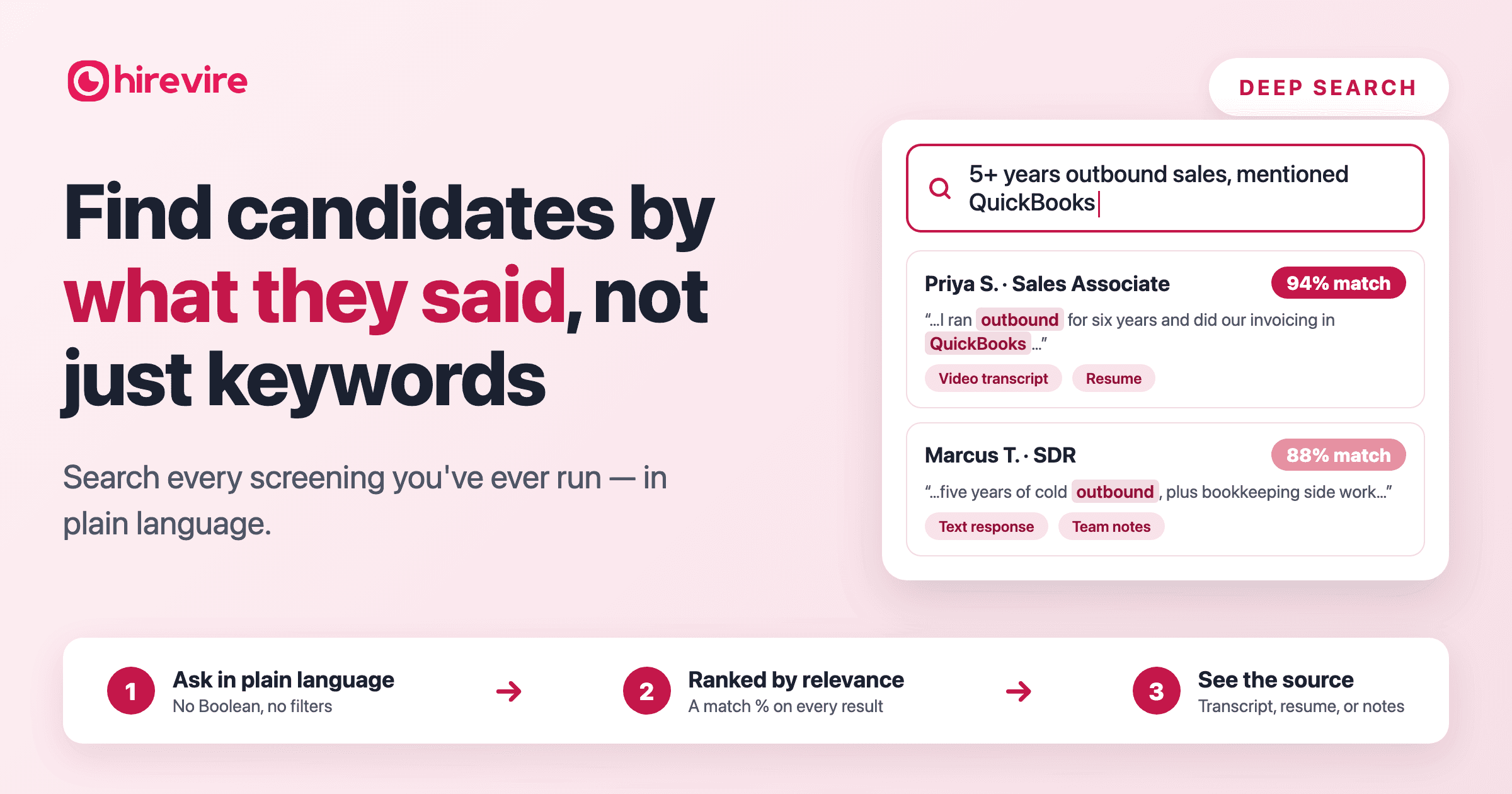
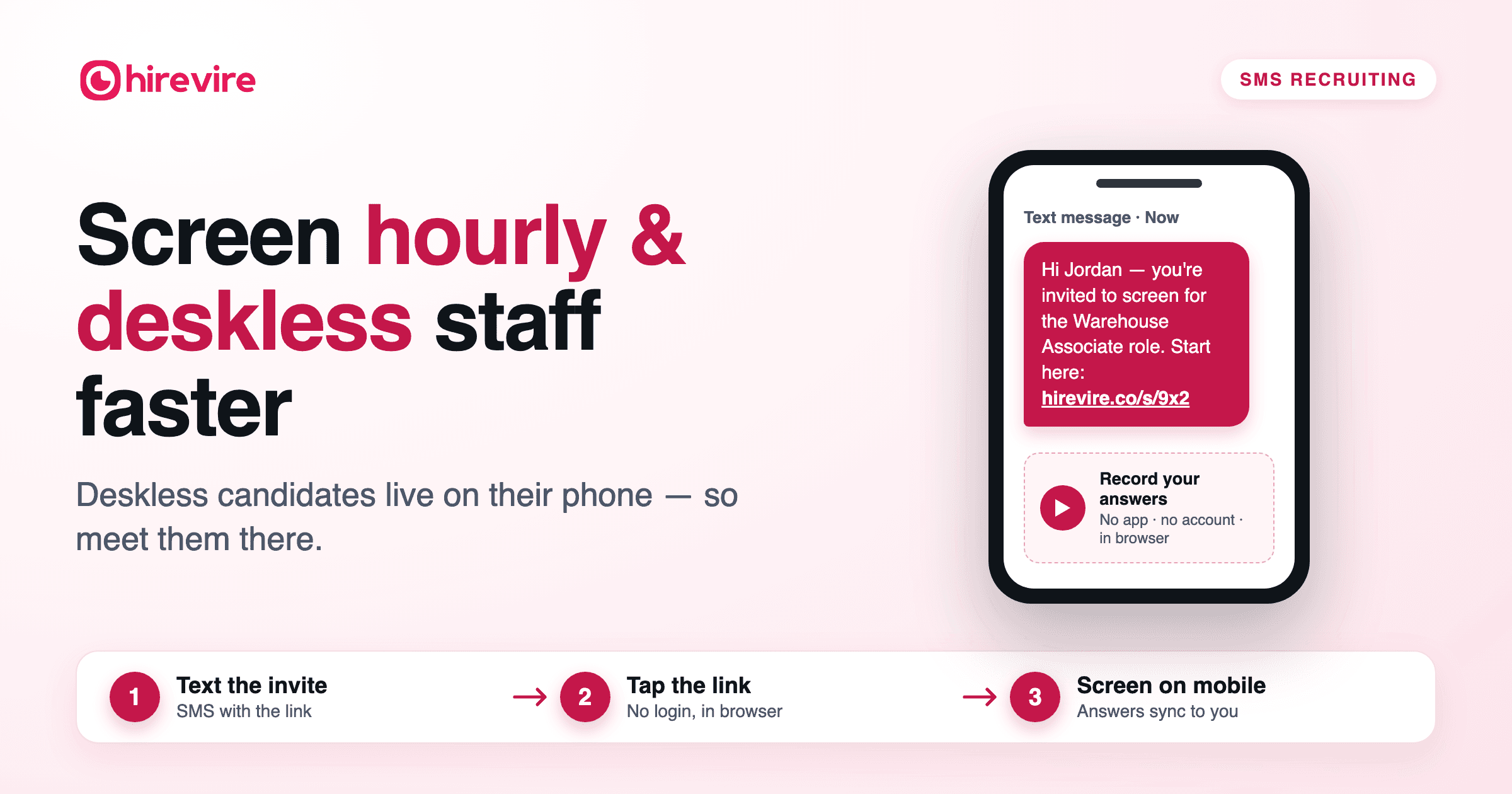
Your next great hire is probably someone you've already screened. Deep Search finds them: type what you need in plain language — "5+ years in outbound sales," "fluent in Spanish," "forklift certified" — and Hirevire searches every video transcript, resume, text answer, team note, and uploaded file in your account. Ranked results in seconds, with the proof attached.
Start free with Hirevire → · 7-day trial · no credit card · candidates never pay
You already met your next hire — you just can't find them
Every screening you've ever run left evidence behind: recorded answers, transcripts, resumes, your team's notes on who impressed them. Then someone quits, or a new role opens — and none of it helps, because the only way back in is a keyword box that reads resume text and nothing else.
So you start from zero. Post the job. Pay for sourcing. Screen strangers for six weeks.
The data says that's backwards. Gem's 2026 Recruiting Benchmarks Report found 46% of sourced hires are now rediscovered candidates — people already sitting in the company's ATS or CRM — up from 26% in 2021. And SHRM's benchmarks price the from-scratch alternative at around $4,700 and 44 days per hire.
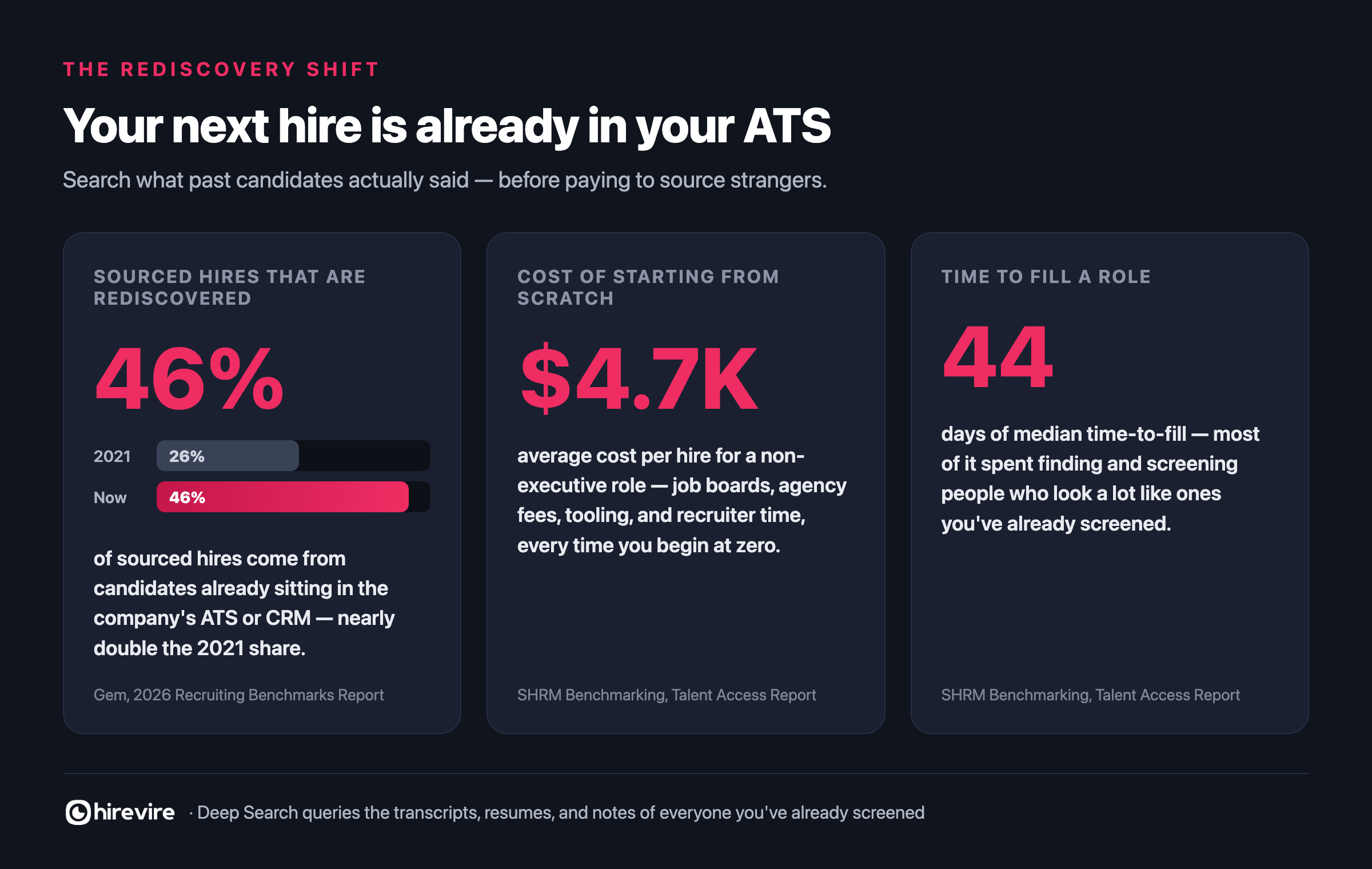
Half the market's "sourcing" wins are really rediscoveries. Deep Search is how you make them on purpose.
Search everything candidates ever told you
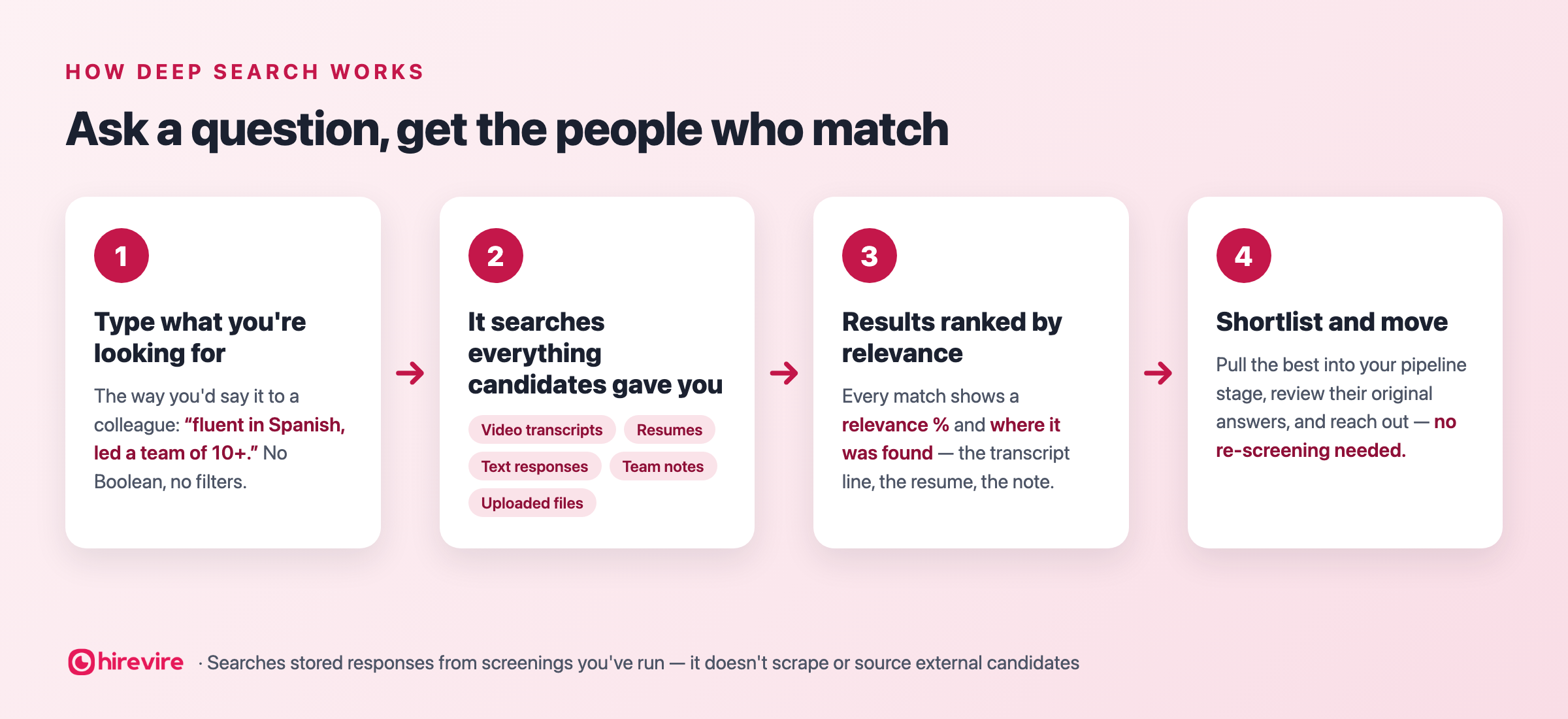
Deep Search is a search engine for your own candidate history. Ask in plain language — no Boolean strings, no filter trees — and it searches five layers of every candidate's record at once:
- Video transcripts — every recorded answer, transcribed. The richest layer: interviews capture what people have actually done at a depth no resume reaches.
- Resumes — the full document, not just the fields your ATS parsed.
- Text responses — written answers: notice periods, salary expectations, project stories.
- Team notes — your reviewers' own judgments: "strong on camera, better fit for CS lead."
- Uploaded files — certificates, licenses, portfolios; the documents nobody reopens.
It matches meaning, not exact words. The candidate who said "half a decade of prospecting" surfaces for "5+ years outbound sales." The one who wrote "conversational Spanish, business fluent" surfaces for "speaks Spanish."
And you never have to trust it blindly. Every result carries a relevance % for instant triage, and a match source — one click and you're replaying the exact moment she described running invoicing in QuickBooks, with her AI scorecard and your team's comments alongside. For the full capability breakdown, see the Deep Search feature page.
From resignation to shortlist, same afternoon
Your ops coordinator quits on a Monday. Over 18 months you've screened sixty people for ops-adjacent roles — you know some were good, but nobody remembers who.
You type: "inventory management experience, mentioned Shopify."
Top result, 94% match: a warehouse-lead candidate from eight months ago who spent ninety seconds on camera describing how she reconciled Shopify orders against stock — it was never on her resume. Her scorecard says she ranked 2nd of 30. Your colleague's note says "excellent, lost to internal candidate."
Three shortlisted, shared with the ops manager, outreach sent — the same afternoon, to people who already know your company and already recorded their answers. That's the trade: two minutes of searching versus ~$4,700 and 44 days of screening strangers.
Run your first search free → — it takes less time than reading one resume.
Built for the moments hiring actually breaks
- The backfill. Someone quits a role you filled eight months ago. The runners-up — answers, scores, and all — are one query away.
- The requirement that changes mid-search. The manager adds "actually, they need HubSpot" after you've screened forty people. Search the pipeline you already have instead of re-asking everyone.
- The adjacent role. A reviewer once noted "great communicator — CS lead material." Six months later that note is your shortlist.
- The credential gate. Nursing, transport, finance: search "registered nurse license" or "forklift certified" and build the compliant shortlist from files you already collected.
- The seasonal rehire. Last peak's strong screens — including the ones you lacked headcount for — are already vetted and already know your process.
- The recruiter handover. When a teammate leaves, their notes stay searchable. Their judgment doesn't walk out the door with them.
One thread runs through all six: the expensive work — attracting, screening, evaluating — is already done. Deep Search just stops it from being write-only.
Ask it like you'd ask a colleague
- Skills & tools: "QuickBooks experience" · "worked with Salesforce" · "used Figma"
- Scope: "led a team of 10+" · "managed a P&L" · "owned enterprise accounts"
- Languages & communication: "fluent in Spanish" · "confident on camera"
- Credentials: "CPA" · "OSHA training" · "registered nurse license"
- Logistics: "open to night shifts" · "has a driver's license" · "available immediately"
- Your team's judgment: "strong culture fit" · "flagged for senior openings"
- Context: "startup experience" · "handled seasonal peaks" · "dealt with difficult customers"
None of these are tags you set up in advance. A tagging system answers the questions you predicted; Deep Search answers the one you have today.
Agencies and high-volume teams get the most from it
For recruiting agencies, every past engagement becomes inventory: a new mandate lands — bilingual accountant, e-commerce background — and you search every screening across every client before spending a sourcing dollar. The silver medalists who lost narrowly last time are exactly who the rediscovery data says gets hired now.
High-volume teams filling the same roles quarter after quarter — support, sales, virtual assistants — resurface qualified near-misses with their original answers and rankings intact. You already paid to screen these people. This is how that spend keeps paying.
What it does — and deliberately doesn't
| Deep Search does | Deep Search isn't |
|---|---|
| Search transcripts, resumes, responses, notes & files from your screenings | A sourcing tool that finds new external candidates |
| Understand plain-language queries — no Boolean needed | A web or LinkedIn scraper |
| Rank results with a relevance % | A replacement for actually reviewing answers |
| Show the source of every match | A resume-database subscription of strangers |
If your problem is "not enough candidates," you need sourcing. If it's "I've screened thousands of people and can't find the right one again" — the problem every team over a year old actually has — this is the fix.
Turn it on in three steps
- Flip the toggle in your My Account settings — Hirevire indexes everything already in your account.
- Type the requirement exactly the way the hiring manager said it to you.
- Shortlist from evidence — replay answers, check sources, and move the best into a pipeline stage to share. Nobody re-records anything.
From then on, every screening you run makes the search stronger — every answer, transcript, and note becomes findable the moment it lands.
Search everyone you've ever screened — start free → 7-day trial, no credit card required. Or read more on the Deep Search feature page.
Frequently asked questions
What is Deep Search in Hirevire? It's natural-language search across everything candidates have submitted in your screenings — video transcripts, resumes, text responses, team notes, and uploaded files. You type what you're looking for in plain language and get results ranked by relevance, with each match showing exactly where it was found.
Do I need Boolean strings or exact keywords? No. Deep Search is built for plain language — you type the requirement the way you'd describe it to a colleague, like "5+ years in outbound sales" or "fluent in Spanish." It matches meaning rather than exact strings, so candidates who phrased things differently still surface.
What content does it actually search? Five kinds: transcripts of recorded video answers, attached resumes, written text responses, the notes your team left on candidates, and any files candidates uploaded — portfolios, certifications, work samples. If a candidate said it or submitted it, it's searchable.
How are results ranked? Each result carries a relevance percentage so you can prioritize the strongest matches first, and each shows its match source — the transcript, resume, or note the hit came from — so you can verify it in context instead of trusting a score blindly.
Can Deep Search find new candidates I've never talked to? No, and that's deliberate. It searches people who have already gone through your screenings — it doesn't scrape the web or source external candidates. If you need more applicants, that's a sourcing problem; Deep Search solves the "I know I've already met this person" problem.
Why does searching past candidates matter so much now? Because rediscovery is where hiring is heading: Gem's 2026 Recruiting Benchmarks Report found 46% of sourced hires now come from candidates already in the company's CRM or ATS, up from 26% in 2021. With SHRM putting average cost per hire around $4,700, re-engaging people you've already screened is usually the cheapest, fastest path to a qualified hire.
How do agencies use it across multiple clients? When a new mandate lands, they search every screening from every past engagement before spending on sourcing. Candidates who screened well but lost narrowly on previous roles — silver medalists — resurface with their original answers and scores intact, ready to be shortlisted for the new client.
How do I enable Deep Search? Turn it on from your My Account settings in Hirevire. It then indexes the responses, resumes, notes, and files already in your account — and everything from future screenings becomes searchable automatically. You can try it on Hirevire's 7-day free trial without a credit card.