
Add an introduction video to your job
Adding an introduction video to your job posting helps candidates understand the role better and creates a personal connection before they start their application. You can record yourself explaining the position, showcase your company culture, or provide context that makes candidates more excited to apply.
You can add an introduction video when creating a new job or editing an existing one. This appears at the top of your job application form.
How to add an introduction video
Navigate to your job in the Jobs section
Click Edit job or start creating a new job
In the Basic details step, find the Introduction banner / video section
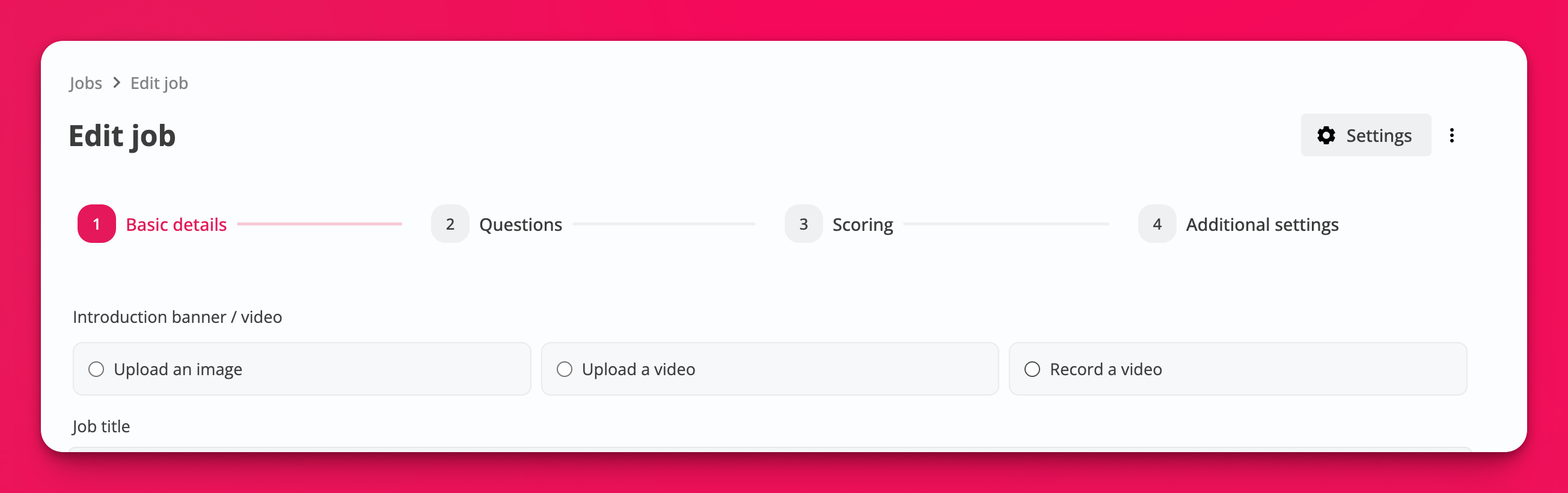
Choose one of the following options:
Upload a video — Select a pre-recorded video file from your device
Record a video — Record yourself directly in your browser using your webcam
Upload an image — Use a static image banner instead of a video
Tips for effective introduction videos
Keep your introduction video short and engaging—aim for 30-90 seconds to maintain candidate attention.
Consider including these elements in your introduction video:
Who you are — Introduce yourself and your role in the company
The role overview — Briefly explain what the position involves and why it's important
Company culture — Give candidates a feel for your work environment and values
What you're looking for — Highlight 2-3 key qualities or skills you value most
Encouragement — Invite candidates to share their authentic responses
Where candidates see your video
Your introduction video appears at the very top of the job application form, before candidates see any questions. This makes it the first thing applicants experience when they open your job posting, setting the tone for their entire application.
Candidates can watch your introduction video on any device—desktop, mobile, or tablet—without needing to log in or download an app.
Related articles
Add more details to each question — Learn how to add videos to individual questions for additional context
White-Labeling and Custom Branding Options — Customize your job posting with your company branding