
Add more details to each question
Updated last month
Add help text, embedded audio, or a video to media response questions so candidates get extra context before they answer.
Additional information is available only on Media Responses questions.
Open Additional information
Create a new job or open an existing job and go to the Questions step.
On a media response question card, click the control with the tooltip Add additional information (💬 icon).
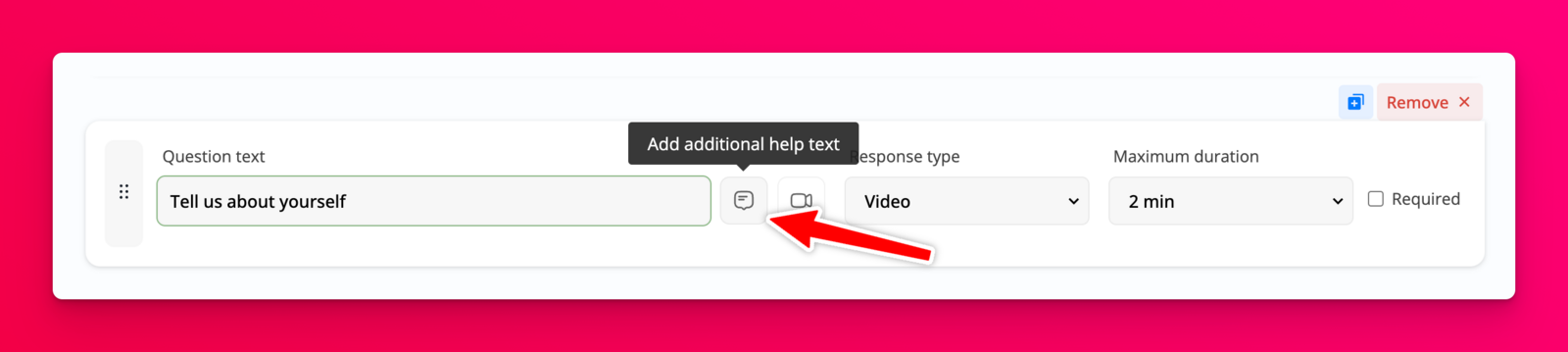
In the Additional information modal, use the Help text editor to add details.
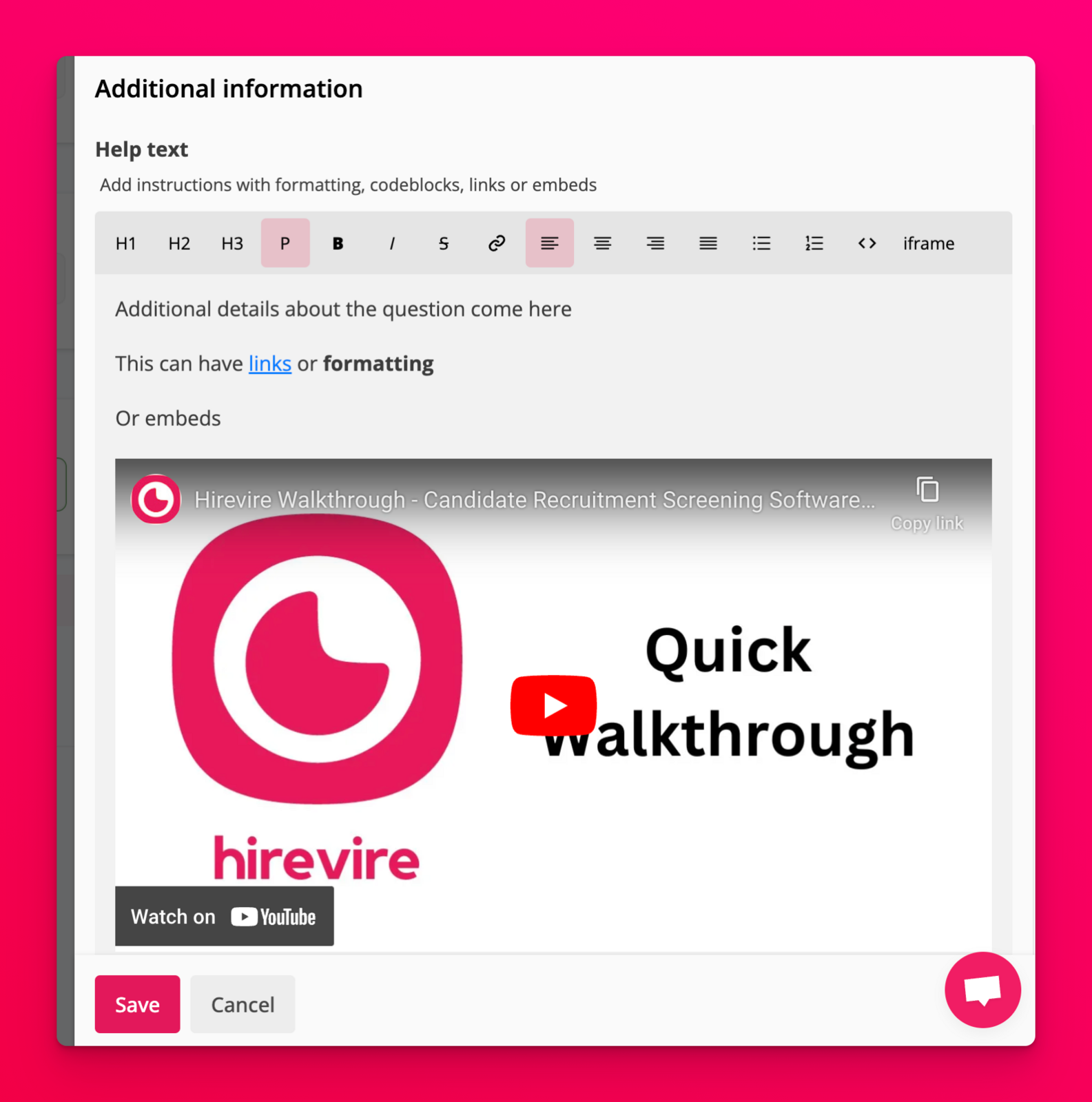
What you can add
In Help text, you can include:
Formatted text
Links
Code blocks
Embeds for externally hosted media
Embedded audio recorded or uploaded with Embed audio
Column sections, tables, and text blocks with a background image
To use these layouts, see Use columns, tables, and background-image blocks in the editor
Below the help text editor, you can also add a separate instructional video (upload or record, up to 300MB).
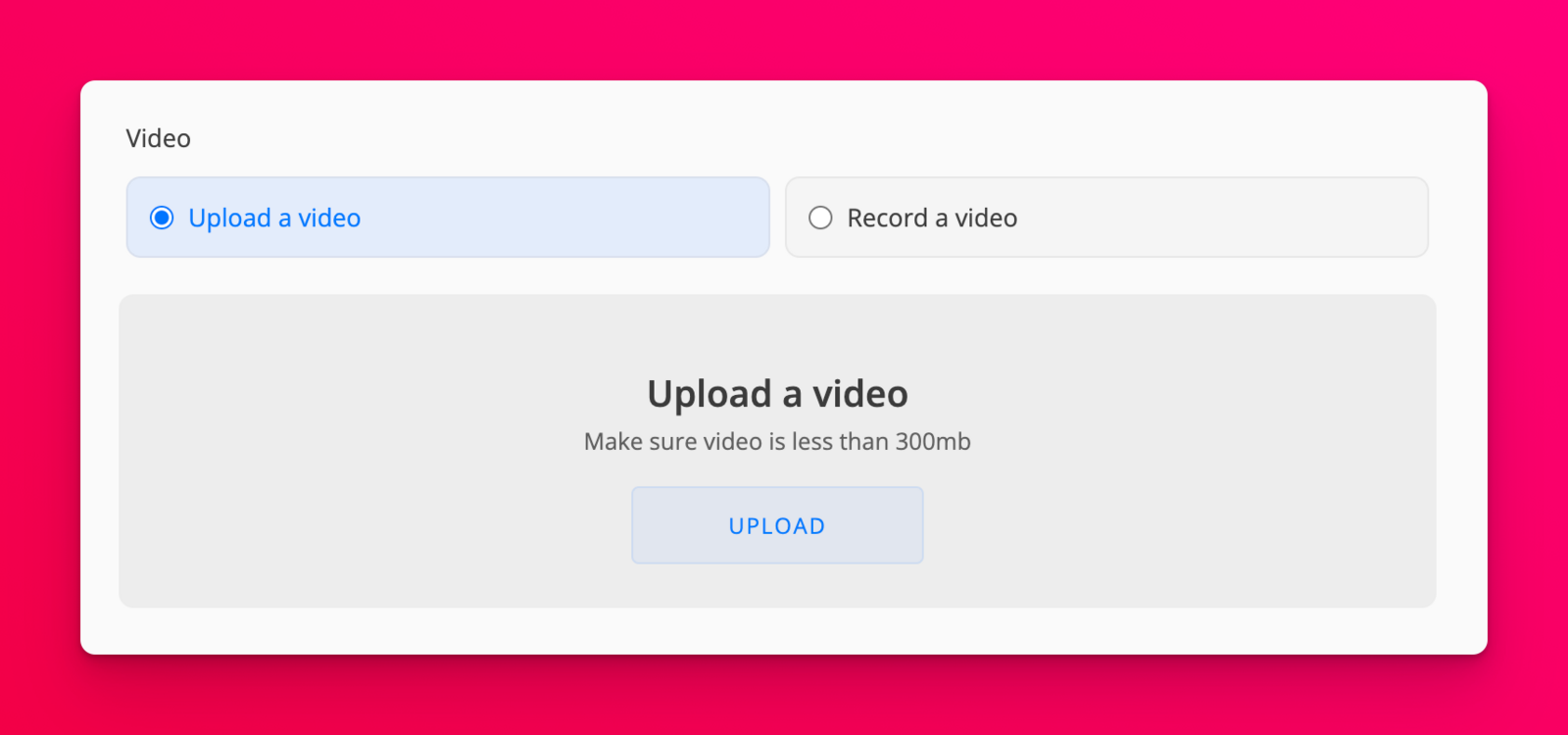
You can upload a previously recorded video or record a video in the modal.
Embed audio in help text
Use Embed audio in the help text toolbar to record from your microphone or upload an audio file, then insert a player candidates can control.
In the Help text editor toolbar, click Embed audio.
Record or upload:
To record in the browser, allow microphone access if prompted, then tap the mic (Start recording). The timer shows elapsed time against a five-minute maximum (for example,
00:00 / 05:00). Tap the mic again (Stop recording) when you finish. Recording stops automatically at five minutes.To use an existing file, choose Upload an audio file and select an audio file.
When the dialog switches to Preview audio, play the clip to check it.
Click Embed audio to insert the player into the help text, or Discard to clear the clip and try again. Before you have a preview, use Cancel to close the dialog without inserting audio.
Click Save on the Additional information modal to keep your changes.
The five-minute limit applies to browser microphone recordings only. If the browser cannot access the microphone, Hirevire shows an error that it could not access the microphone. If embedding fails after preview, try again when you see that the audio could not be embedded.
For the full question editor workflow, see How to edit questions in a job post. To add audio to the job-level candidate instructions field instead, see How to embed audio in candidate instructions.