
Magic Variables in Email templates
Updated 2 months ago
You can setup magic variables when creating or editing an email template in the job settings for each job post. These variables show up when you type "@". You can choose from a list of variables that shows up.
Email subjects support magic variables too. In the Subject field, insert a variable by choosing it from the "+ Add magic variable" menu or by typing @. The subject menu is filtered by email-template type, so the link-specific variables — Application Link, Assessment Link, Follow-up link, and Follow-up message — are excluded and remain body-only. The selected variables resolve when the automated email is sent, including invitation, new-application, scheduled, reminder, request-link, and stage-change emails. Available subject variables are Applicant full name, Applicant first name, Applicant email, Job title, Company name, Your name, and Current Stage (for custom-stage emails).
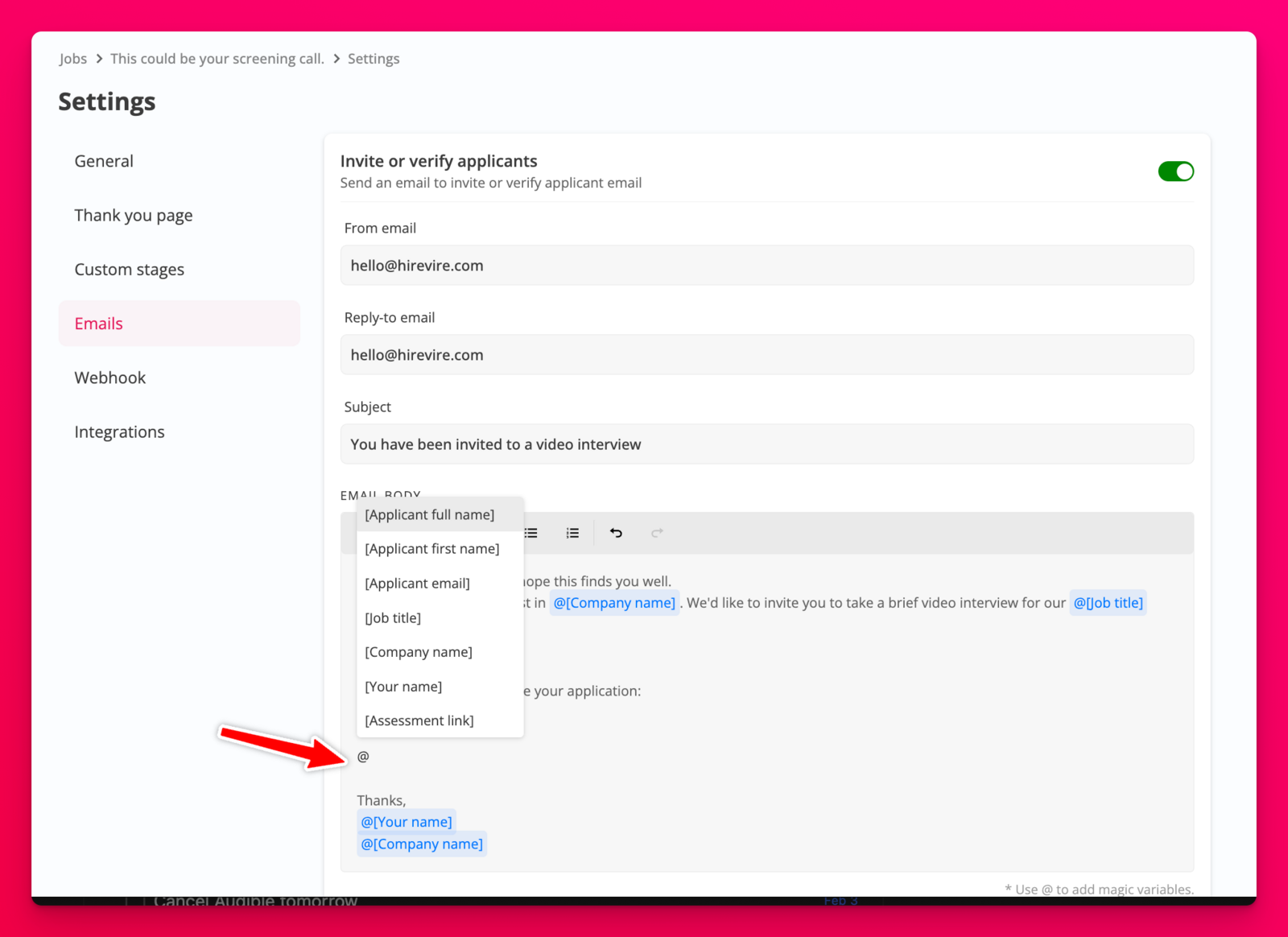
Here's a list of all the magic variables available and the content that will be emailed when used.
Applicant full name - The candidate's first and last name together
Applicant first name - Candidate first name used during invitation or as entered in the job application page.
Applicant email - Candidate email address used during invitation or as entered in the job application page.
Job title - The title used for the job post.
Company name - The company name used in the job post.
Your name - The name (as mentioned in the Hirevire account profile section) of the job post creator.
Assessment Link (available only in the invitation/verification or reminder email templates ) - The personalized link where the candidate can begin or resume their application.
Application Link (available once the application has been completed/submitted) - This is the application showcase link that shows the candidates the responses that they've provided. This link is available without the candidate having to login.
Current Stage (available in custom stage email templates) - This shows the name of the stage that the application has been moved into.