
Rerun an AI score and save scoring guidelines
Updated last month
You can rerun an application's AI score and add a note about what should be reconsidered. If the note states a general rule, Hirevire saves it to the job's scoring memory and applies it to every future scoring run for that job. Notes about one candidate stay on that application.
Rerun an AI score
The rerun control appears on the AI scorecard of any application that already has an AI Score.
Open the application and find the AI Score at the top of the scorecard.
Select the Rerun scoring button (refresh icon) next to the score.
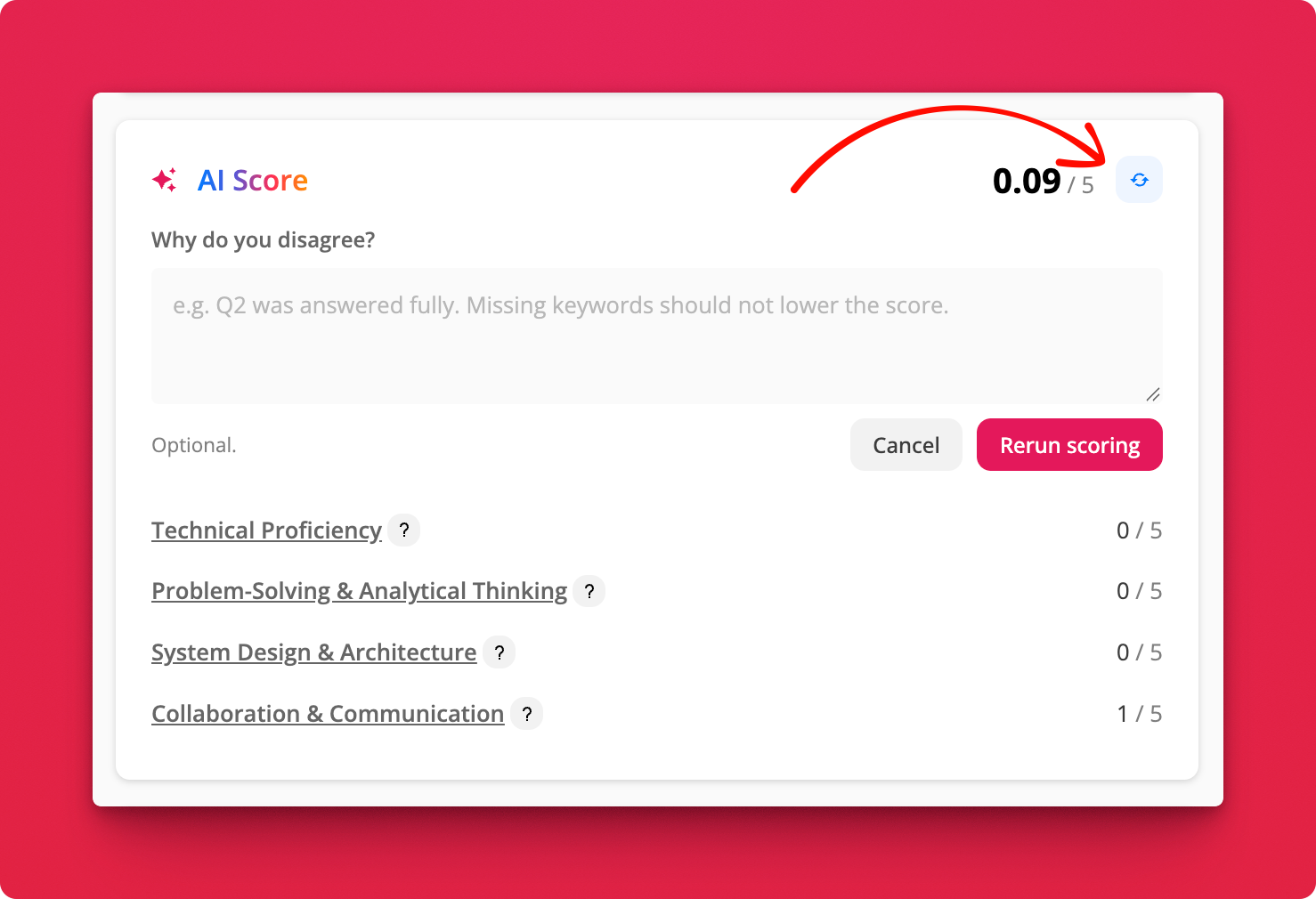
In Why do you disagree?, describe what should be reconsidered. The note is optional. On legacy plans (One Job, Startup, Growth), the panel notes that a rerun uses 1 AI credit. On current plans (Essentials, Professional, Agency), the note field only says Optional, with no credit usage.
Select Rerun scoring. While the score is recalculated, the control shows Rescoring…, then the updated score replaces the previous one.
Rerun scores in bulk
Apply new scoring rules to candidates who already have a score by rerunning several applications at once from the job's Applications list. Bulk scoring replaces the selected applications' existing scores with new ones.
Open the job and go to the Applications list.
Select the applications to rescore with the checkboxes, or use Select all.
Open Bulk actions and choose Score using AI. The label shows how many applications you selected.
Bulk scoring runs against the job's active scorecard, so the job needs a saved scorecard first. It does not take a disagreement note; notes are only available on a single application's rerun. On legacy plans (One Job, Startup, Growth), each application scored in bulk uses 1 AI credit, and the run fails with Not enough credits when the account is out.
How a note becomes a scoring guideline
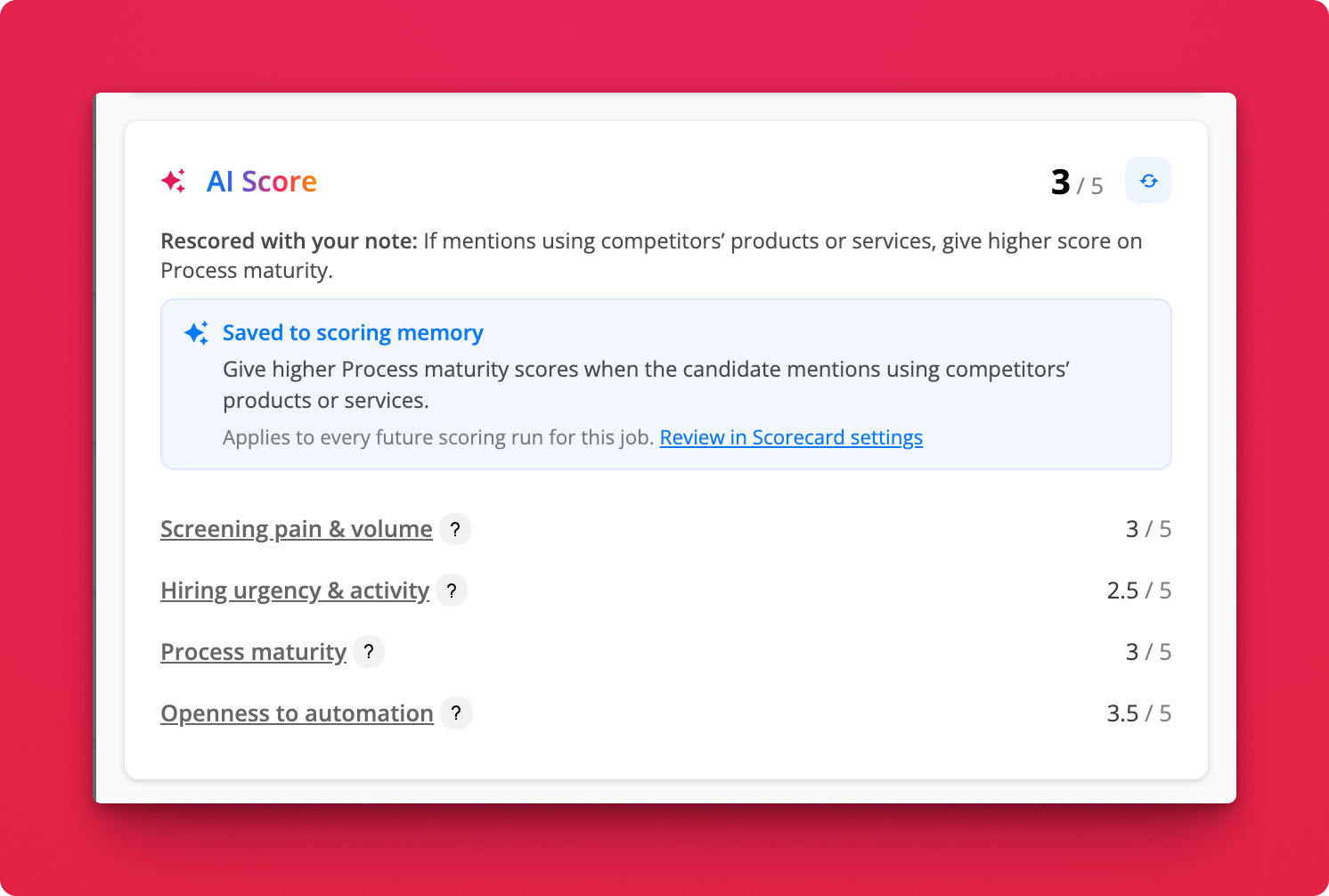
You do not choose between a candidate note and a guideline. After the rerun, Hirevire reads the note: if it expresses a general rule for the job, the rule is saved to the job's scoring memory. If the note only concerns that candidate, repeats a rule already saved, or is not actionable, it stays on the application only.
Hirevire does not train its AI on your feedback in the background. Your note takes effect only through the scorecard criteria you set and the guidelines saved to the job's scoring memory.
When a guideline is saved, the scorecard shows a Saved to scoring memory confirmation with the rule and the note Applies to every future scoring run for this job. The confirmation includes a Review in Scorecard settings link that opens the job's Scorecard settings.
Manage saved guidelines
Saved guidelines live in the job's Scoring memory. They affect future scoring runs for that job; they do not change scores already on applications, so rerun those applications' scores, one at a time or in bulk, to apply the new rules there.
Open the job and go to Settings > AI Scorecard.
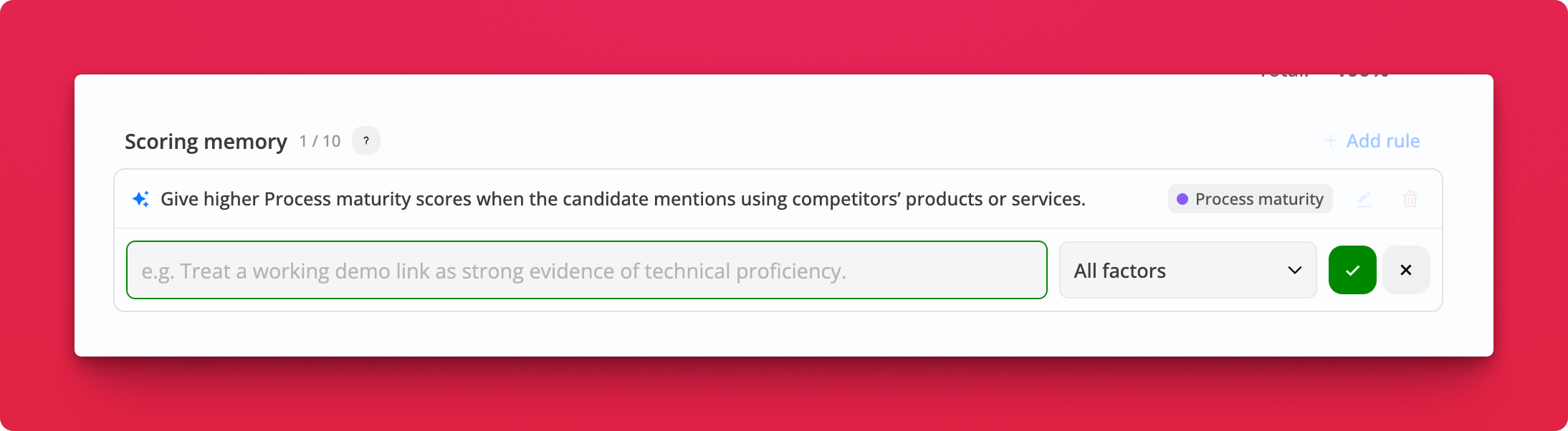
Scroll to Scoring memory.
Select Add rule to write a new guideline, or use Edit rule and Remove rule on an existing one. Select Done to save a change.
Optionally scope a rule to one factor. By default a rule applies to All factors.
AI scorecard runs, including reruns, use AI credits only on legacy plans (One Job, Startup, Growth). Current plans (Essentials, Professional, Agency) include AI features in plan pricing, with no credits to manage or purchase. See AI Credit Consumption for Candidate Responses.