
How to automatically pause job applications on a specific date and time
Updated 3 months ago
Set a future date and time in a job’s Settings > General tab under Automatically stop accepting new applications on. After that deadline, the job automatically pauses and appears closed to new applicants.
Before you start
You need an active job posting and access to that job’s settings. The feature is available on free trials and all paid plans.
The date and time are interpreted in your browser’s detected local timezone. There is no separate timezone selector. Existing applications stay accessible after the job pauses.
Pausing only stops new applicants from discovering the job page. Candidates who already have the interview link can still access and submit. For a hard cutoff that blocks those links, archive the job instead.
Set the automatic pause deadline
Open the job from your Jobs page.
Open Settings (gear icon), then select the General tab.
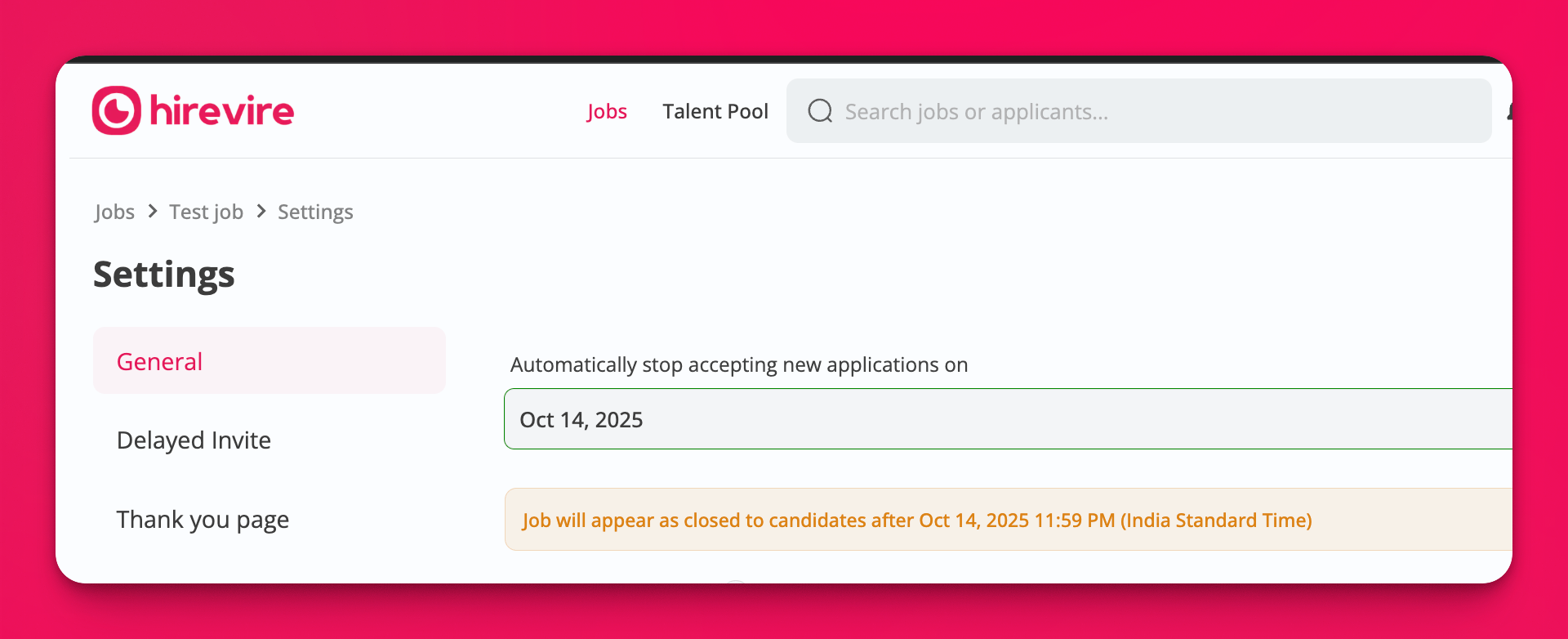
Under Automatically stop accepting new applications on, choose a Date. The calendar does not allow dates before yesterday.
Enter a Time in 24-hour
HH:MMformat. If you select a date and leave time unset, the time defaults to23:59.Confirm the preview line Job will appear as closed to candidates after, which shows the calculated timestamp in your browser’s local timezone.
Click Save.
Validation
Invalid or past deadlines block saving until you correct them.
A time that is not valid 24-hour
HH:MMshows: Please enter a valid time in HH:MM (24-hour) format.A deadline that is not in the future shows: The deadline must be in the future.
What happens when the deadline passes
After the configured date and time:
The public application page appears closed to new applicants.
The job dashboard can show that the job was automatically paused, with the pause timestamp in the viewer’s browser-local timezone.
Previously submitted applications remain accessible.
Candidates who already have the interview link can still access and submit.
Hirevire does not send automatic emails about the closure.
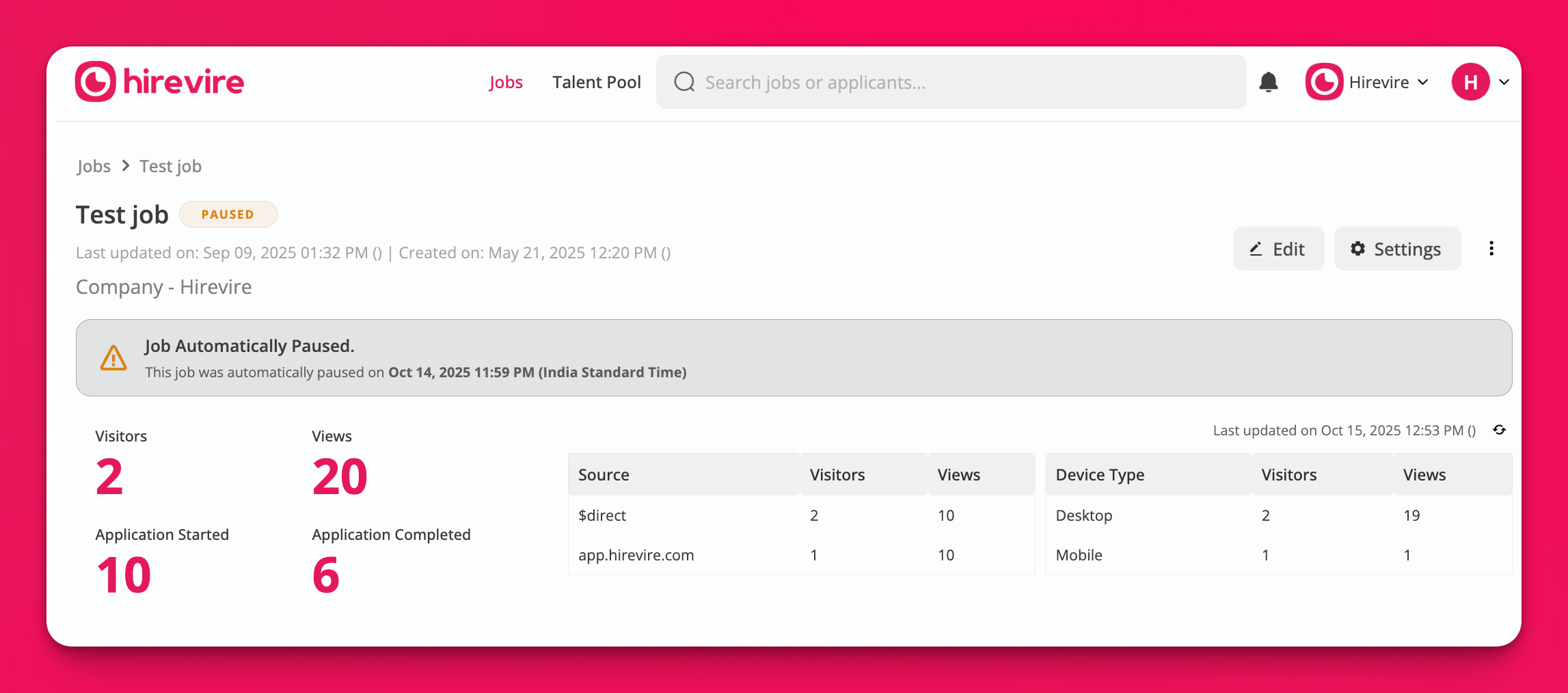
To reopen, change or clear the deadline in Settings > General, or see Manage Paused Jobs.
Limits
Each job has one automatic pause deadline.
The deadline uses your browser’s detected local timezone; you cannot pick a different timezone in this setting.
If your subscription expires before the deadline, account status can pause the job earlier.
Related
Enable Google Jobs structured data (optional expiration uses the same deadline fields)