Typo in a candidate's email? Phone number they skipped? You can now fix it directly on the application instead of chasing the candidate for a resubmission.
What's New
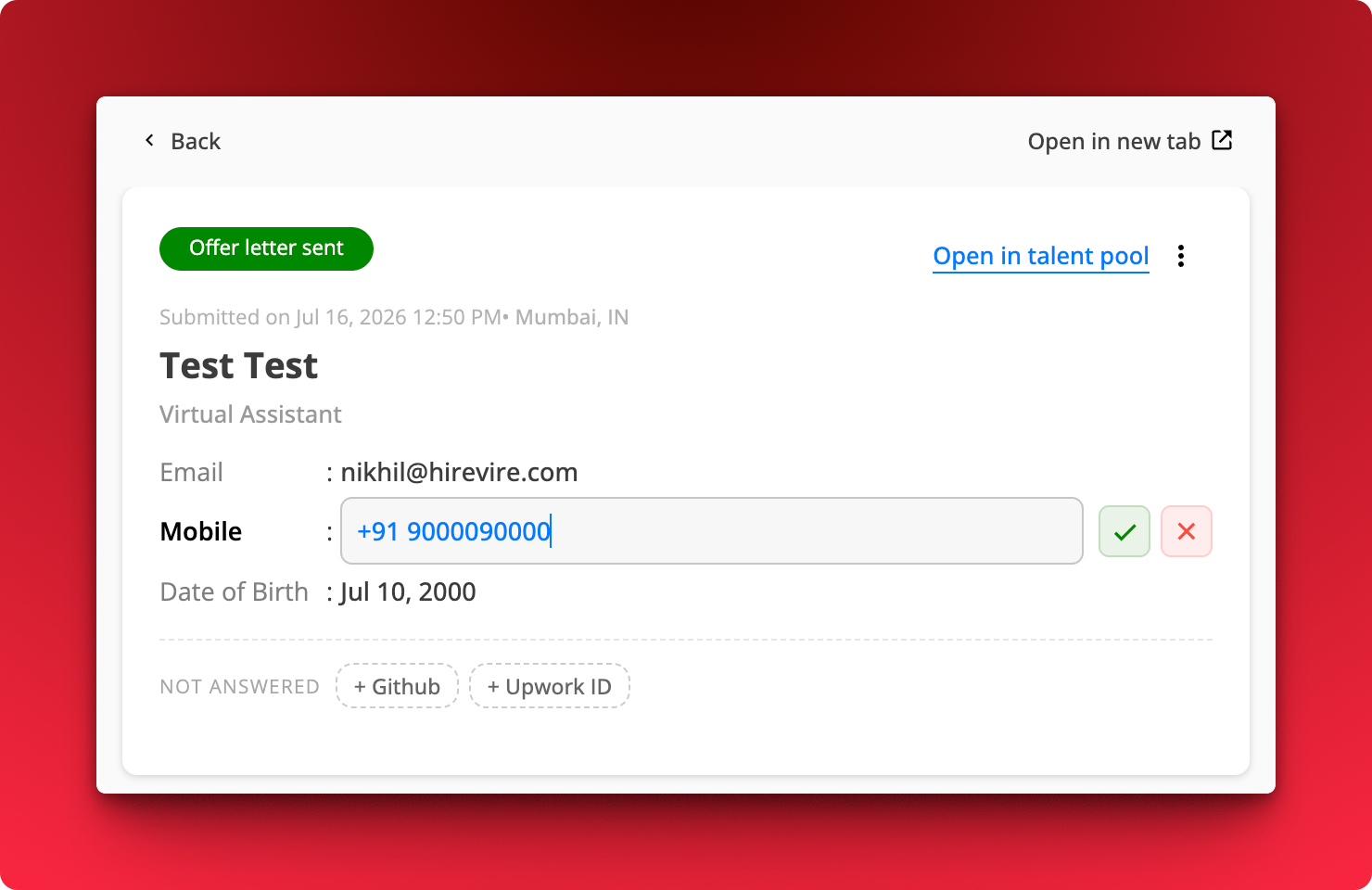
Edit submitted answers like name, email, mobile, and date of birth right on the application
Fill in skipped fields. Anything the candidate left blank shows up under Not answered as a chip you can click to add.
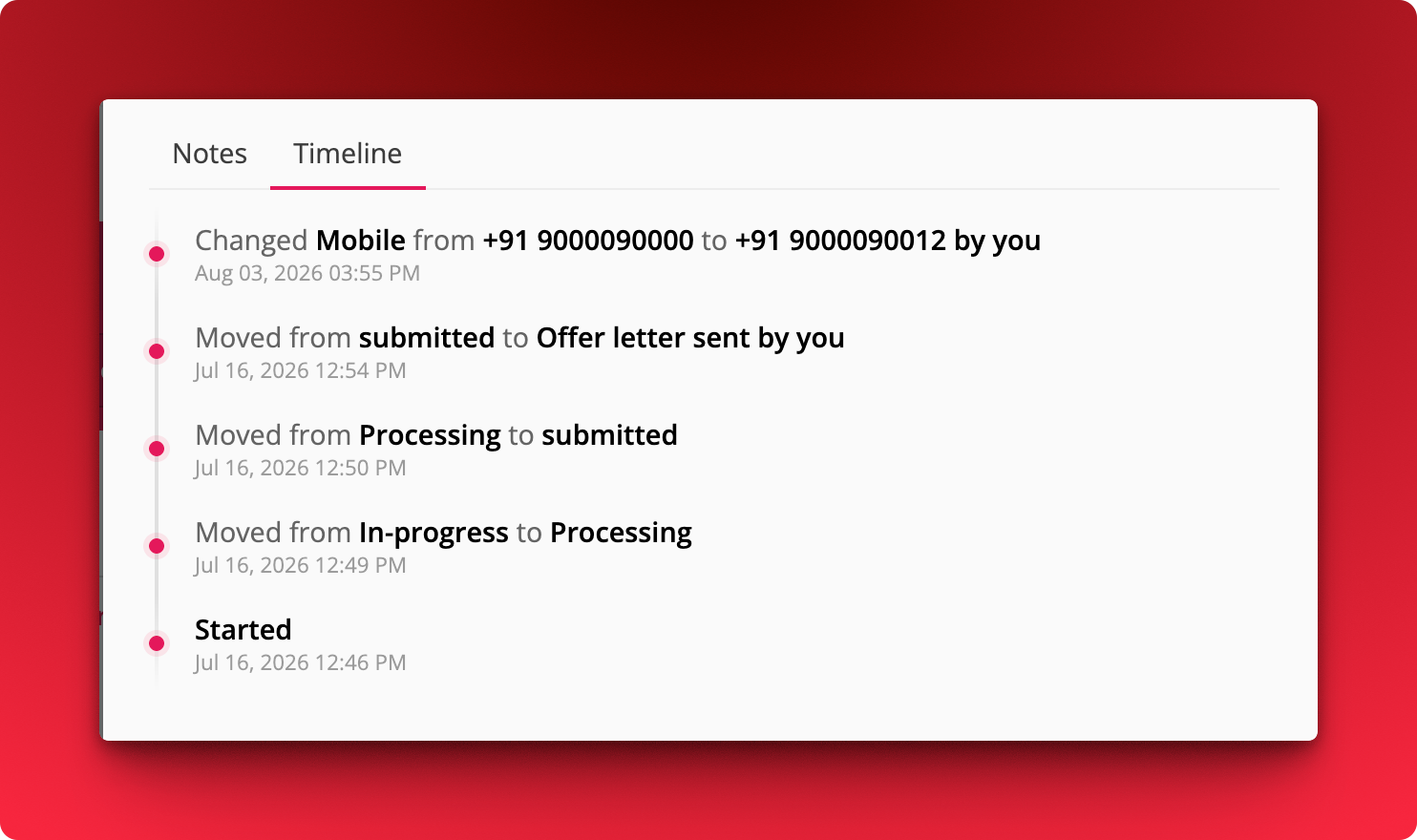
Every change is logged in the Timeline tab, with the old value, the new value, and who made the edit
How It Works
Where: Job → Applications → open an application
Click the field you want to change.
Type the new value and hit the green tick to save, or the red cross to discard.
Click a chip under Not answered to add a detail the candidate skipped.
Open the Timeline tab to see the full edit history alongside stage changes.
Phone number fields now validate against the format rules of the selected country, so a number that looks right for the wrong country gets caught at entry
Fewer unreachable candidates in your applications list
Moving a job over from a Google Doc or another tool? Paste your whole question list at once instead of typing them in one by one.
What's New
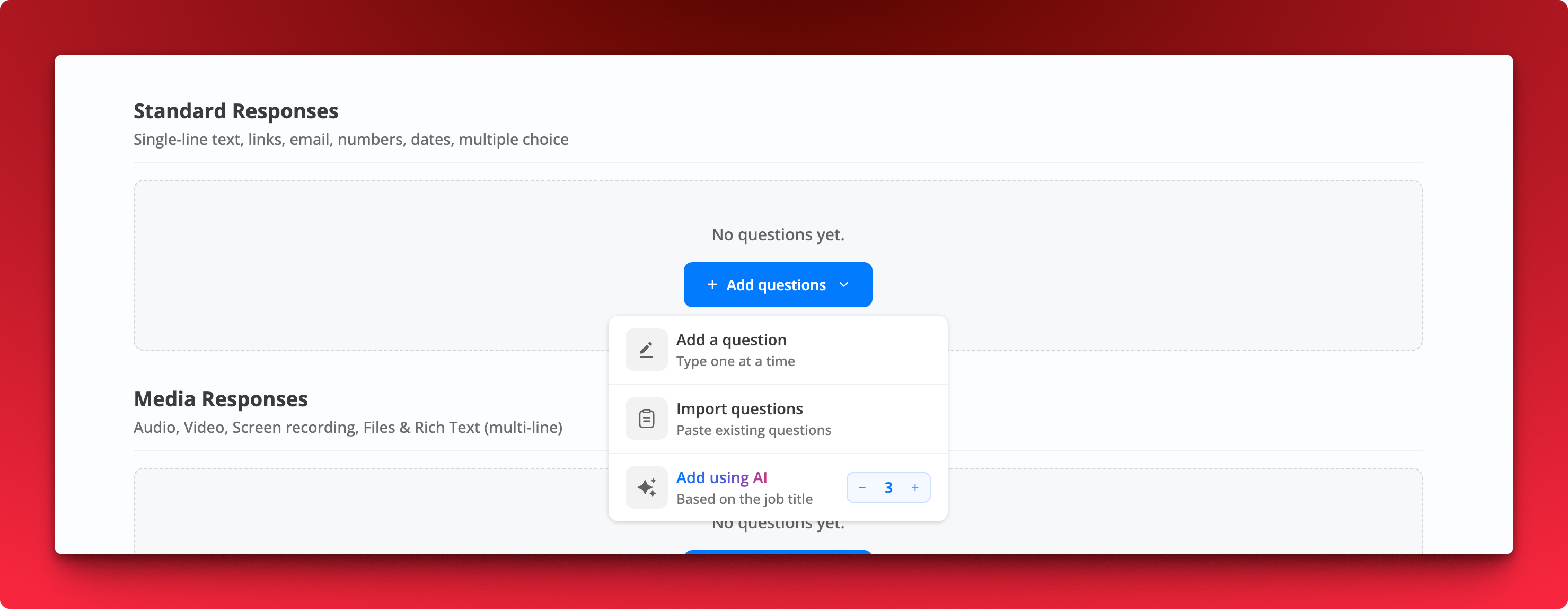
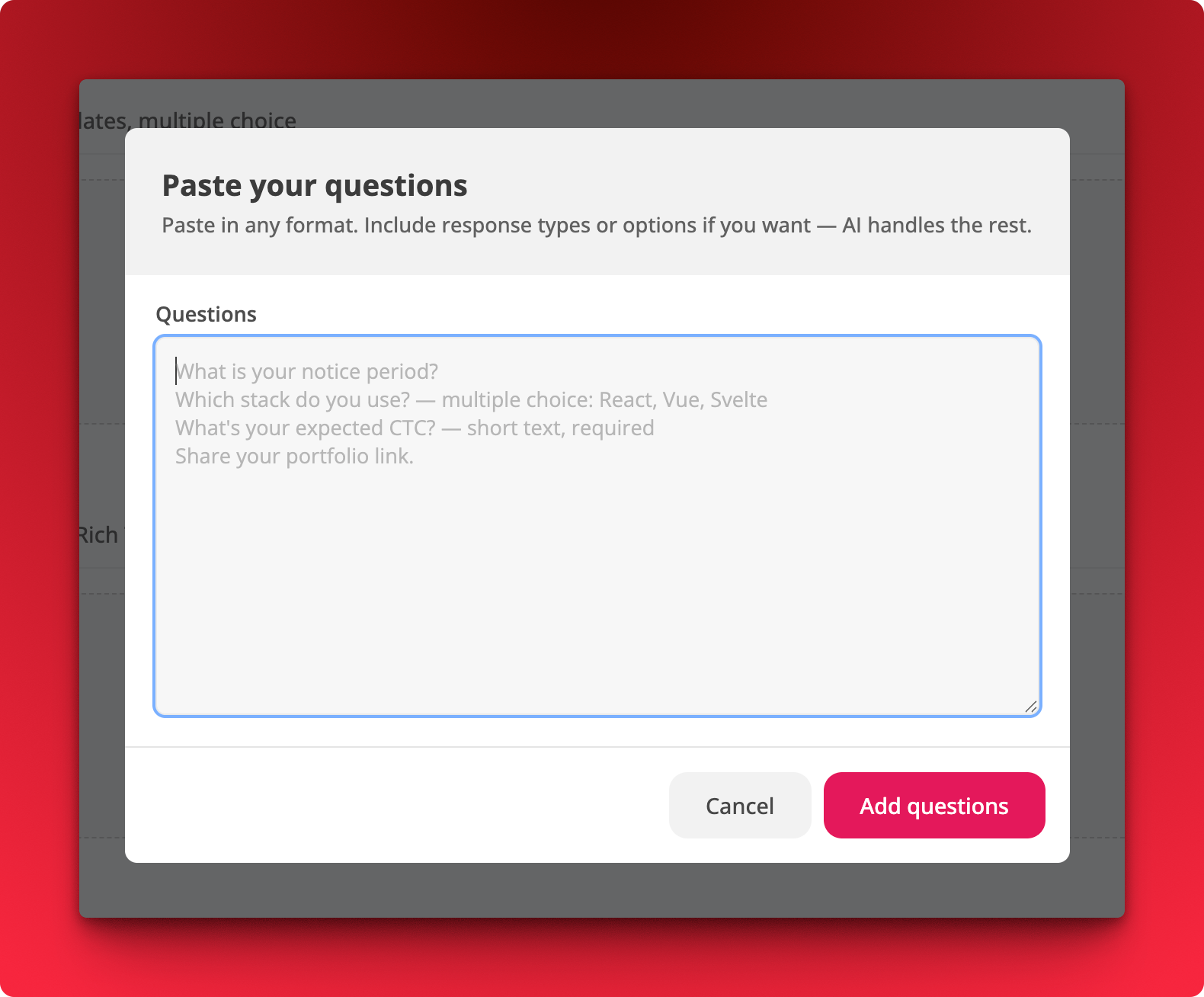
Import questions. Paste multiple questions in any format and AI parses them into properly configured questions.
Include response types and options inline if you want, for example Which stack do you use? multiple choice: React, Vue, Svelte or What's your expected CTC? short text, required
Pick a count for AI generation. The Add using AI option now takes a number, so you decide how many questions get generated
How It Works
Where: Job → Questions → Add questions
Choose Import questions and paste your list, one question per line.
Click Add questions. Response types, options, and required flags are picked up from whatever you included.
Review and edit anything AI got wrong before saving.
Notes
Works for both Standard Responses and Media Responses.
Formatting is flexible. Plain lines work fine if you would rather set response types yourself afterward.
Anyone who knows your webhook URL can send fake requests to it. Signature verification lets you confirm a payload actually came from Hirevire before you act on it.
What's new
Every webhook request now includes an X-Hirevire-Signature header (t=timestamp,sha256=hmac) and an X-Hirevire-Timestamp header, generated from a signing secret you control. Verify them on your end to reject spoofed or tampered payloads.
Where
Job Settings → Advanced Settings → Webhooks
How it works
Open a job's Webhook settings and expand Advanced Settings
Under Signing secret, click Generate (or paste your own secret), then Save
On your endpoint, compute the HMAC-SHA256 of the timestamp, a dot, then the raw request body, and compare the hex digest against the signature in X-Hirevire-Signature
Notes
Available on Agency and Platform plans only
Each job has its own signing secret
Leave the secret blank to disable signing, existing webhooks keep working without it