
Archive or close a job post
Updated 3 months ago
Archiving a job is how you close it permanently in Hirevire. It stops all new applications and locks the job for candidates who already have interview links — they will no longer be able to access or submit responses.
Difference between pausing and archiving: Pausing a job only stops new applications — candidates who already have the interview link can still record and submit. Archiving is a hard cutoff: no one can submit, even candidates with existing links.
What candidates see when a job is archived
When a candidate with an existing interview link tries to access an archived job, they see:
\"This interview link isn't working\"
\"It may have expired or been mistyped. Confirm the link with your recruiter, or ask them for a new link.\"
To avoid confused candidates, only archive jobs after your submission deadline has passed and you've confirmed all expected responses are in.
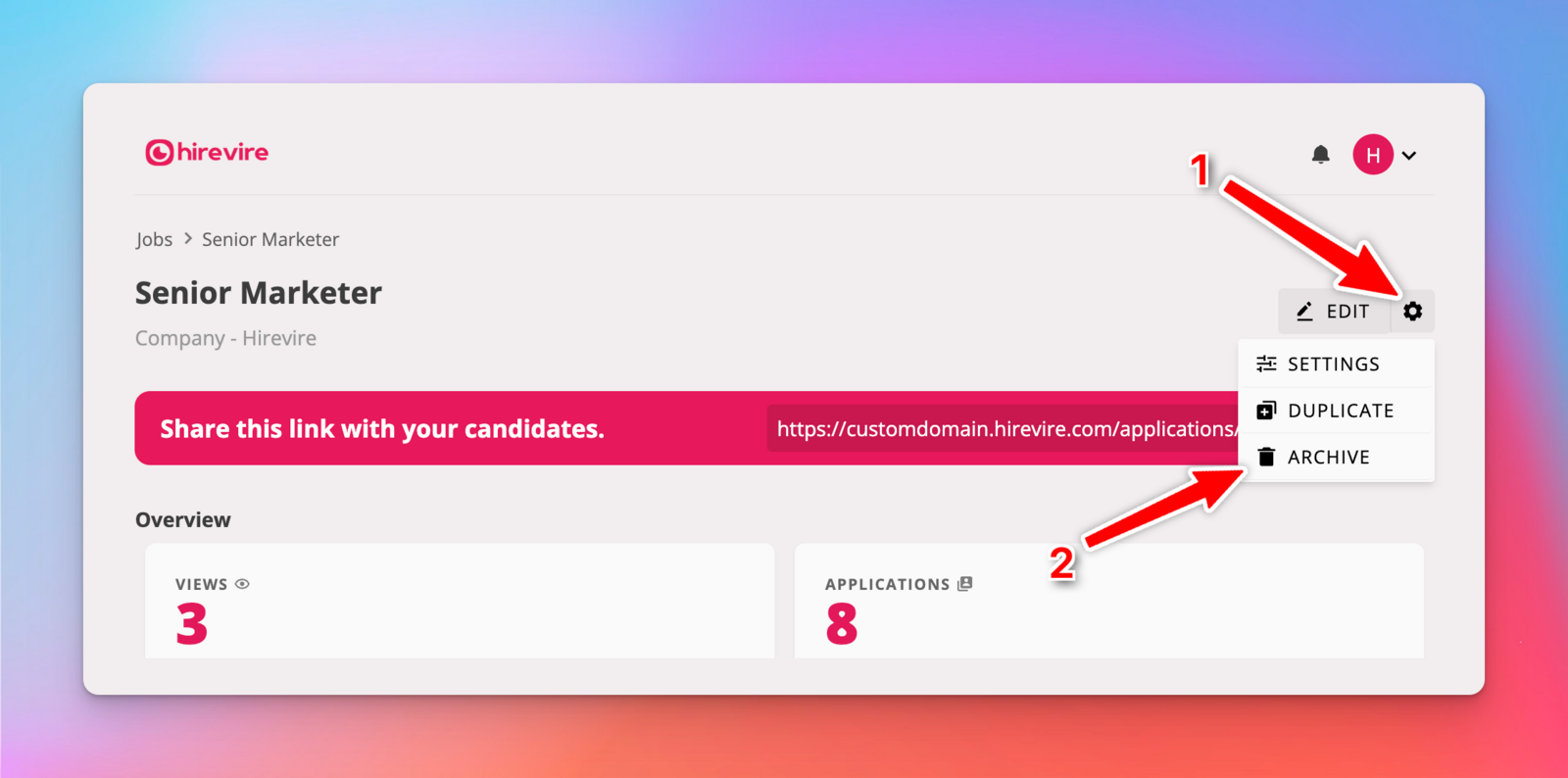
Steps to archive a job
Go to the job details page for the job you want to archive.
Click the job settings ⚙️ icon on the top right.
Choose Archive.
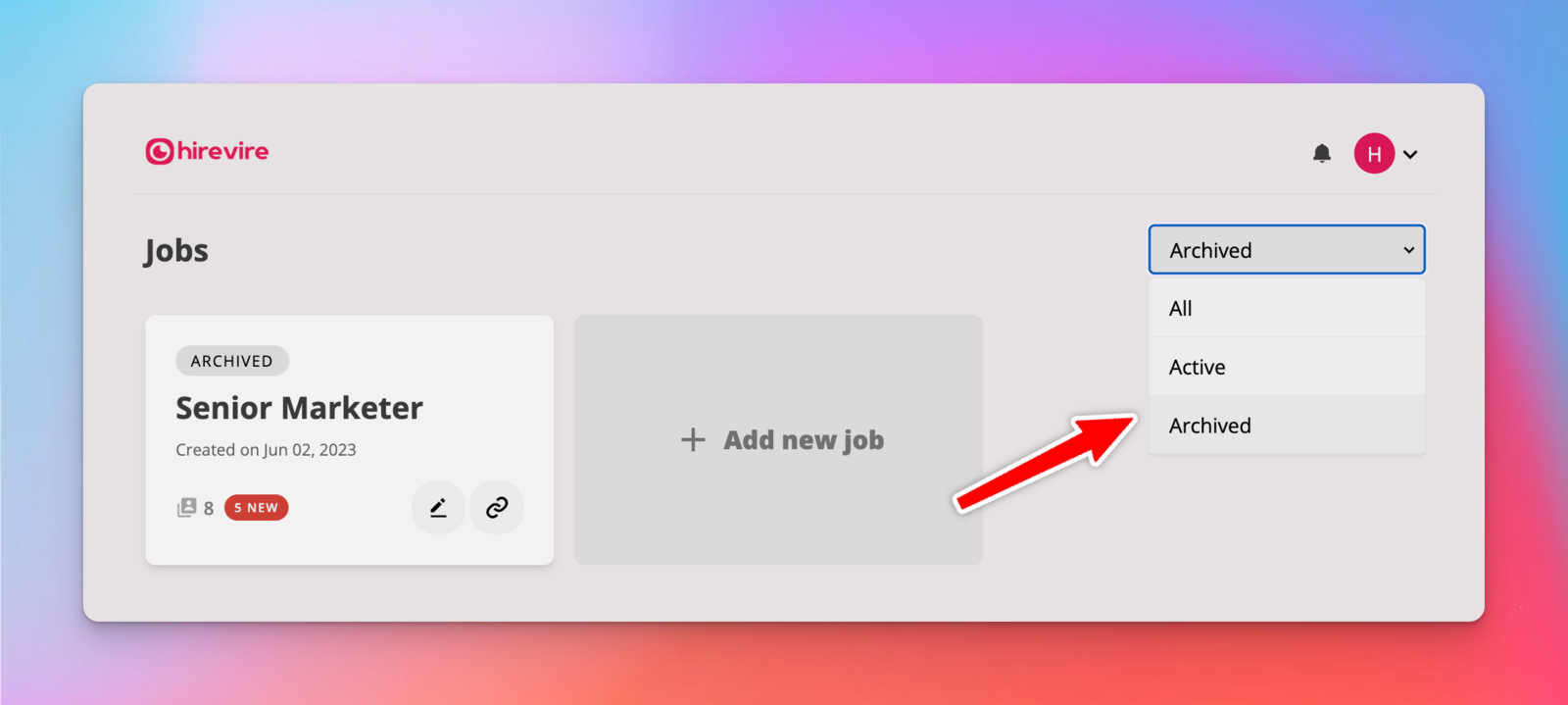
To view archived jobs, change the status filter in the jobs dropdown.
Related articles
How to automatically pause job applications on a specific date and time — for soft deadlines where candidates with existing links can still submit
Manage Paused Jobs — for resuming or managing paused jobs