Introducing the New Add/Edit Job Interface
We've redesigned the "Add/Edit Job" screen to make creating and managing your job postings on Hirevire even easier and more intuitive. This update brings a cleaner layout, improved navigation, and enhanced features to streamline your hiring process.
Tabbed Navigation: The job creation process is now organized into clear, sequential tabs:
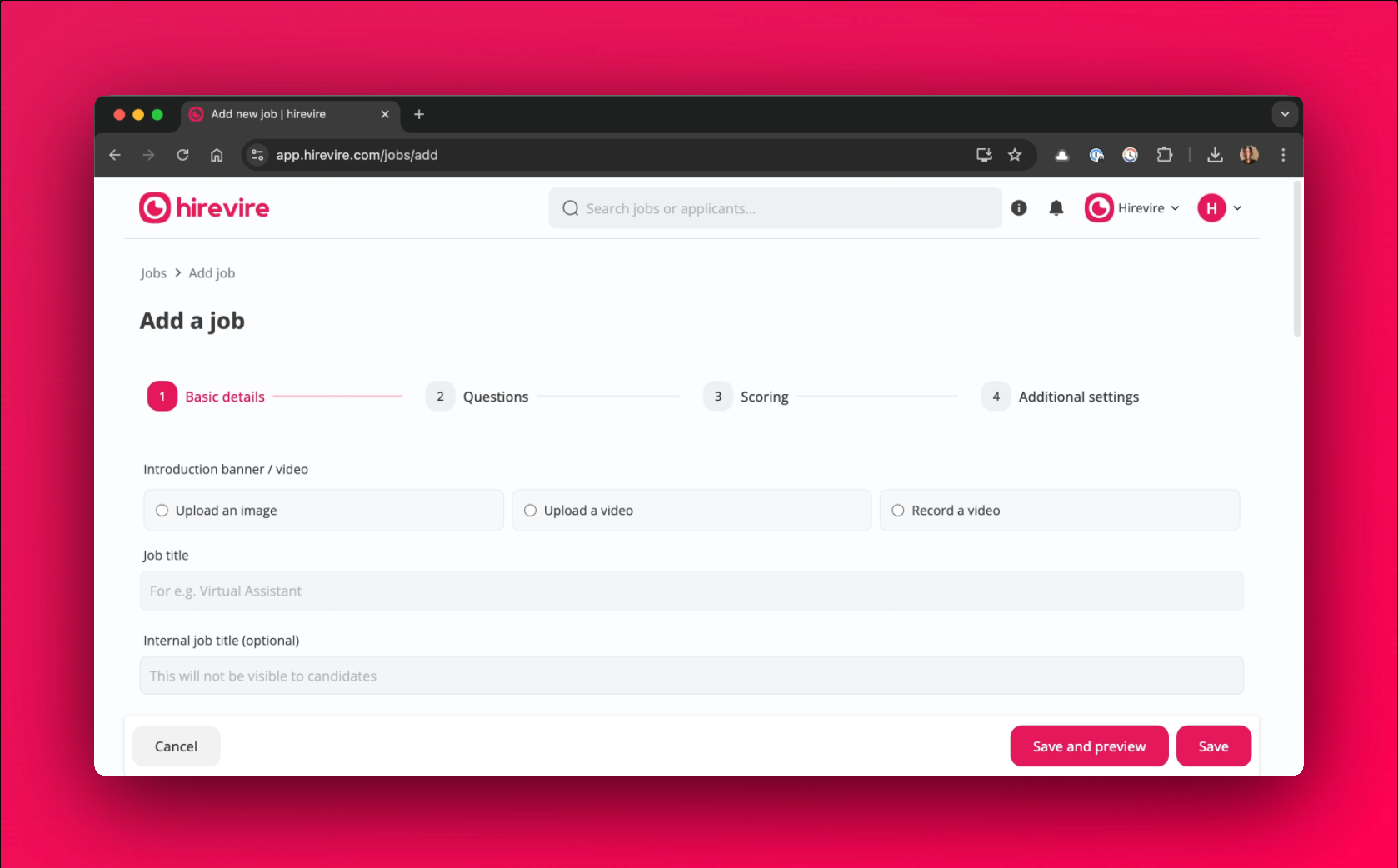
Basic Details:
This is where you'll enter the fundamental information about your job, including:
Introduction banner/ video
Job title
Internal job title (optional)
Instructions for candidates
Company details
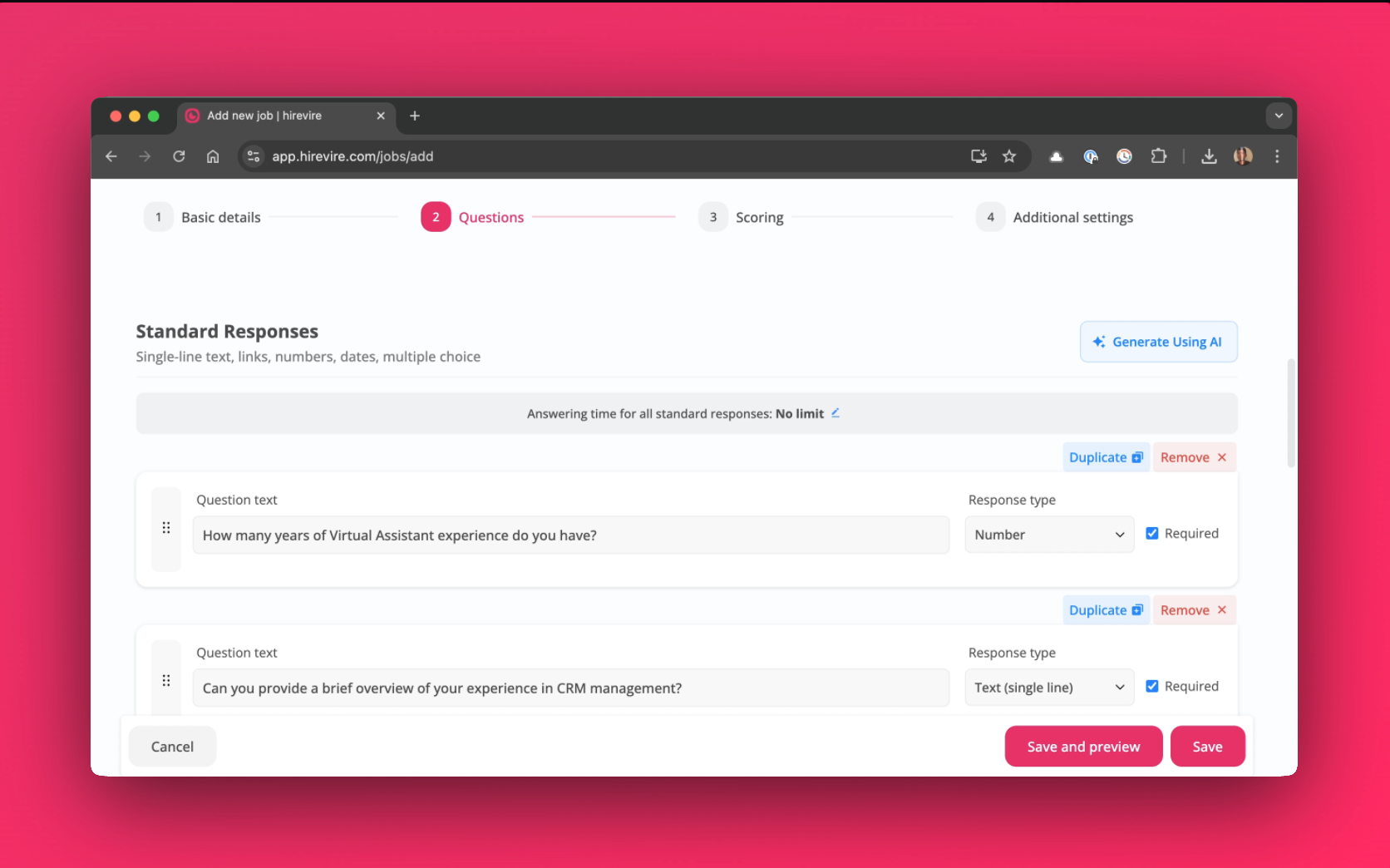
Questions:
Define the questions candidates will answer. Key features include:
Generate new standard and media questions using AI
Change the response type
Set the maximum duration for media responses
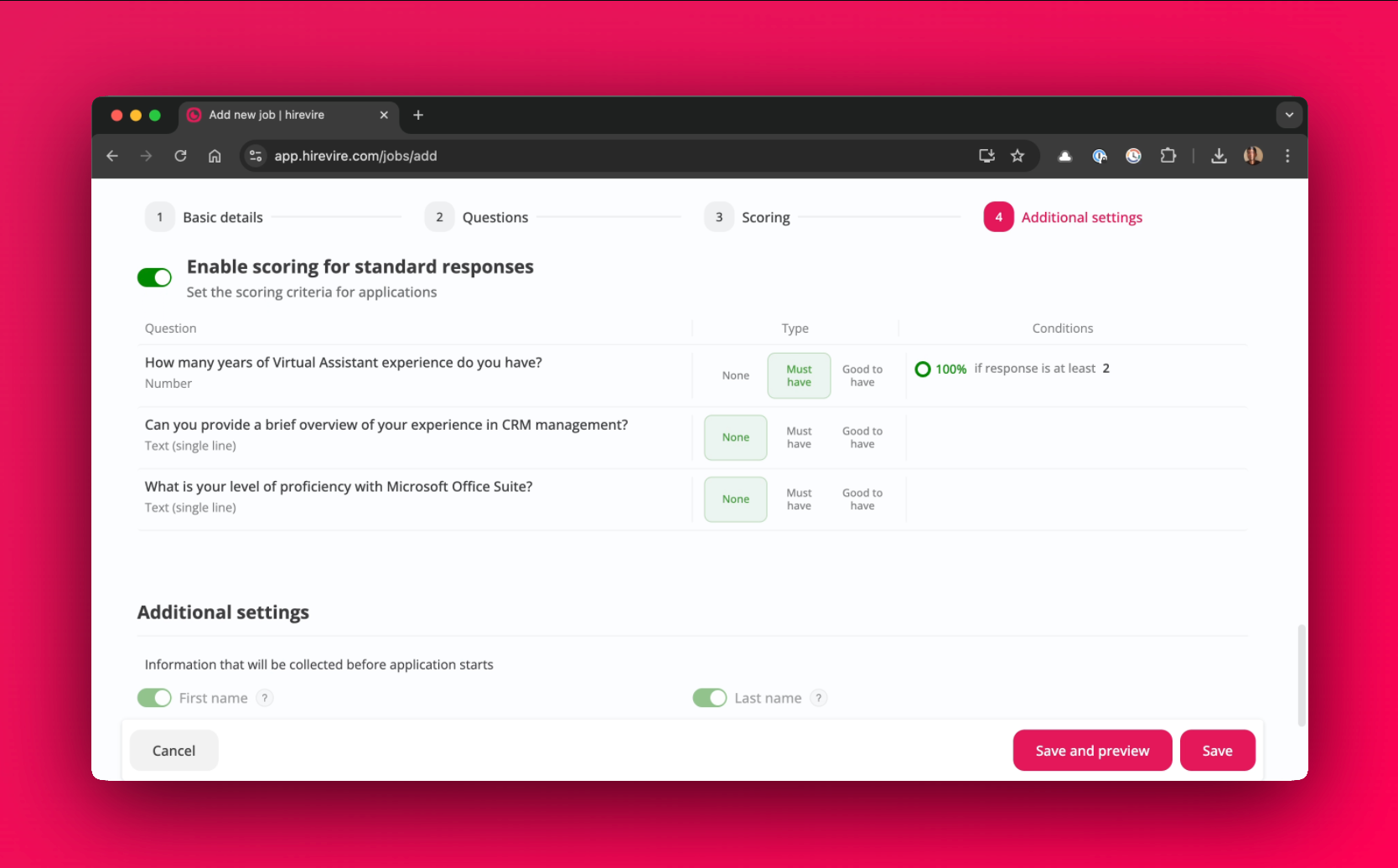
Scoring:
Add scoring to questions.
Set scoring conditions for each question
Change the score based on the answer given by the candidate
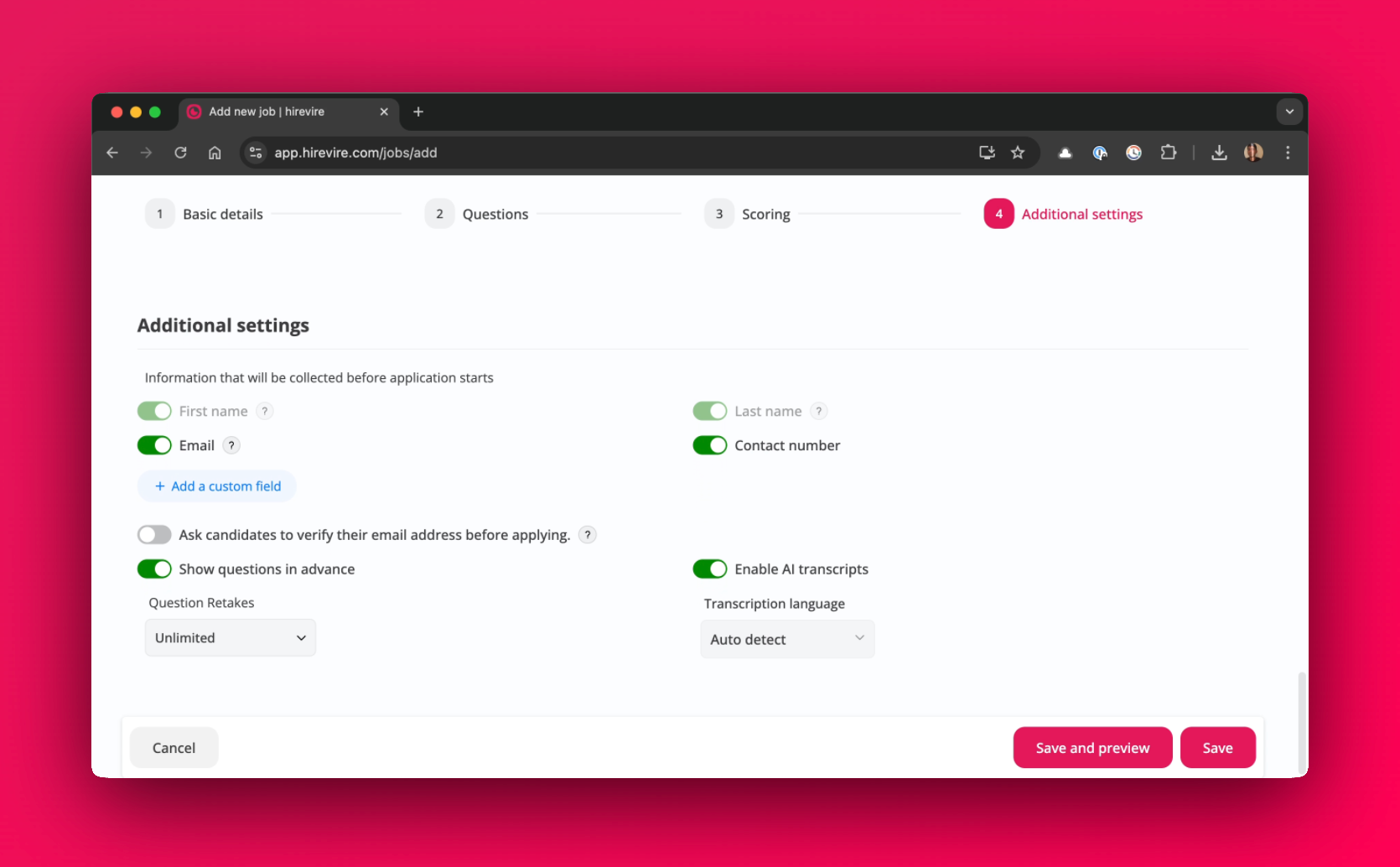
Additional Settings:
Configure additional job settings.
Ask candidates to verify their email address before applying
Enable AI transcripts
Choose the transcription language
We're confident the cleaner, more intuitive layout will reduce confusion and improve usability for your job creations on Hirevire.